Windows User Access Rights
Solution to manage users' database access.
- This tutorial will guide you through the steps on how to limit users' access to only certain database groups for Private Cloud.
- Both video & text tutorials are available.
If you are unsure of which window user the emails have access to, feel free to call our support to get the email:windows user mapping.
Video
Video tutorial here:
Tutorial
Prerequisite: Retrieve Windows Users
- Search
Computer Management.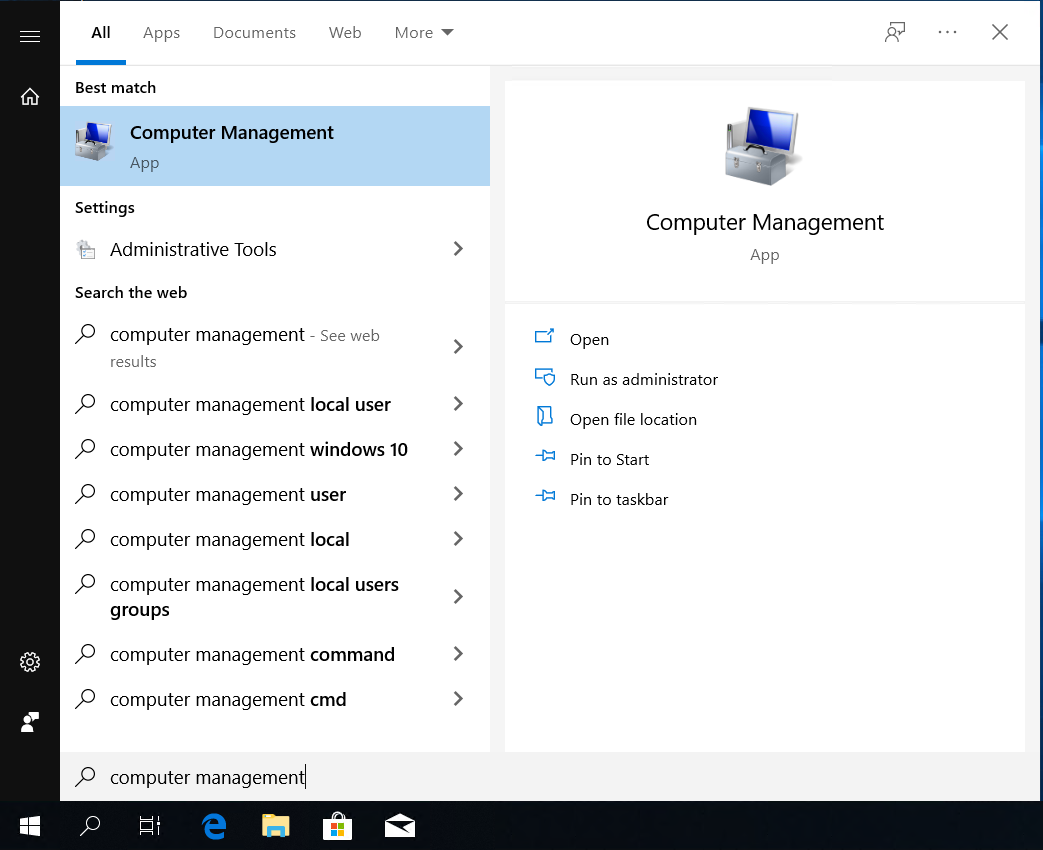
- Click
Local Users and Groups > Users. (Look for username with your company name, those are the users created for SQL Connect - private)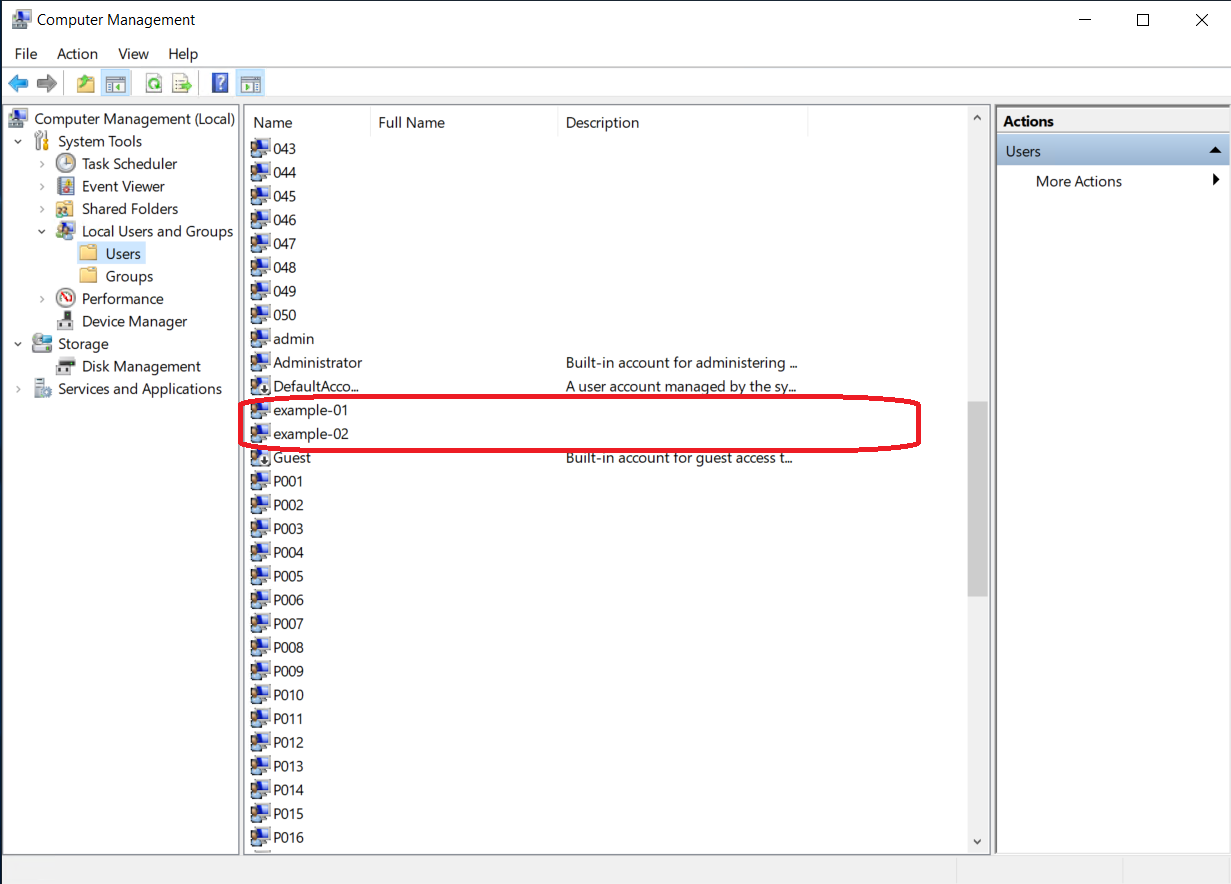
Case Study
Environment
- Two emails registered.
example1@gmail.com(has access to windows user example-01)example2@gmail.com(has access to windows user example-02)
- Two databases in the server.
- db1
- db2
Assumptions
example1@gmail.comcan only access to db1.example2@gmail.comcan only access to db2.
Solutions
-
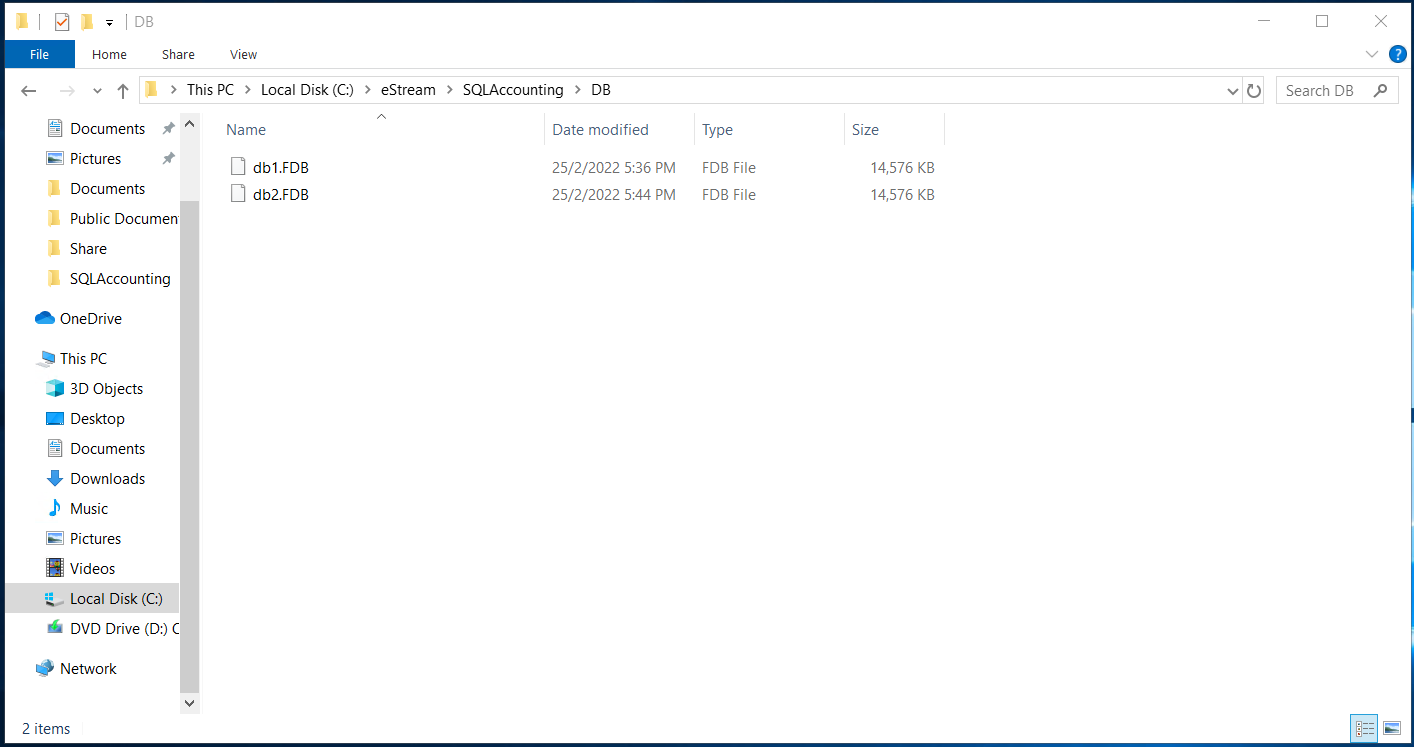
Create two dcf file. (
db1.dcfhas link to db1,db2.dcfhas link to db2)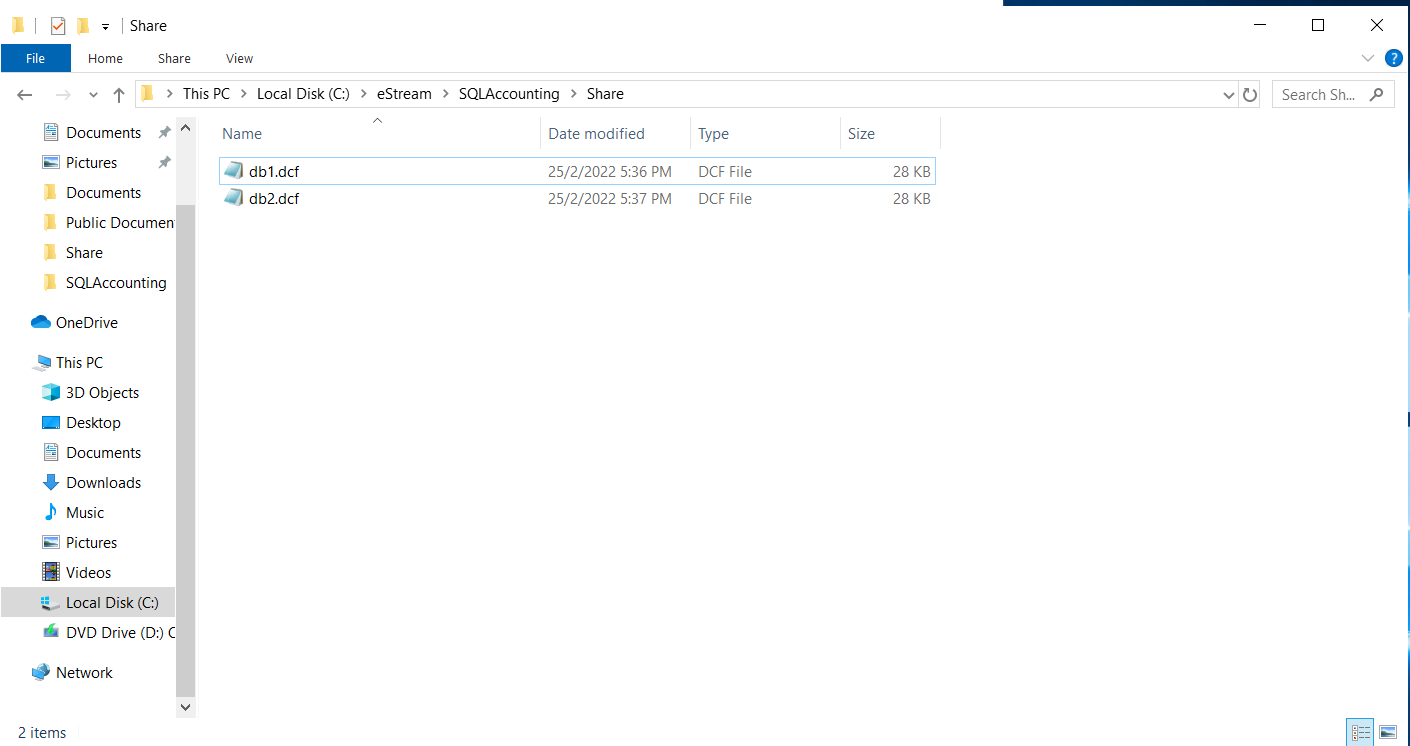
-
Right click on
db1.dcf, selectProperties.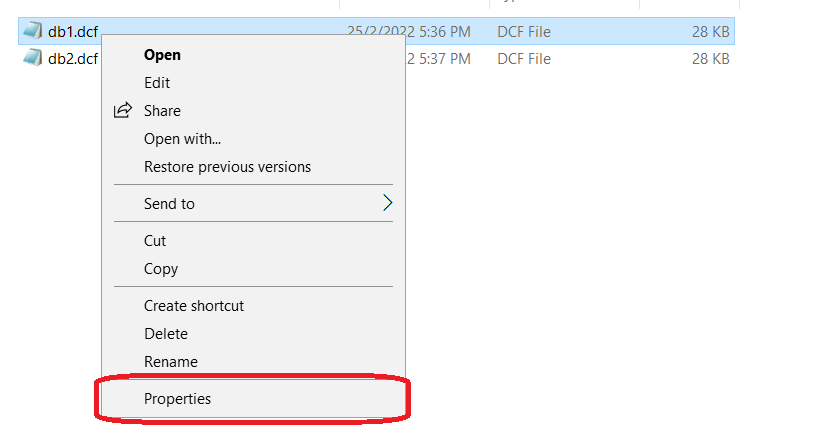
-
Go to
Security, selectAdvanced.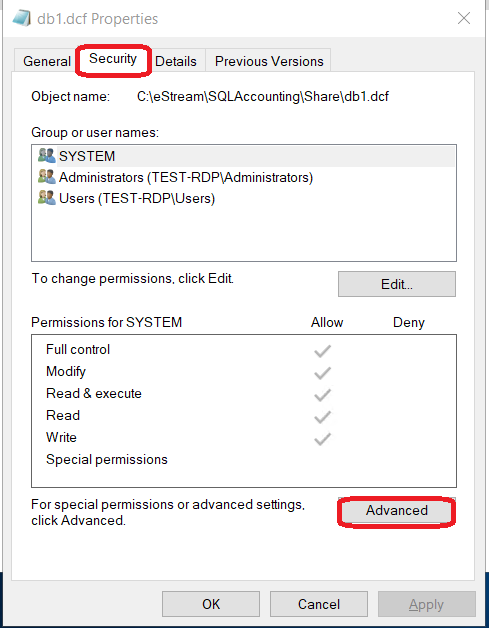
-
Click
Disable Inheritance. (If the button showsEnable Inheritance, you may skip this step)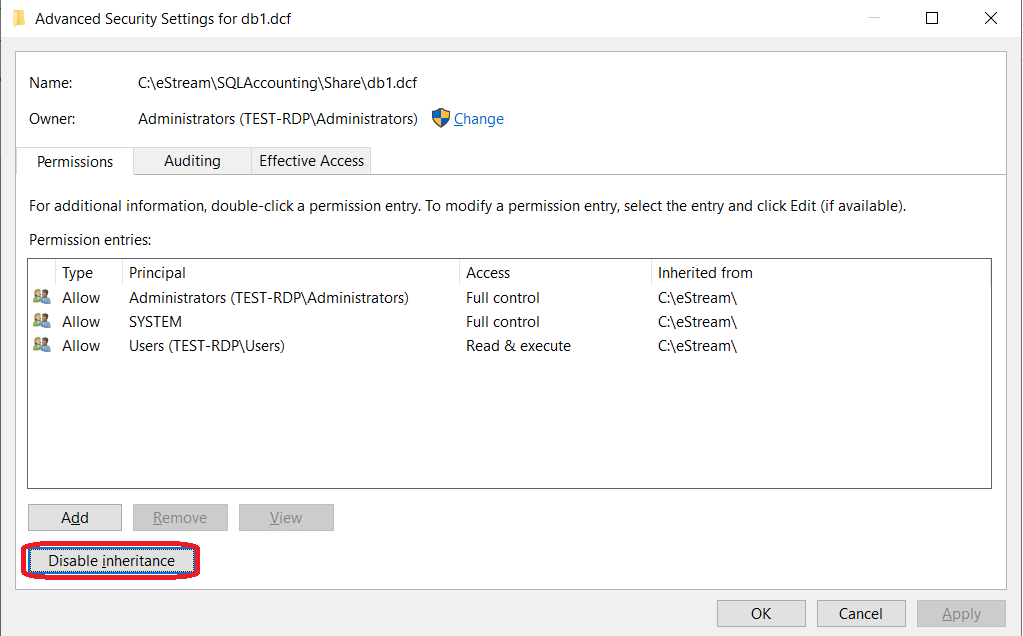
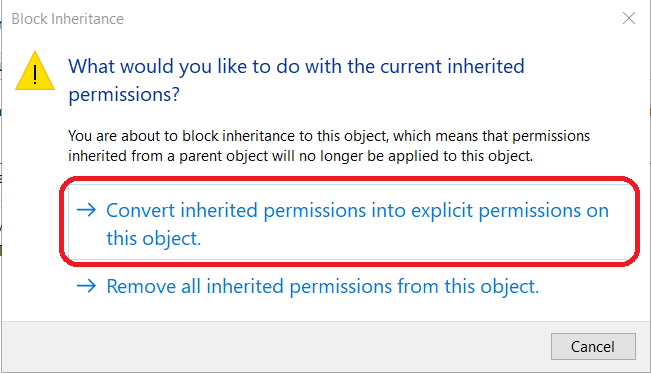
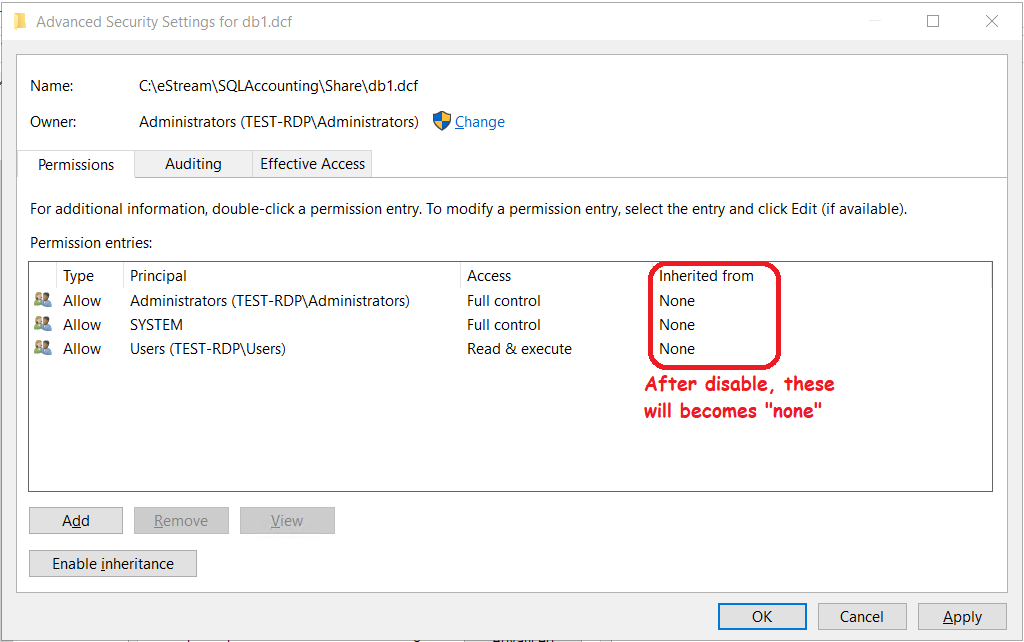
-
Remove principal except
AdministratorsandSYSTEM.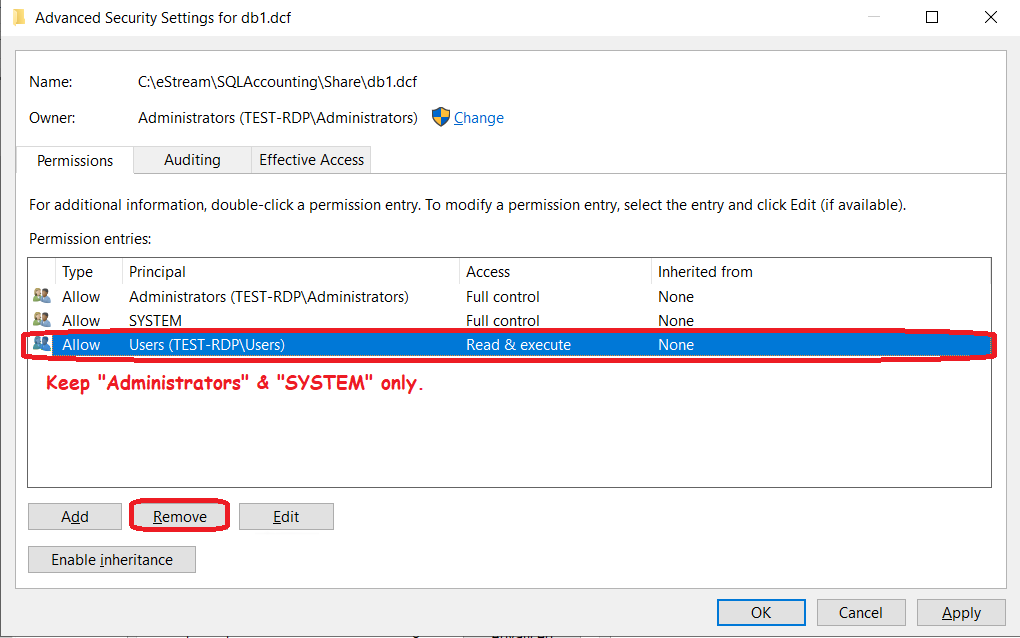
-
Next, click
Add, clickSelect a Principal.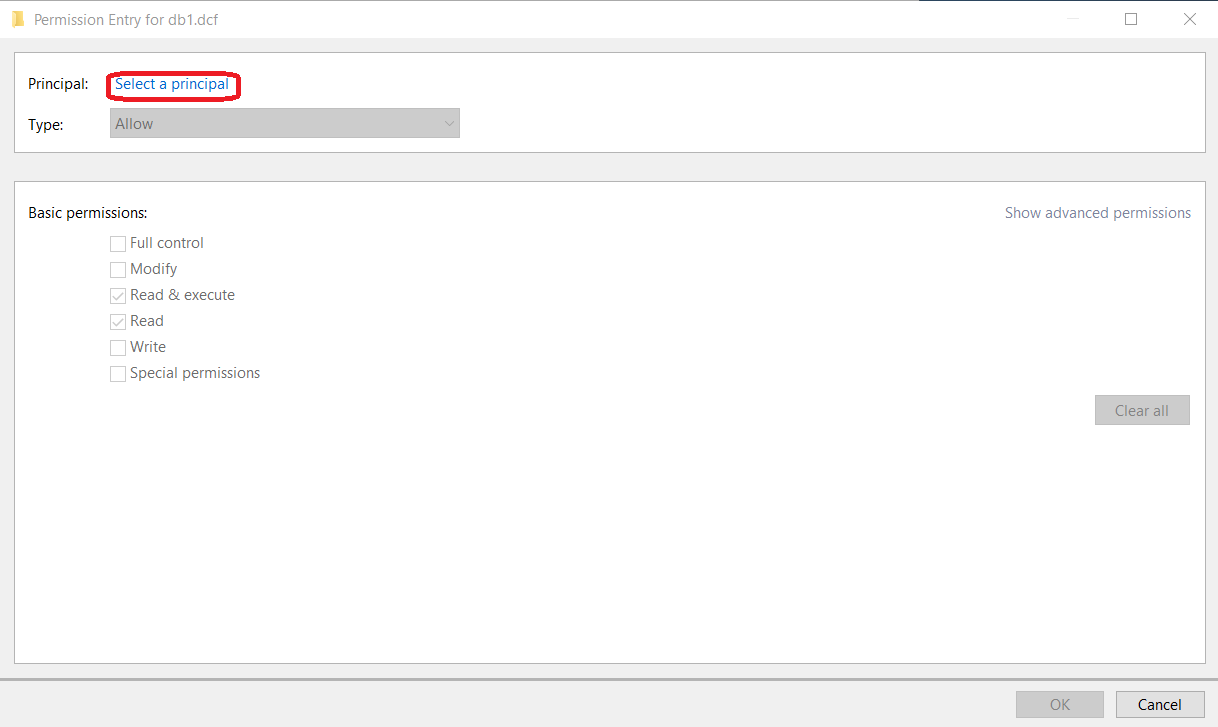
-
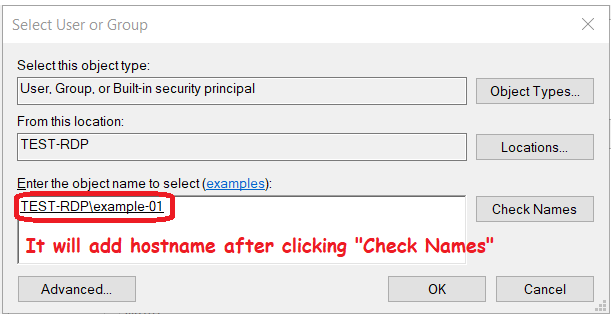
Search for the windows username you wish. In this case we will search for
example-01. (ClickCheck Namesafter key in window username)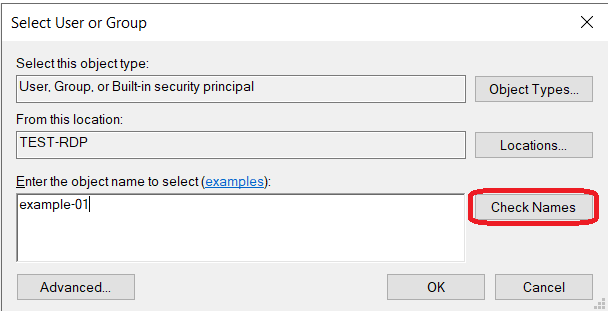
-
Configure the permission to
ReadandRead & executeonly, selectOK.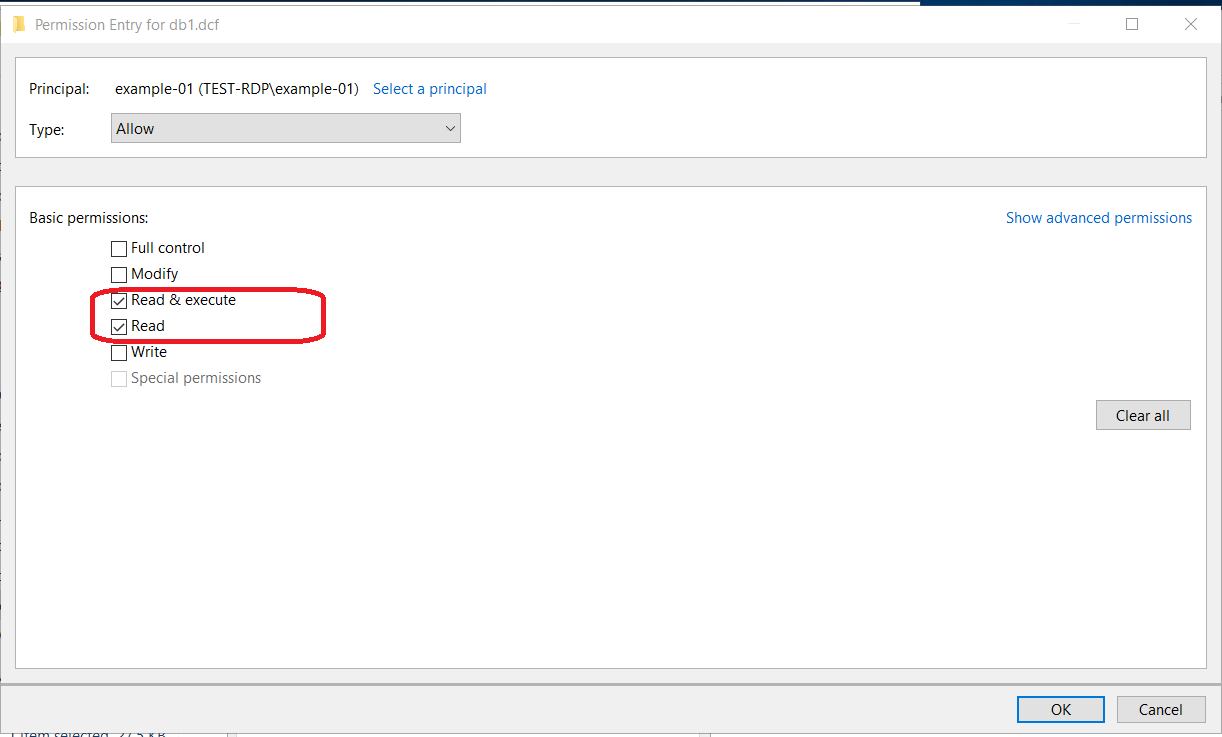
-
Repeat the
Addprocedure if you want more users to use this dcf. PressApplyandOKif there is no more.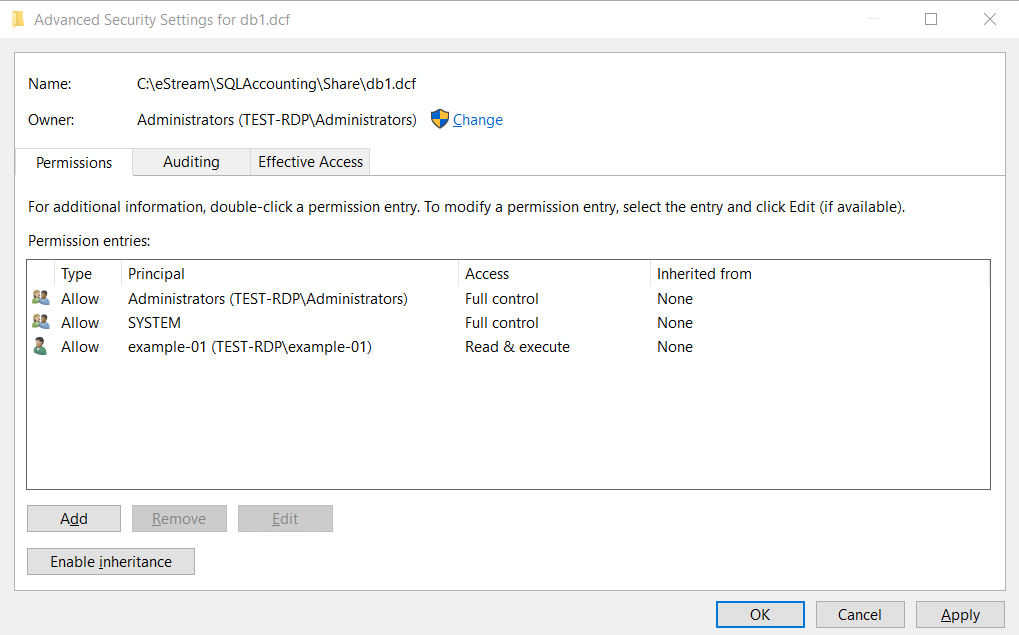
-
Repeat step 2 to step 9 for
db2.dcf.