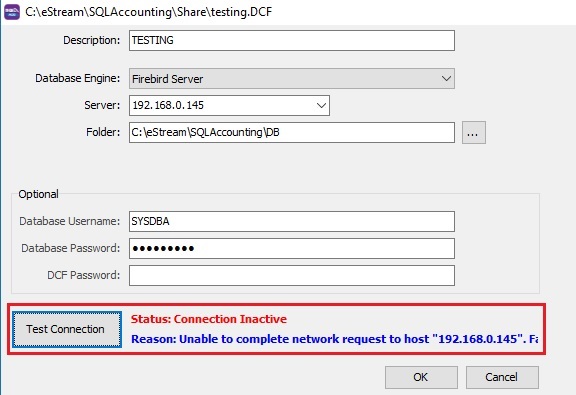
Firebird Unable to complete network request to host name
Common Causes
1. Firebird not installed in main PC/Server
Install the firebird in main PC/Server. Click to Firebird installation guide.
2. Invalid IP address of main PC/Server
-
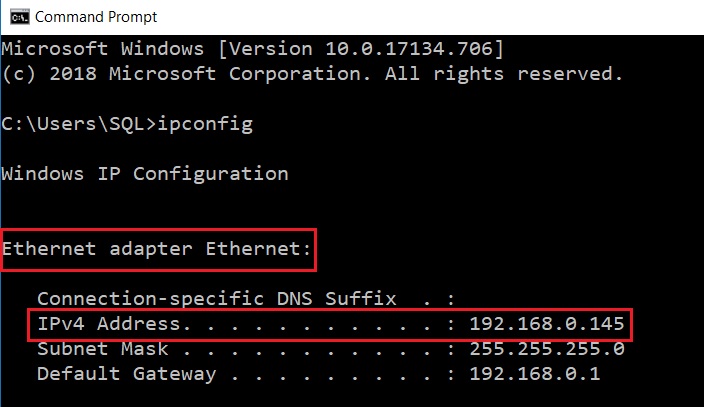
Run the command prompt.
-
Type ipconfig and hit ENTER key.
-
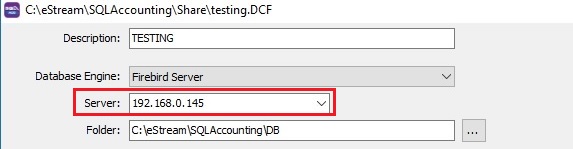
Ensure the IP Address is correct in Database Group setting.
3. Firewall has blocked the port number (3050)
Add the port number 3050 as exception in any anti-virus firewall.
4. Windows system file has altered to other port number (eg. 3999)
Check the port number has set to other than 3050
- Run the command prompt.
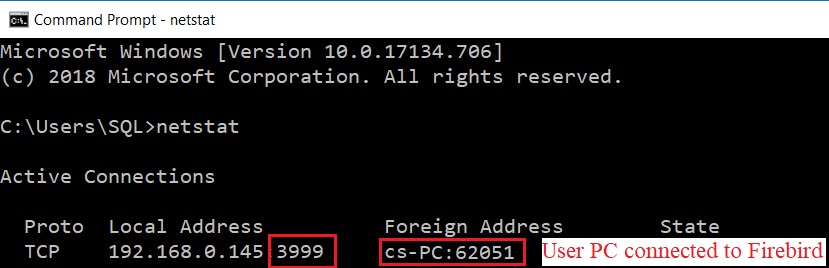
- Type netstat and hit ENTER key.
- Local address will be ended with 3999. See screenshot below.
Change the port number to 3050
-
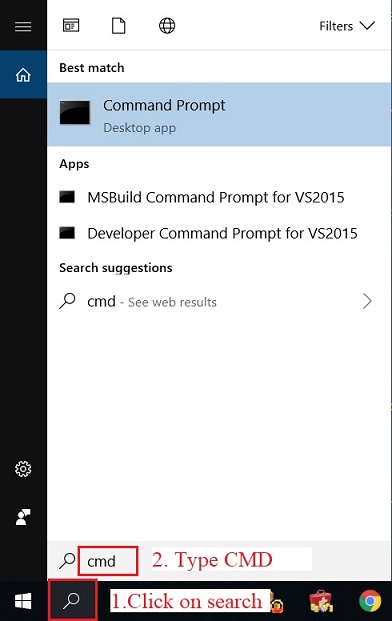
To search the command prompt, type CMD.
-
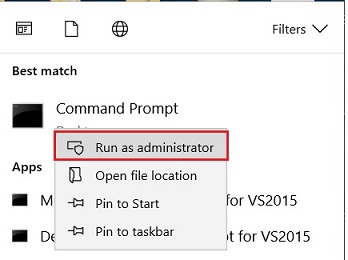
Run as Administrator (Right click on command prompt). Must run as administrator.
-
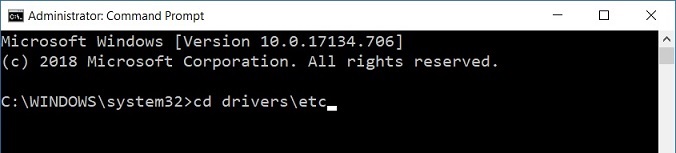
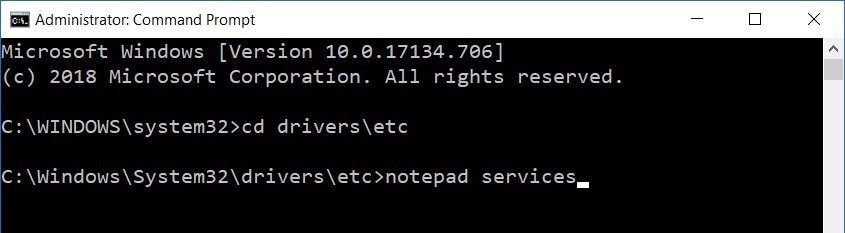
At command line c:\WINDOWS\system32> , type cd drivers\etc
-
Hit ENTER key.
-
Follow by type notepad services.
-
Hit ENTER key.
-
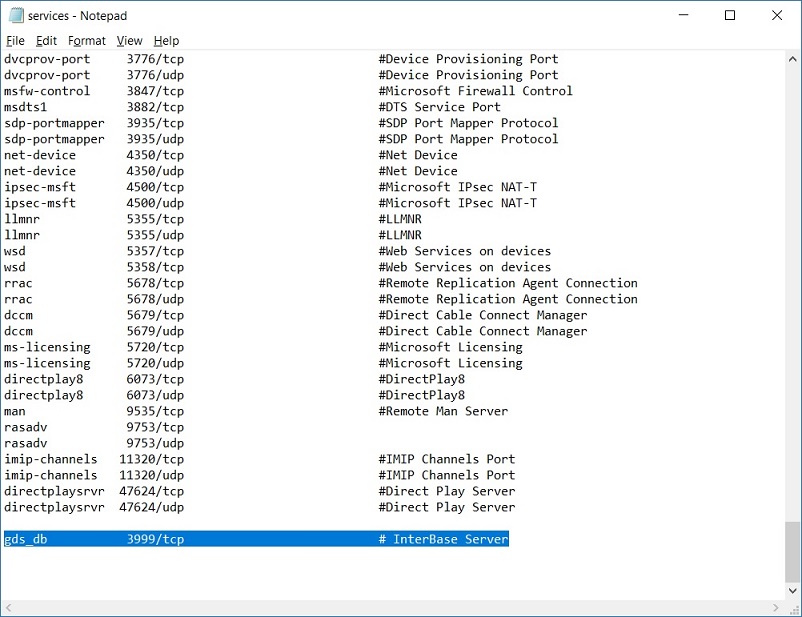
Find (Ctrl+F) the keyword 3999/tcp.
-
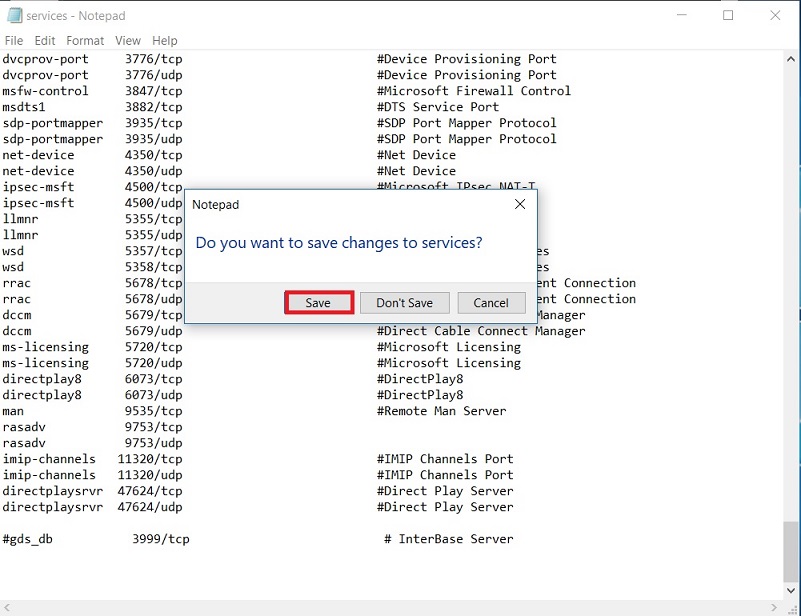
Disable the line by insert #. Example: gds_db to #gds_db
-
Close the notepad and save the setting.