How to Process Payroll for Resigned Staff After Resign Date?
This could happened in a scenario where a staff resigns this month but has pending commissions or claims that will be distributed in the following month, how do we process these transactions?
-
For example, the picture below shows that staff has resign on 15/07/2021. There is 1 pending commission transaction for 31/08/2021. How do we process this?
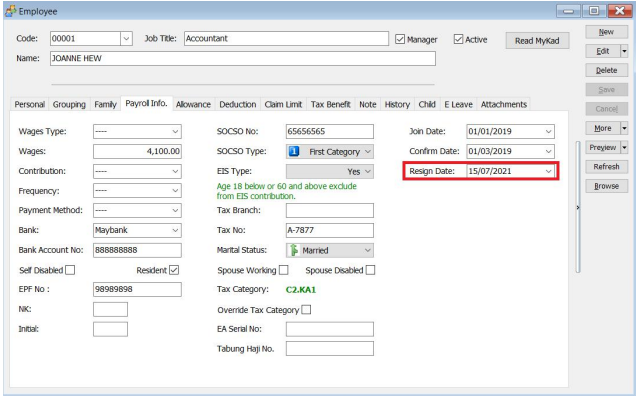
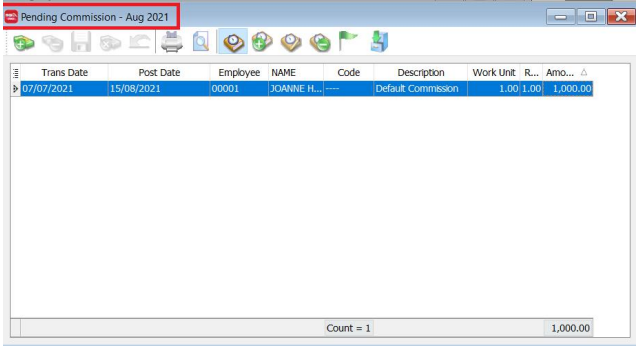
-
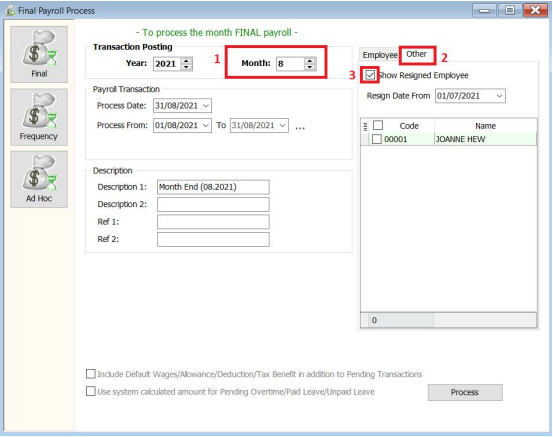
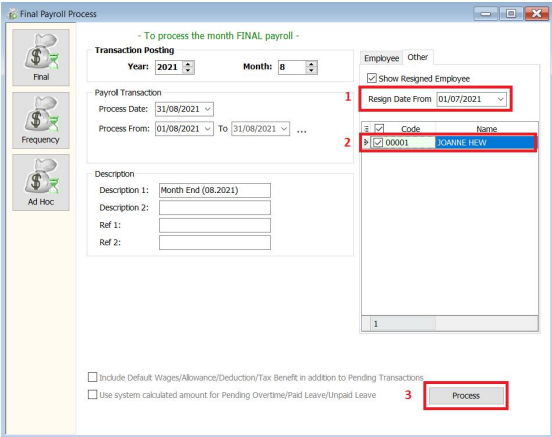
In our August 2021, month end, press the "Other" tab and tick the "show resigned employee" checkbox.
-
Choose the "Resign Date From" (when he/she has resigned), select the name of the resigned employee.
-
Press Process.
-
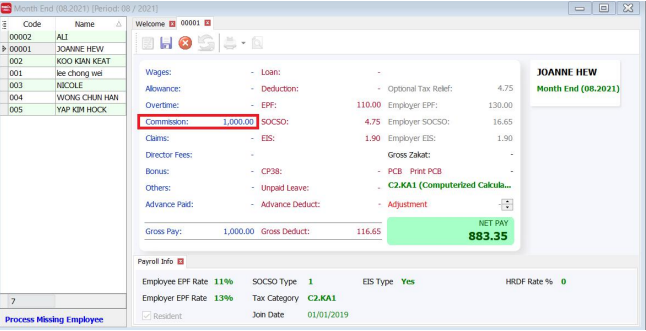
The following is the sample result, only pending transactions (eg. Commission) will be processed.