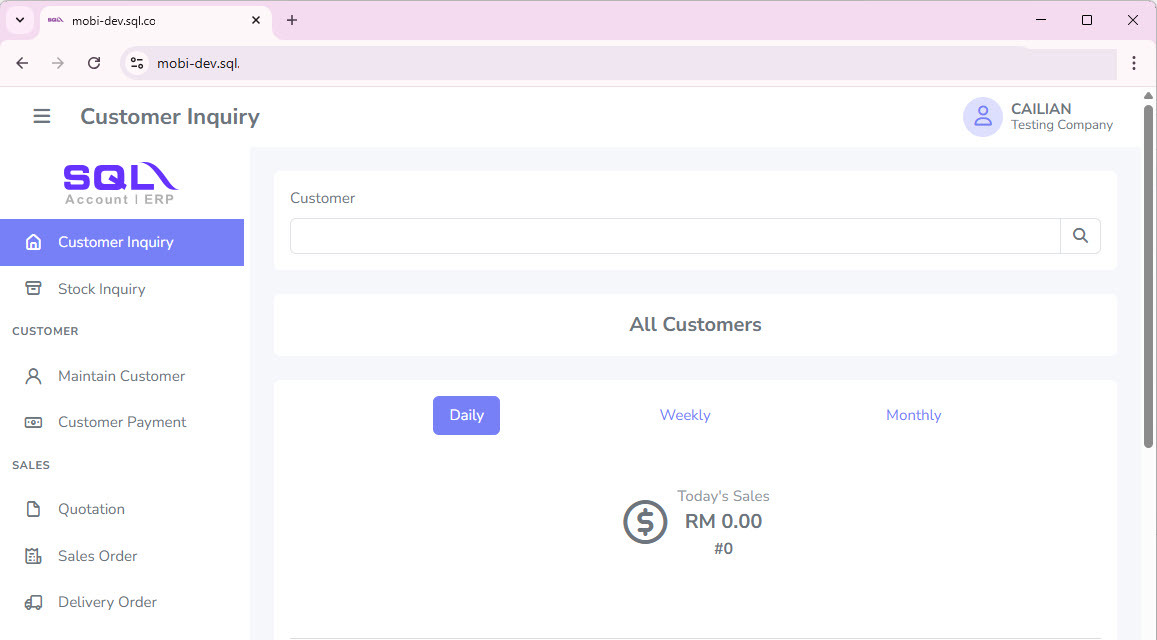
Desktop Usage
-
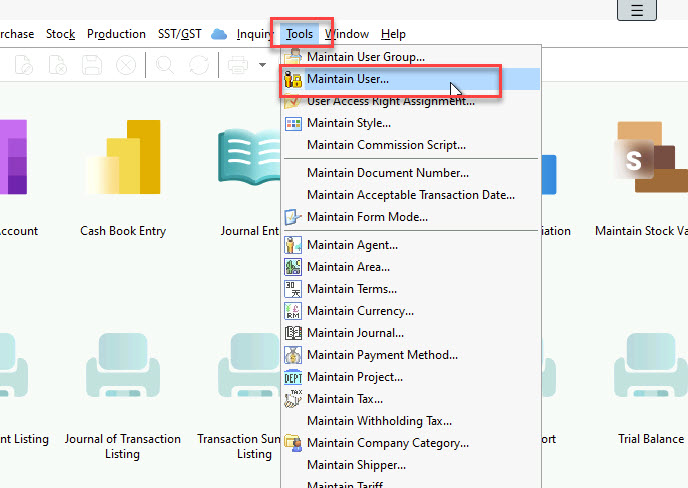
Go to Tools > Maintain User…
-
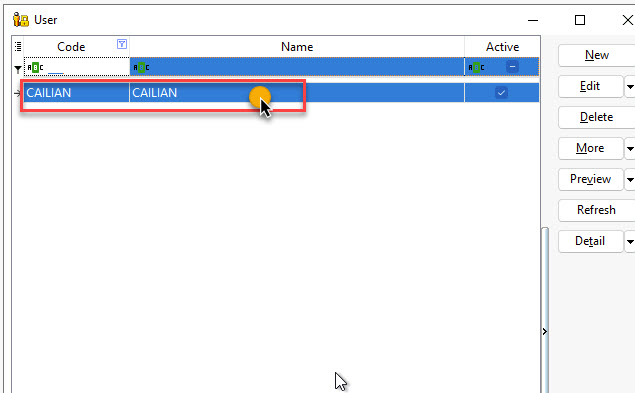
Select the desired User under Maintain User.
REQUIREDMake sure the user has registered the passkey before proceeding to the next step
Then, select the
Passkeyand click on the global icon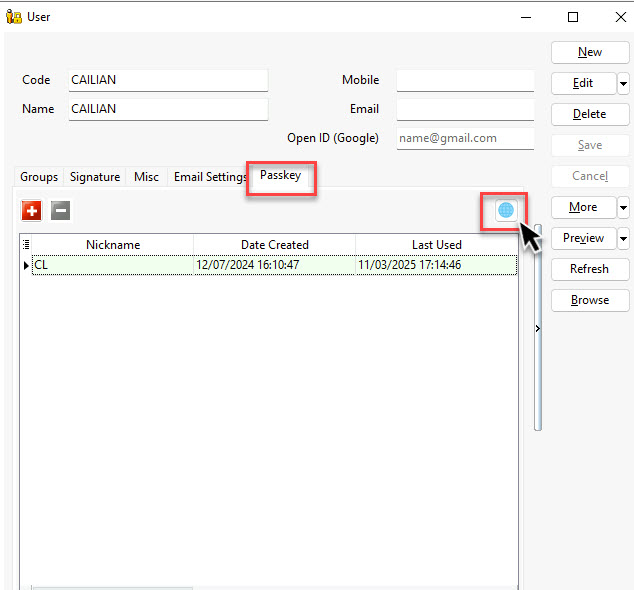
-
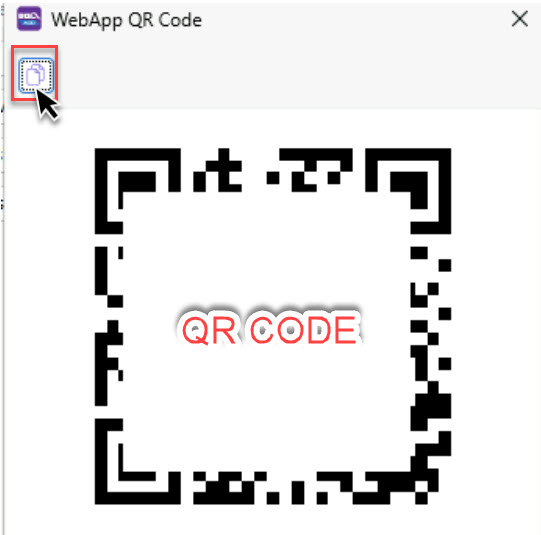
Click on the icon to copy the link and paste it into your browser
-
Click
Log on with QR Code, then scan the QR code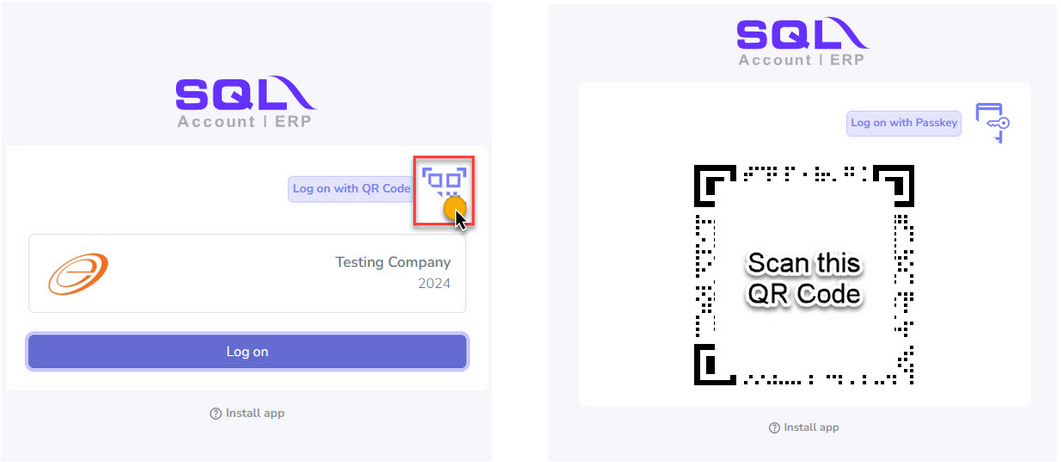 REQUIRED
Make sure to use the device that registered the passkey for this user to scan the QR code
-
Proceed by opening it in the browser on your device. Next, select
Authenticateand approve the access.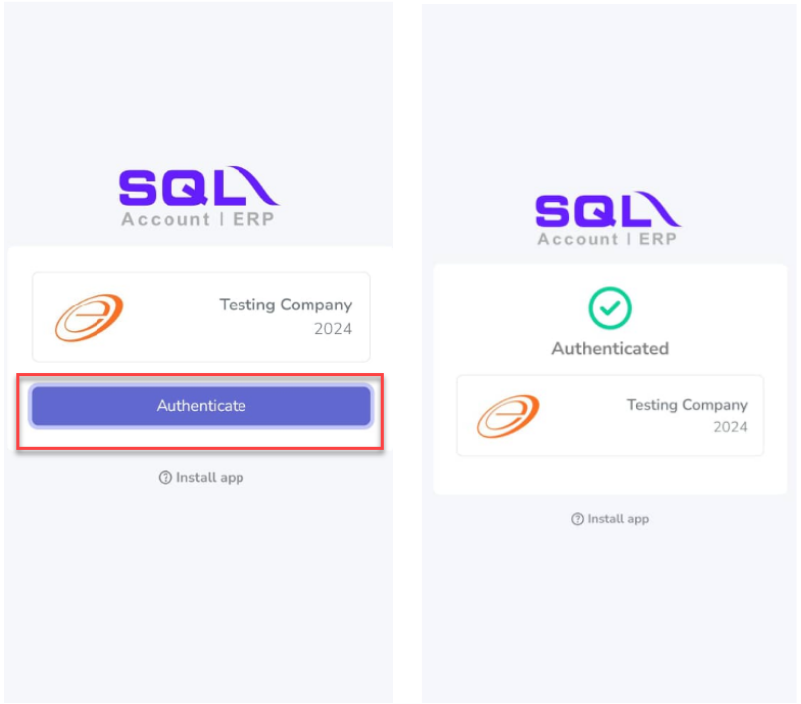
-
You can now use Mobile Connect in desktop browser