FAQ
How to process Asset Opening and tally with the GL Maintain Opening Balance
Process Opening Depreciation
*Menu: Asset > Process Depreciation*
You can process Asset Opening Depreciation BEFORE the System Conversion Date.
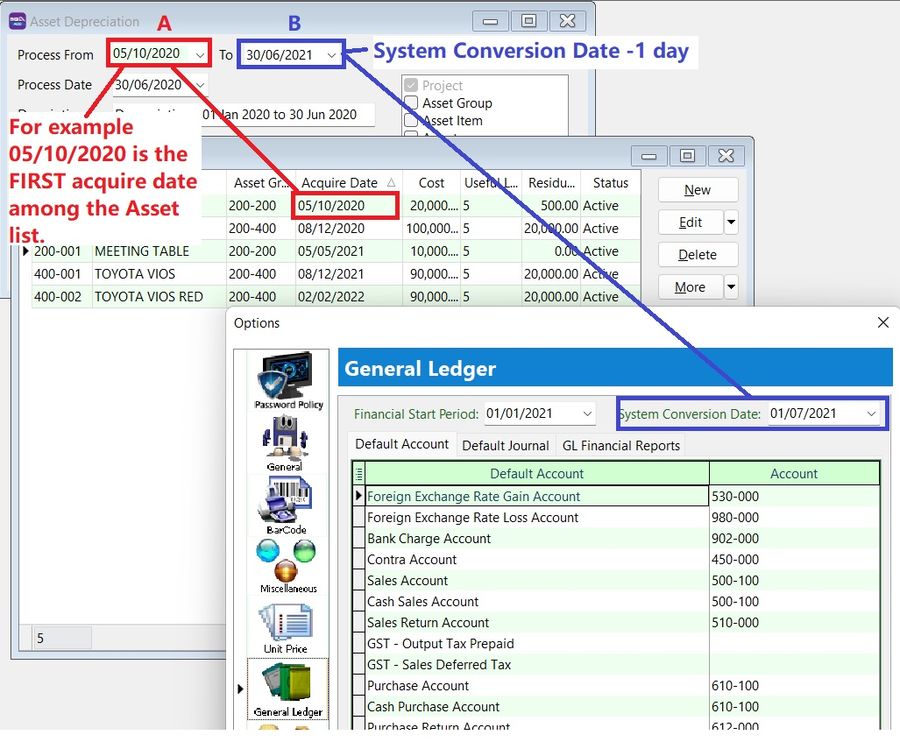
- A - FIRST acquire date of the asset
- B - System Conversion Date -1 day
I have posted the depreciation until December 2021. How do I record my new asset?
Method 1: Use the Last Asset Net Book Value from Balance Sheet
Maintain the Asset Item as follows:
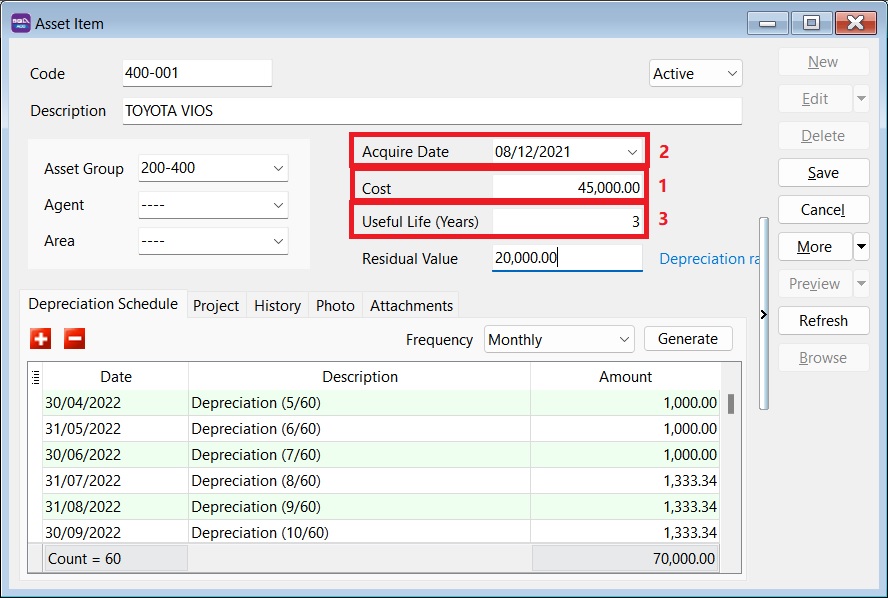
- Enter the Cost as the Net Book Value (as of 31/12/2021).
- Set the Acquire Date, e.g., 01/01/2022.
- Useful life = Remaining useful life to be depreciated.
- Start Process Depreciation from 01/01/2022.
Method 2: Follow Original Cost and Acquire Date
Maintain the Asset as follows:
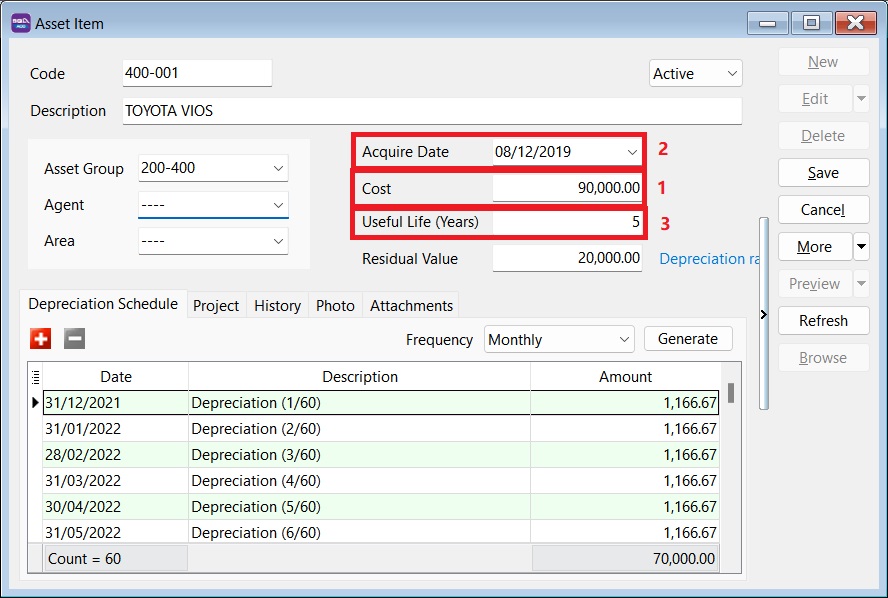
- Enter the Cost as the Original Cost.
- Set the Acquire Date as the Original Purchase Date.
- Useful life = Full useful life.
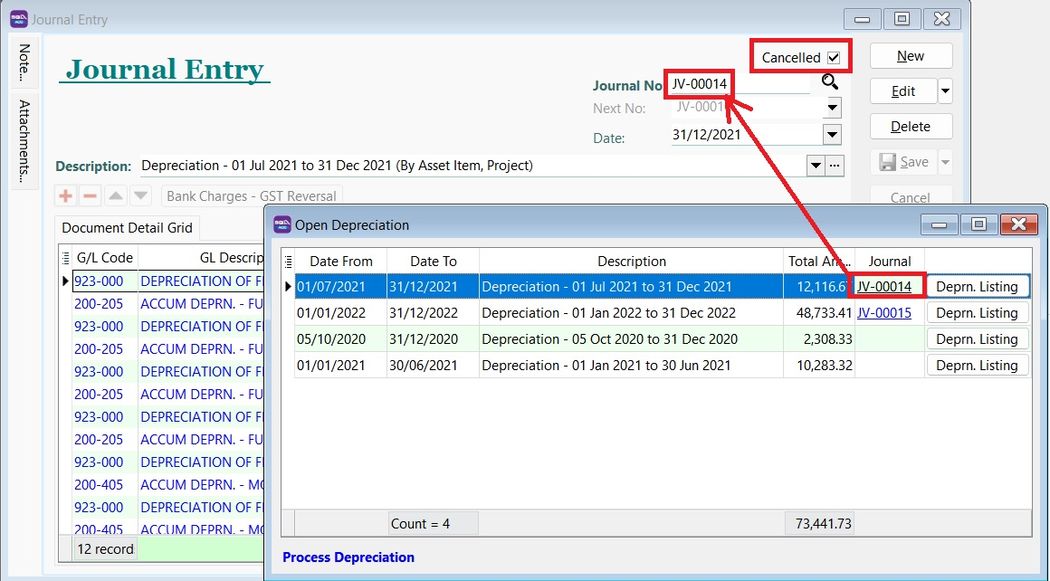
- Process Depreciation until 31/12/2021.
- Tick Cancelled for the Journal Entry posted from Step 4.
If the depreciation value differs from my previous Journal, can I edit the depreciation value calculated in Maintain Asset Item?
Yes, you can change the depreciation value in Maintain Asset Item > Depreciation Schedule tab.
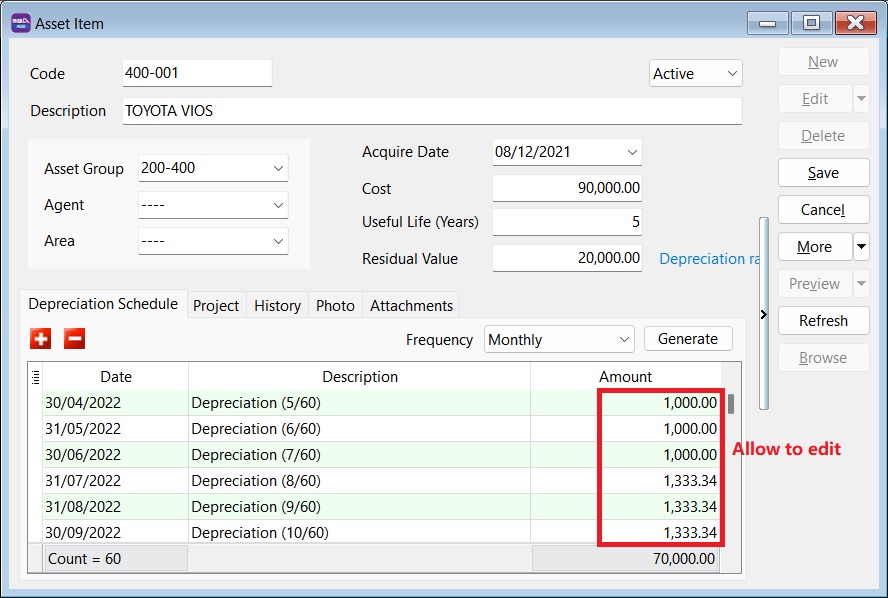
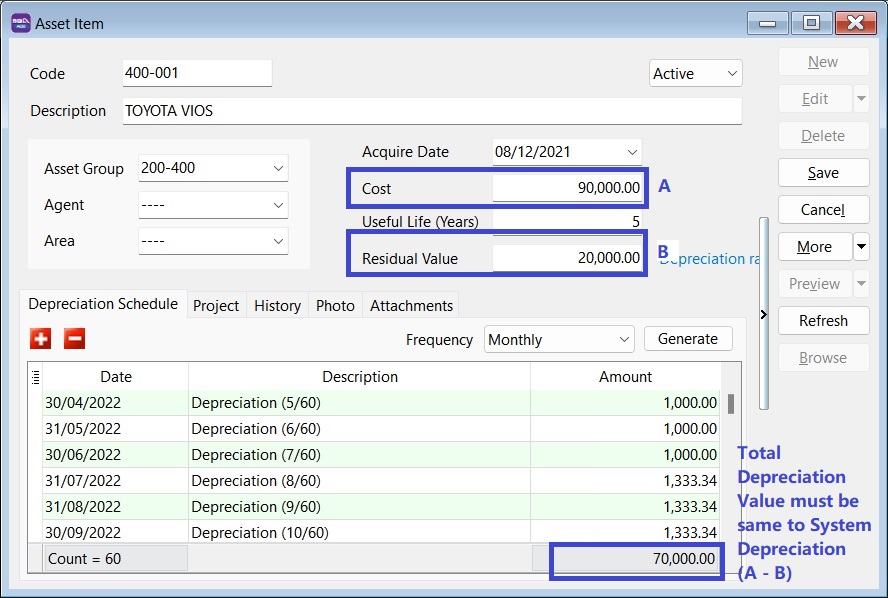
Can the amortization of Intangible Assets such as licenses, be managed in the Asset Module?
Yes, it can. Maintain it as you would a Tangible Asset (Fixed Asset).
For Intangible Assets (e.g., goodwill, license), the amortization calculation uses the Straight Line Method, which can be selected in the Asset Group. The calculation involves subtracting the asset's anticipated salvage or book value from its cost and dividing the result by the total number of years it will be used.
Can I import the asset list using Excel instead of manually keying it in?
Yes, you can. The asset import function is available in SQL Account version 5.2022.948.826 and above.
Refer to Importing Asset Master List.
How do I handle additional cost for the Fixed Asset?
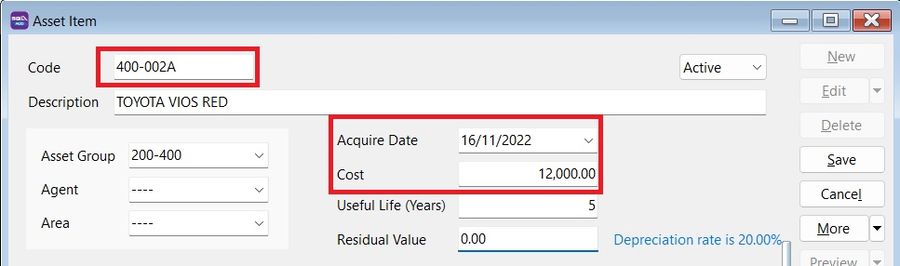
Create a new asset code to handle additional costs, e.g.:
| Asset Code | Description | Remark |
|---|---|---|
| MV-0001 | TOYOTA VIOS - BZZ 999 | Initial Purchase |
| MV-0001A | TOYOTA VIOS - BZZ 999 | Additional Cost |
Do not mix the depreciation value of the original asset and the additional cost.
Quick Steps
-
Copy the existing asset code.
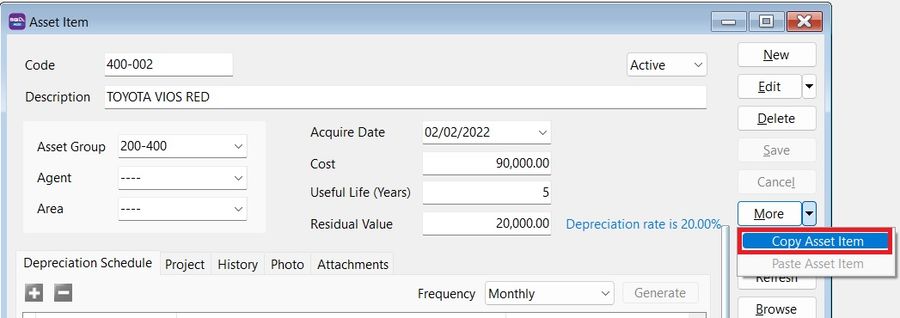
-
Create a new asset.
-
Click on More > Paste Asset Item.
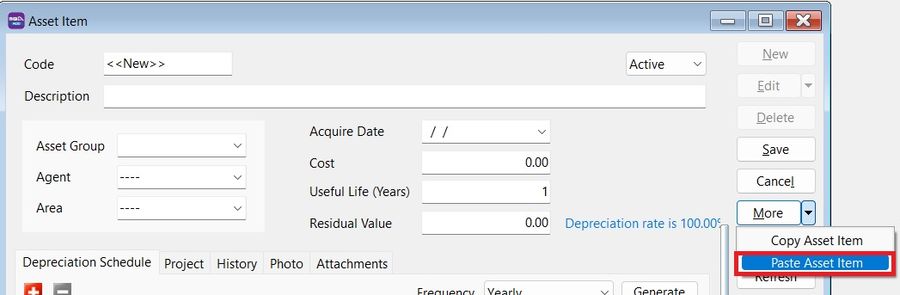
-
Change the asset code by appending characters to differentiate it.
- Acquire date = Date the additional cost was incurred.
- Cost = Additional Cost.
Should the cost in Maintain Asset Item be key-in in local currency or the original currency (eg. purchase in USD)?
The cost should be key-in as the Local value. The depreciation value will then be calculated and posted in the local currency.