Reports
Print Customer Document Listing
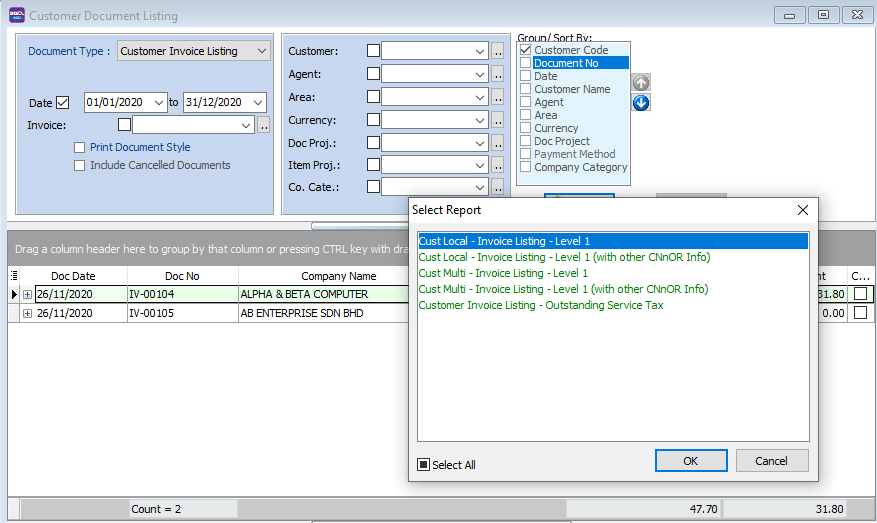
The Print Customer Document Listing allows you to view all customer transactions, including Invoices, Payments, Credit Notes, Debit Notes, Refunds, and Contras. It is also used for batch printing or emailing documents.
-
Go to Customer → Print Customer Document Listing.

-
Select the Document Type you wish to view (e.g., Invoice, Payment).
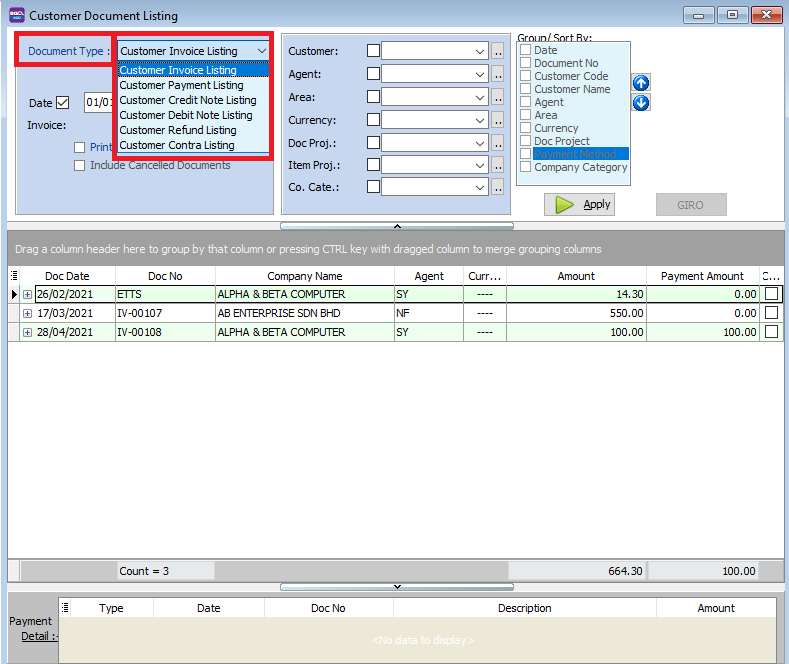
-
Click Apply.
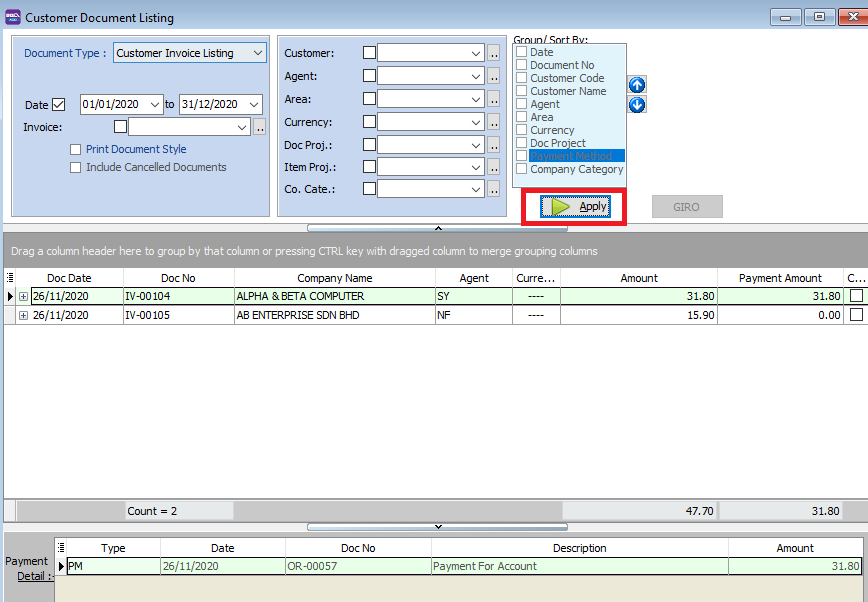
-
Click Preview to view the listing report.

Example of Customer Invoice Listing Report:
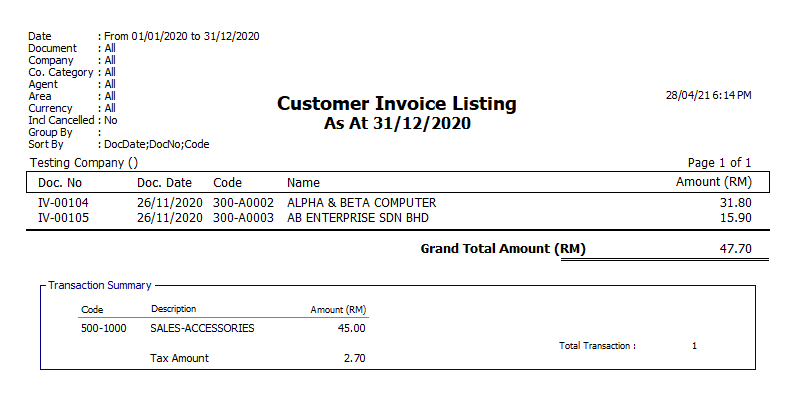
Print Document Style
-
Check the Print Document Style box.
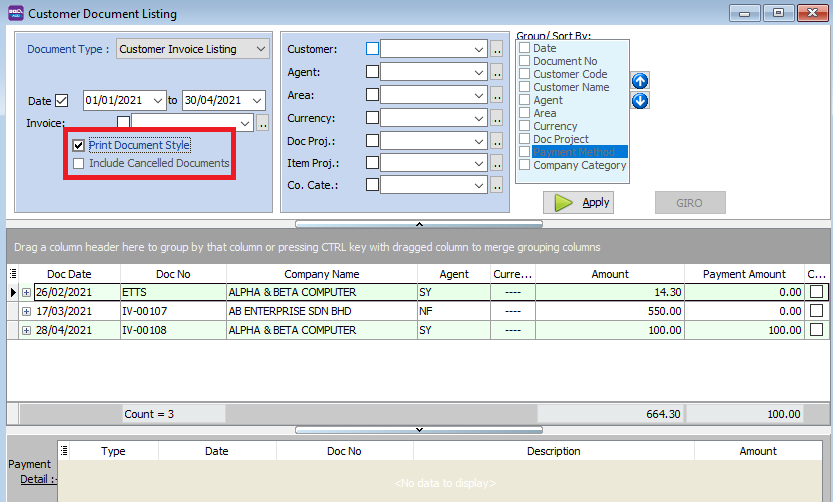
| Field Name | Description |
|---|---|
| Print Document Style | Enables bulk printing or batch emailing of the actual documents (not just the list). |
| Include Cancelled Documents | Includes documents marked as cancelled in the listing. |
-
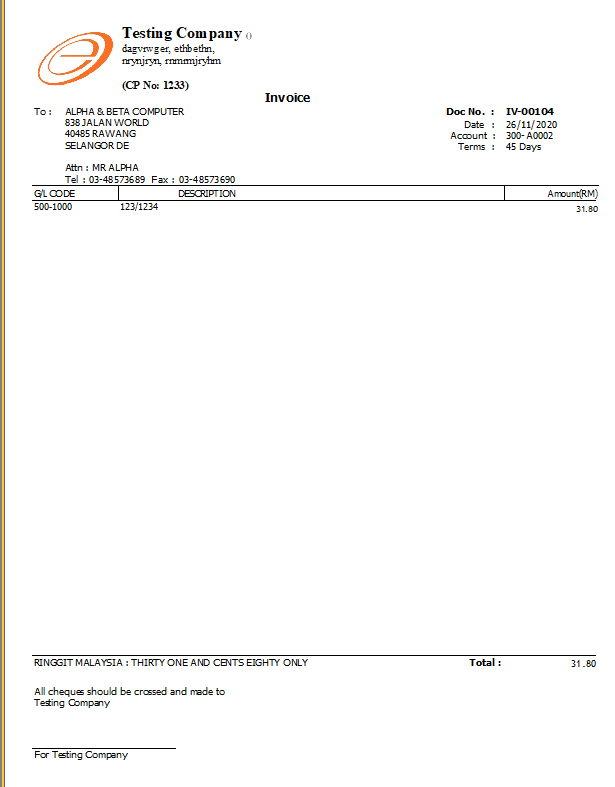
Once enabled, you can select the specific Report Format for the documents.

Group/Sort by
You can refine your report by filtering and grouping data.
-
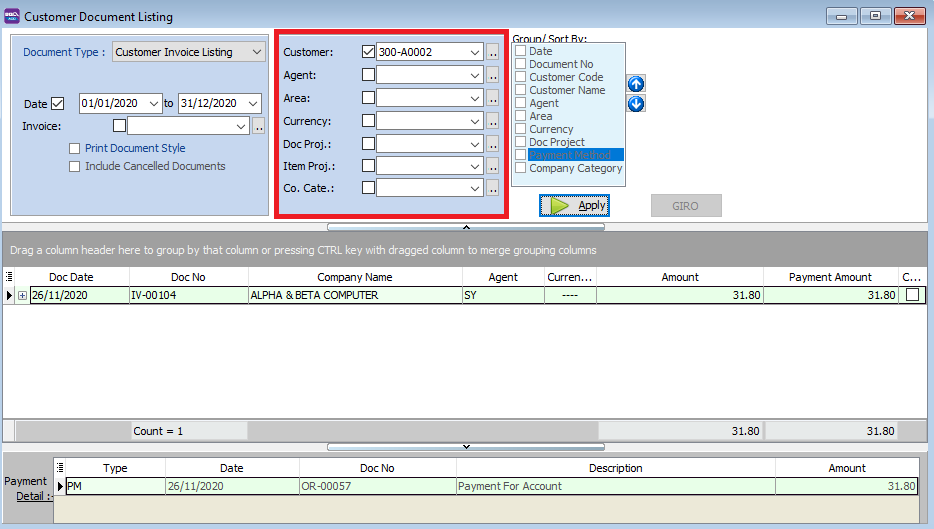
Filters: Filter by Customer, Agent, Area, Currency, Project, or Company Category.
-
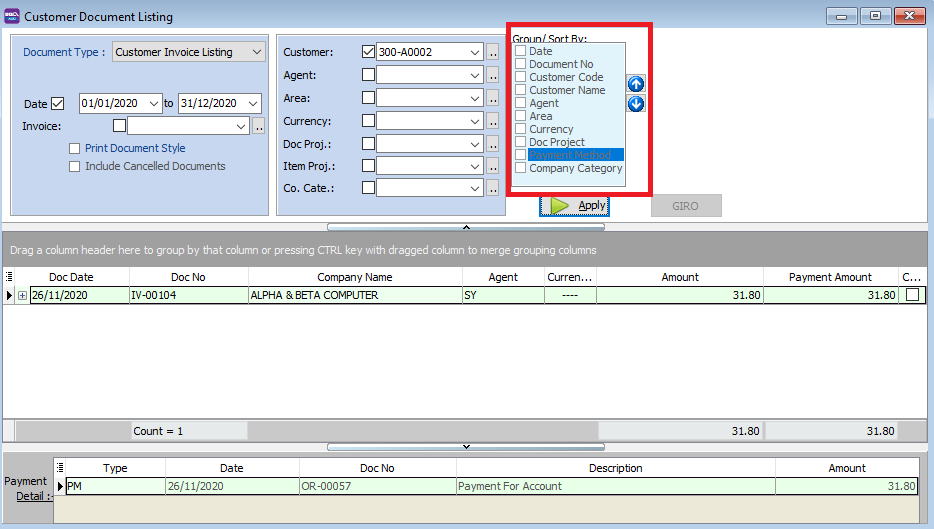
Group/Sort By: Choose how to organize the data (e.g., by Customer Code).

-
Listing Report: Select the desired listing format before previewing.
Print Customer Balance Report
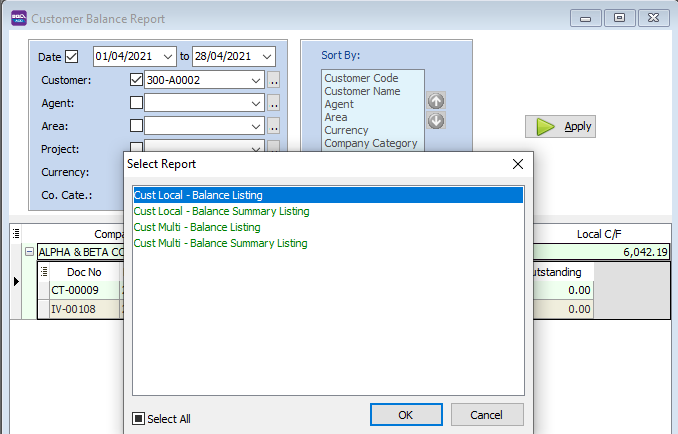
This report provides a summary of outstanding balances for all customers as of a specific date.
-
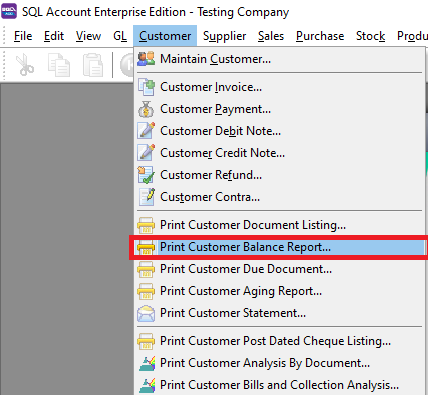
Go to Customer → Print Customer Balance Report.
-
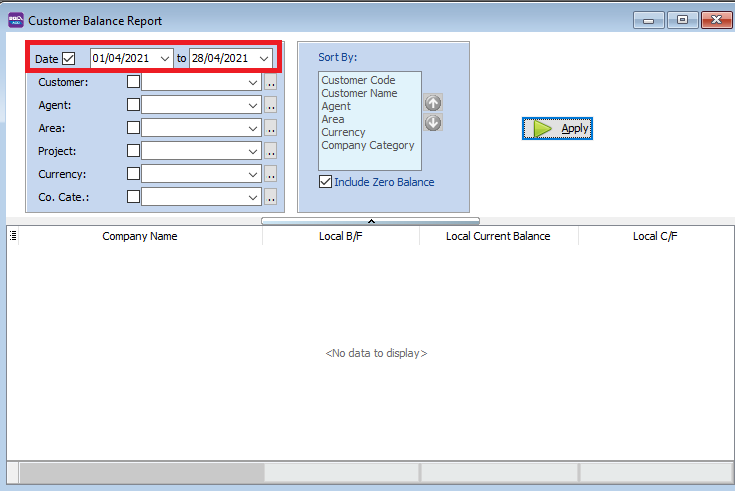
Select the Date or period for the report.
-
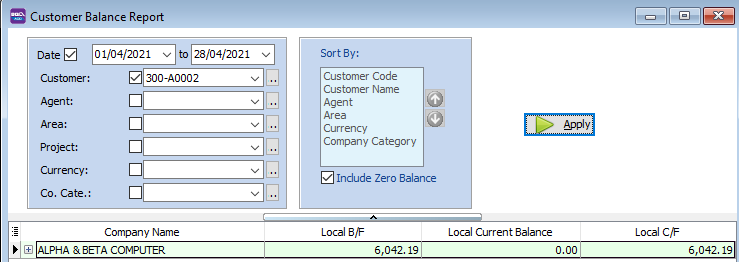
Apply filters such as Customer, Agent, or Area if needed.

-
Click the [+] icon to expand a row and view transaction details for a specific customer.

-
Click Preview to generate the report.
Print Customer Due Document Listing
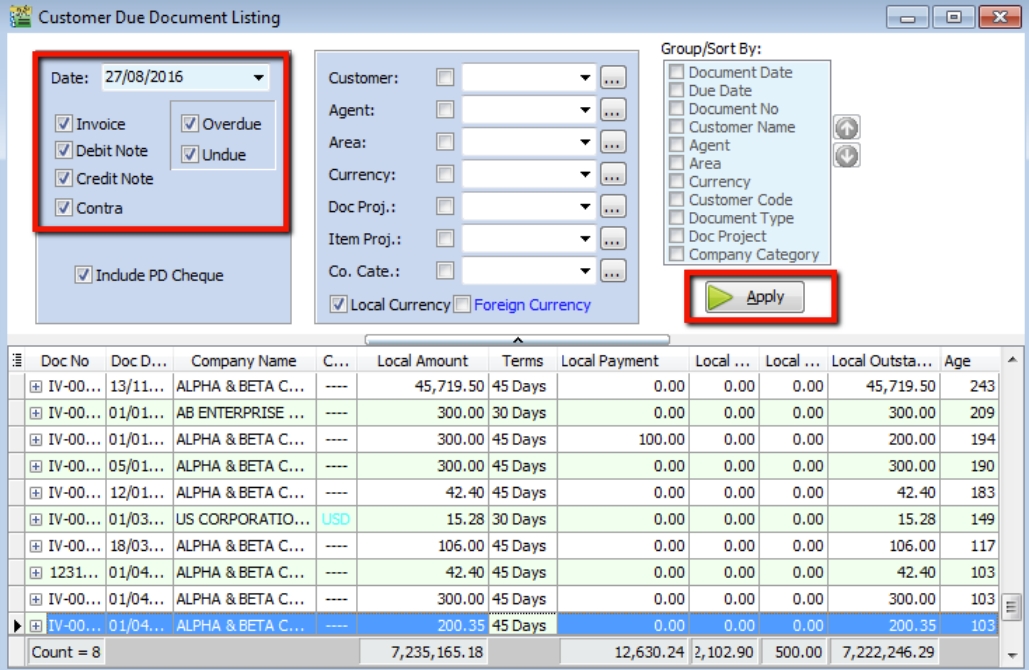
The Customer Due Document Listing is primarily used to identify overdue amounts and generate Reminder Letters.
-
Go to Customer → Print Customer Due Document Listing.
-
Filter by Date and Document Type (Invoice, Debit Note, etc.).
-
Select whether to show Overdue or Undue documents.
-
Click Apply.
Generating Reminder Letters
-
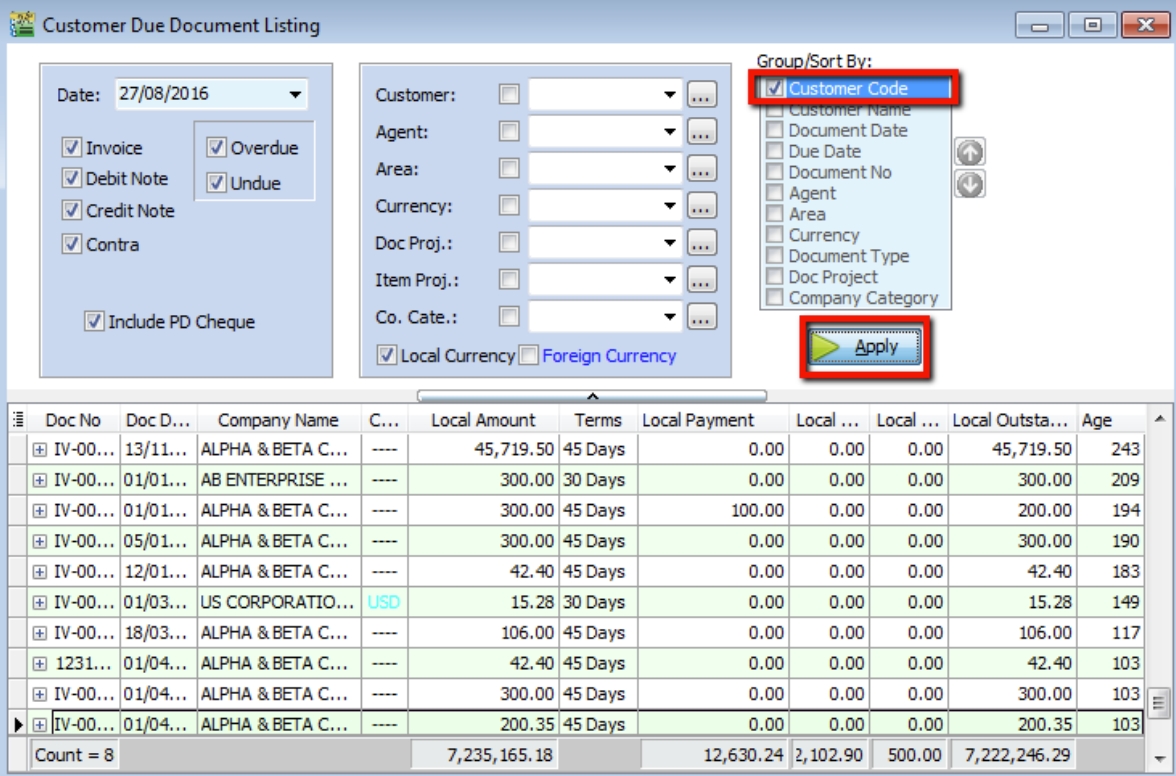
In the Group / Sort by section, ensure Customer Code is checked.
-
Click Apply.
-
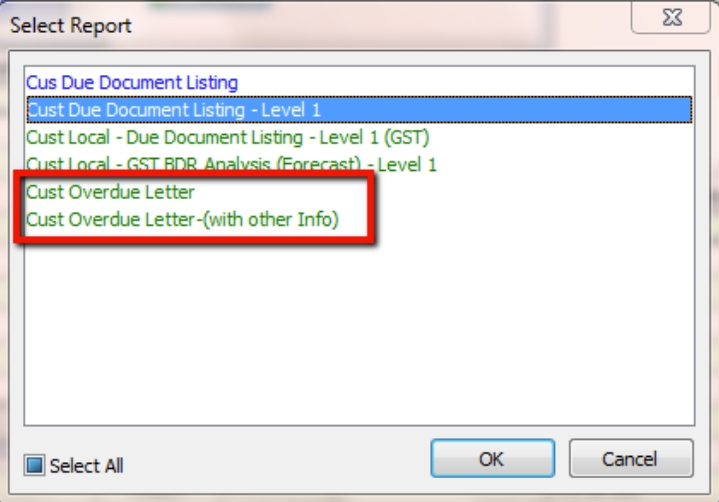
Click Preview and select the Cust Overdue Letter format.

Customer Analysis By Document
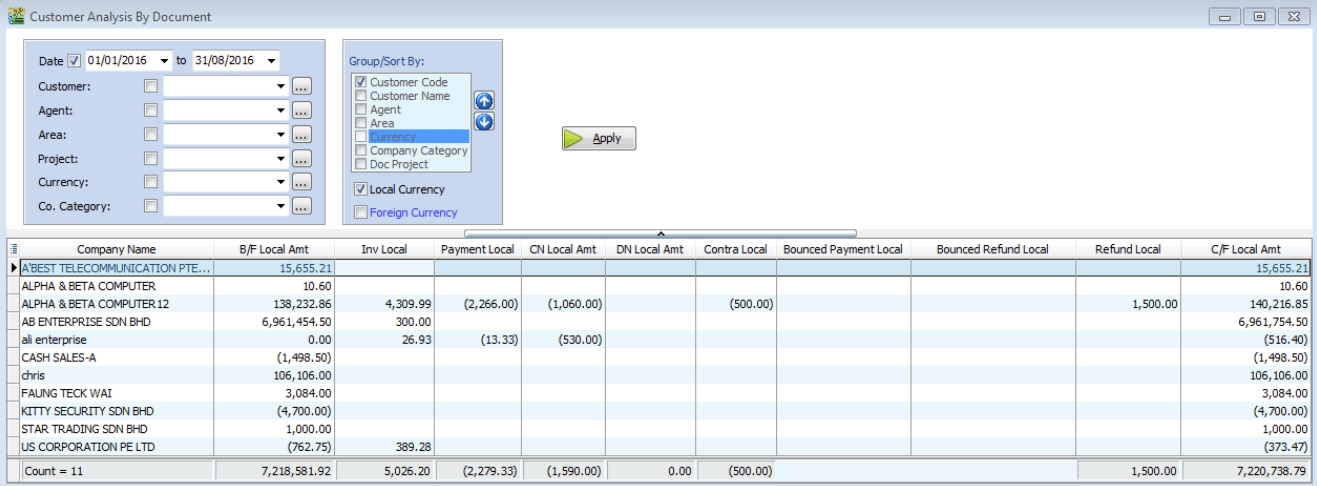
This report provides a high-level analysis of all customer-related documents, showing totals for Invoices, Credit Notes, Payments, and more.
-
Go to Customer → Print Customer Analysis By Document.
-
Filter by Document Date and other optional fields.
-
Click Apply.