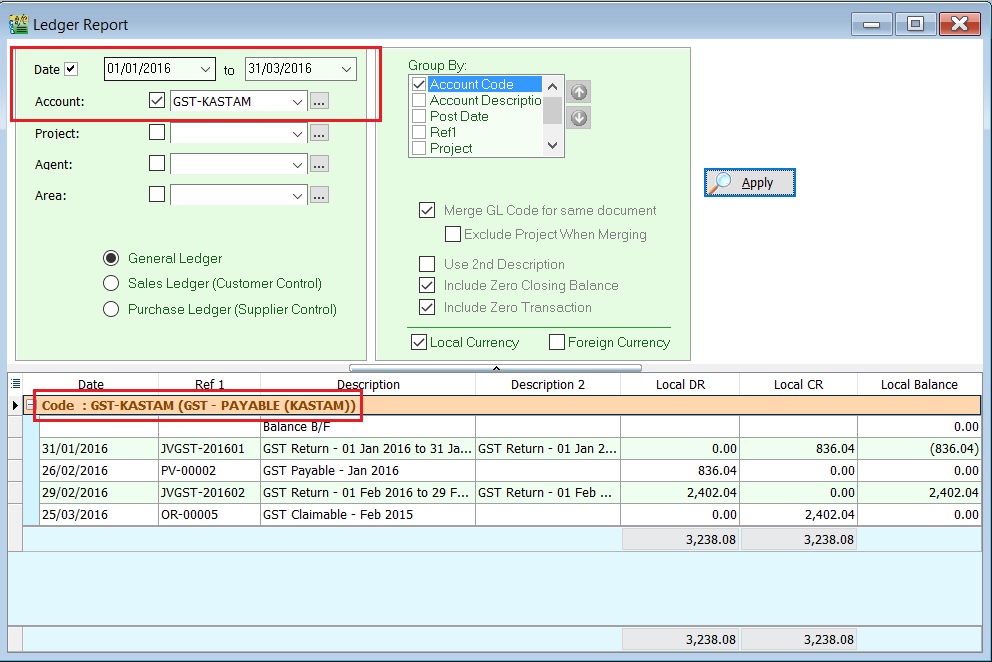
Settlement with RMCD
- Net GST Payable is the total GST amount to be paid to RMCD.
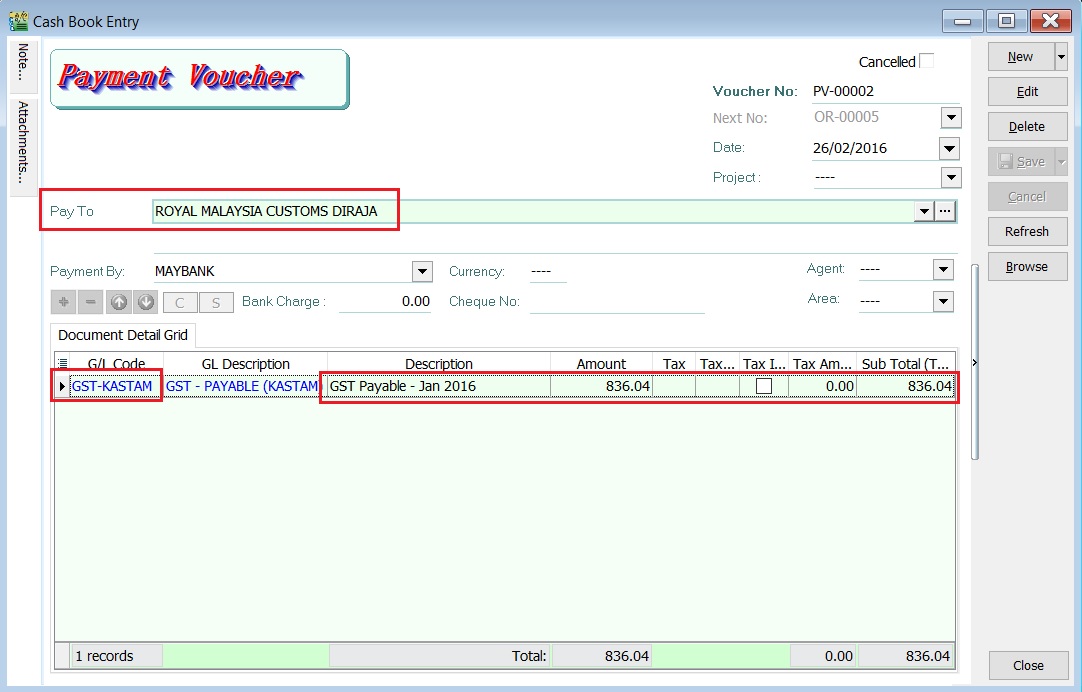
- Net GST Claimable is the total GST amount to be claimed or refund from RMCD.
Payment to RMCD
-
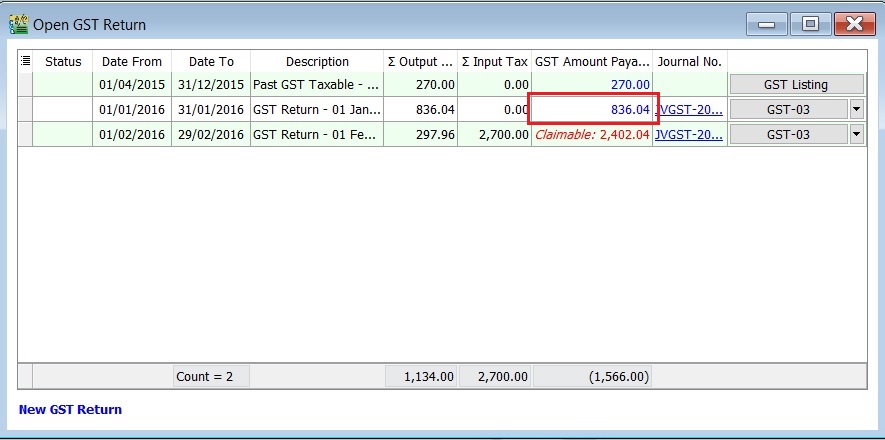
Click on the New followed by selecting Payment Voucher.
-
Enter the ROYAL MALAYSIA CUSTOMS DIRAJA' into Pay To field.
-
At the detail, select GL Code: GST-KASTAM.
-
Enter the description to describe the GST Payable for the period, eg. GST Payable - Jan 2016.
-
Based on the GST Returns, enter the GST amount payable (Rm836.04) into the Amount column.
-
Save it. See the screenshot below.
Refund From RMCD
-
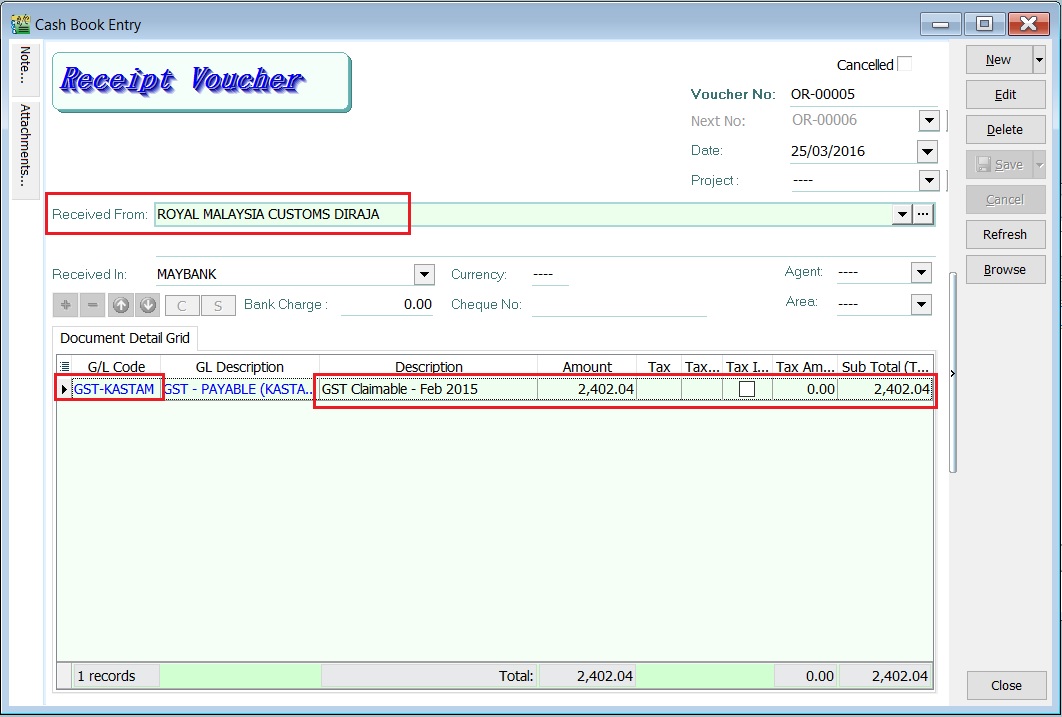
Click on the New follow by select Official Receipt.
-
Enter the ROYAL MALAYSIA CUSTOMS DIRAJA' into Received From field.
-
At the detail, select GL Code: GST-KASTAM.
-
Enter the description to describe the GST Claimable for the period, eg. GST Claimable - Feb 2016.
-
Based on the GST Returns, enter the GST amount claimable (Rm2,402.04) into the Amount column.
-
Save it. See the screenshot below.
GST - Kastam Account Inquiry
-
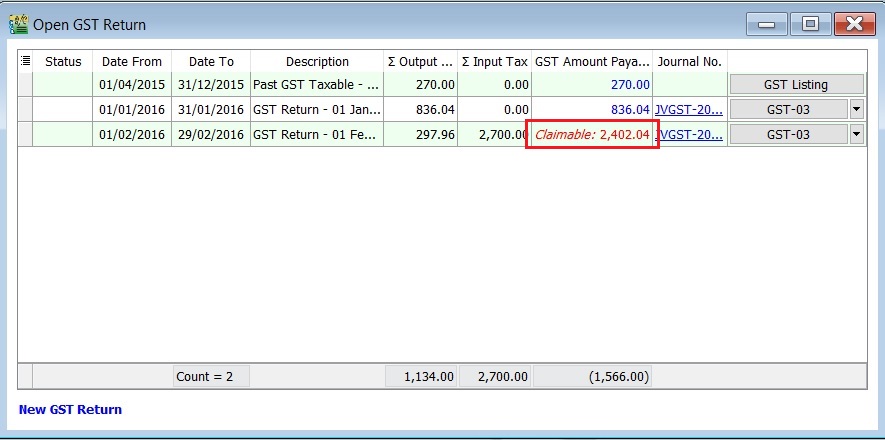
Select the date range.
-
Select the GL Account code : GST-KASTAM.
-
Click Apply.
-
RMCD outstanding transactions will be display as below.