SST Return & Miscellaneous
Open SST Return
Example of SST-02
Follow the steps to process SST-02 in SQL Account : Youtube
-
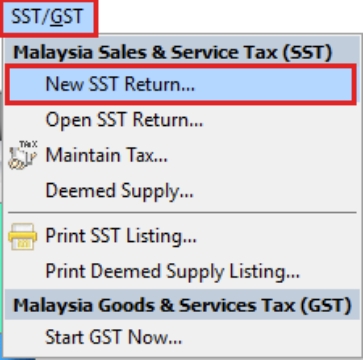
Process SST Return from SST | New SST Return
-
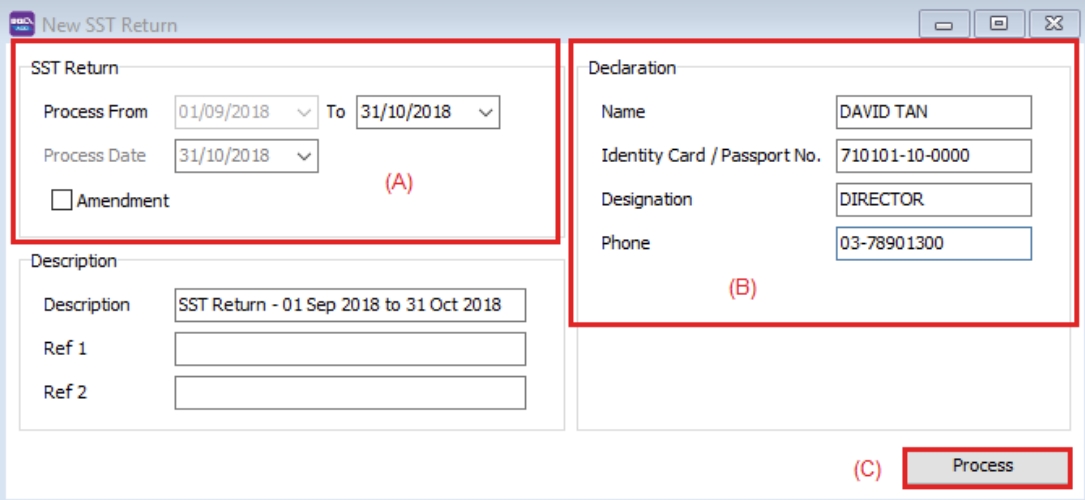
Enter your taxable period
-
Key in declaration, which will appear in Part F of the SST-02 form. This declaration only needs to be entered once, as it will automatically appear in subsequent returns.
-
Click Process
-
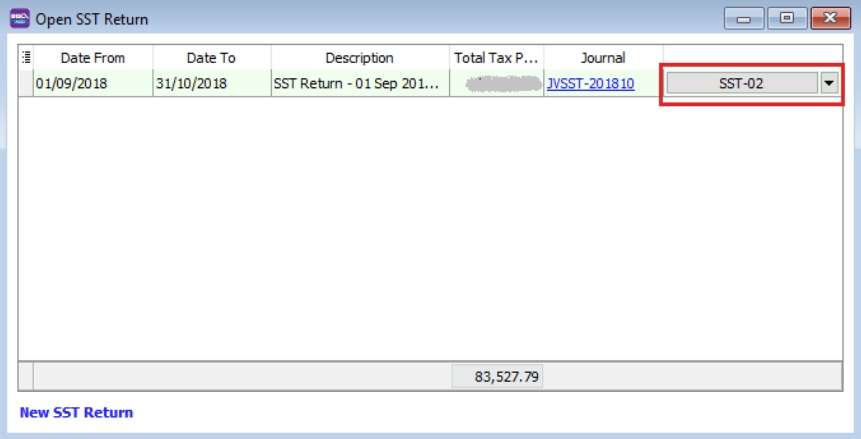
Click SST-02
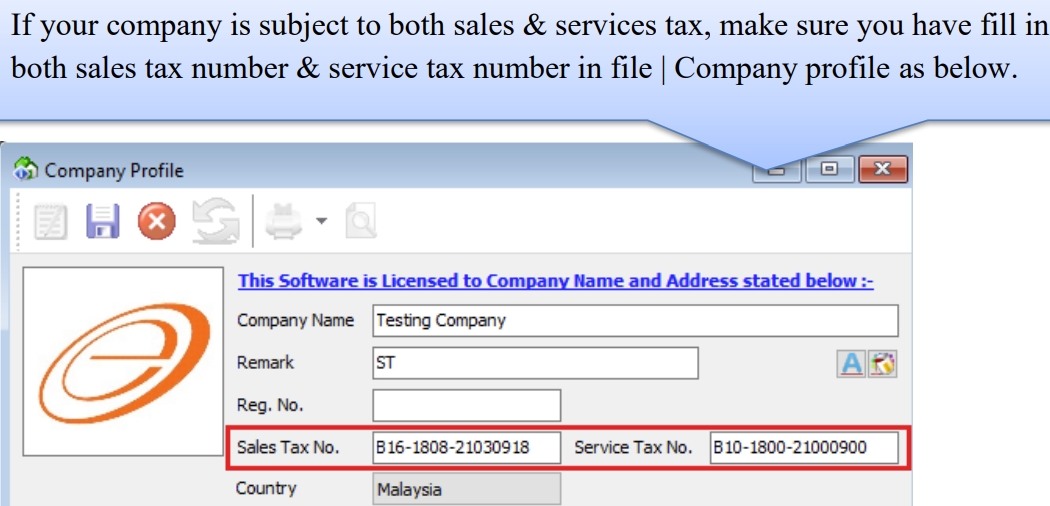
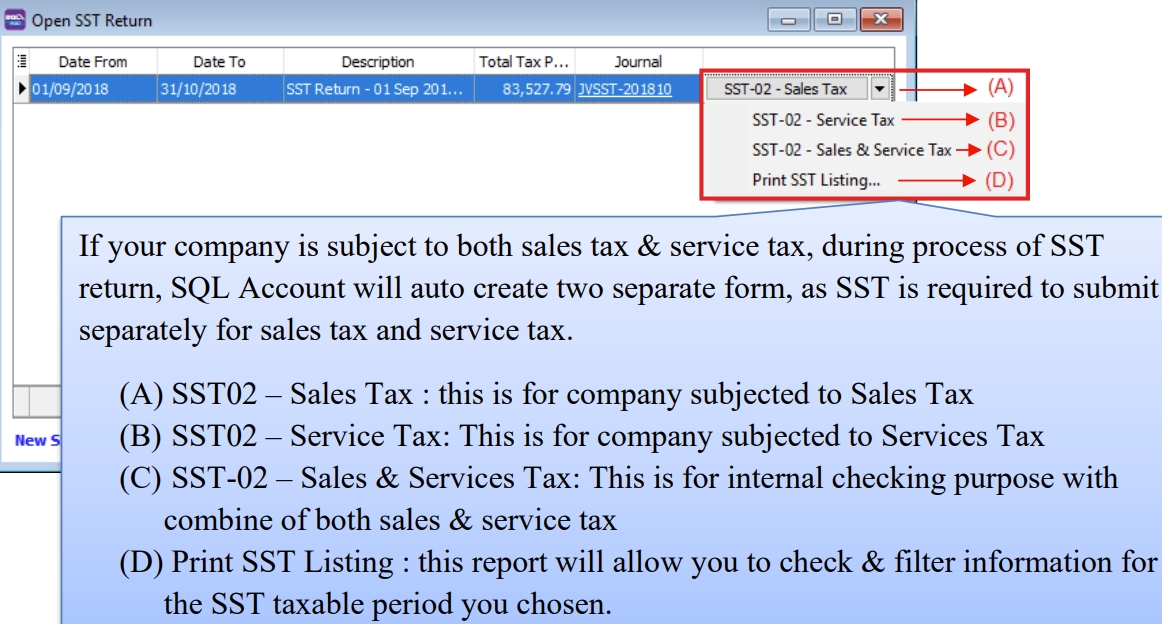
Understand SST02 27 Column : Video
New SST Return
To process and close the SST returns period, you can generate the SST-02.

| Field Name | Field Type | Explanation |
|---|---|---|
| Process From to | Date | SST Taxable Period, e.g., every 2 months. |
| Process Date | Date | Date to process the SST Return. |
| Amendment | Boolean | Ticked. In SST-02, the "Amendment" checkbox will be marked X. |
| C/F Refund for SST | Boolean | Ticked. In SST-02, the Item 9 "Do you choose to carry forward refund for SST?" will be marked X in Yes checkbox. |
| Description | String | SST Return - Process From Date to Date (by default). |
| Ref 1 | String | Key-in any reference no. |
| Ref 2 | String | Key-in any reference no. |
Draft SST Return
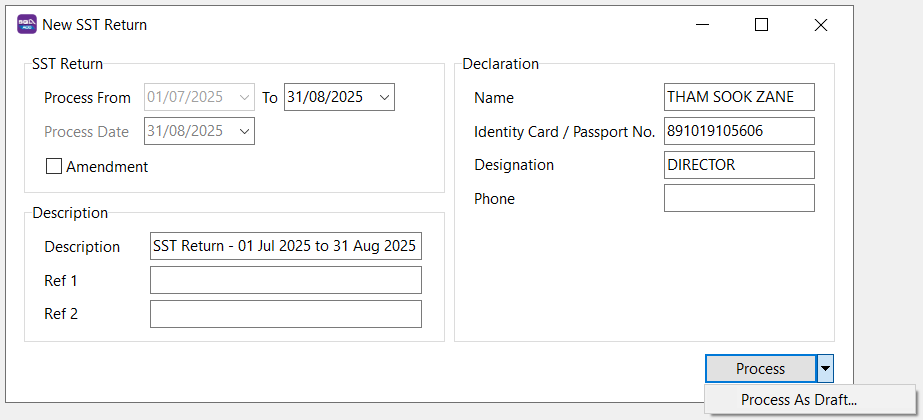
You can draft the SST-02 before final submission by processing it as draft.
-
Click on the arrow key down at the Process button.
-
See below screenshot.
-
DRAFT Status showed for the SST Returns period.

You still can amend the documents where the DRAFT SST return has generated. You may create multiple drafts before finalizing the SST return for the period.
Final SST Return
-
Click on the Process button.
-
See below screenshot.
-
Final SST Return will no longer display DRAFT in the status column.
Once the SST return is finalized, you cannot amend the documents.
Miscellaneous
Remission
The Minister may remit the whole or any part of sale tax due and payable.
Director General may remit the whole or any part of:
- Surcharge
- Penalty
- Fee
- Other money payable under the Act
Refund of overpaid tax
Individual that is eligible to claim if:
- Any person who has overpaid or erroneously paid of sales tax, penalty, surcharge, fee
- Any person who has paid sales tax and then exemption or remission of sales tax is granted by Minister.
Claim to be made in form JKDM No. 2 within one year from the date of over payment or erroneously payment; or entitlement of refund.
Drawback
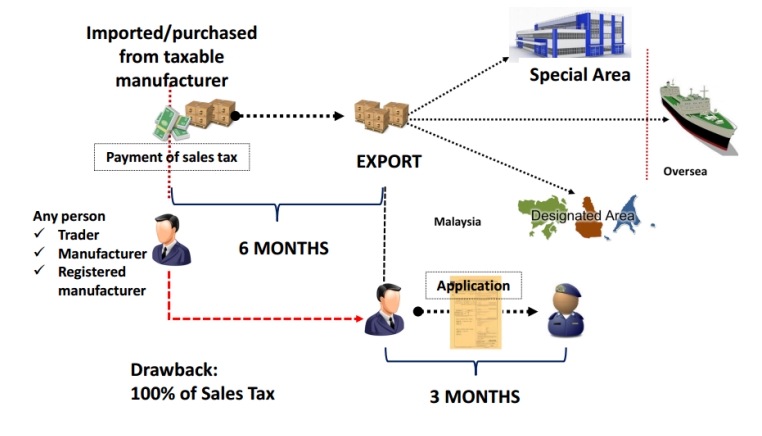
Director General may allow a drawback of the full amount of sales tax paid by a person for taxable goods that are subsequently exported. This does not apply to Petroleum.
Conditions:
-
Goods must be exported within six months from Sales Tax paid on import or date of invoice issued.
-
Application made within three months from the date of export in JKDM Form no. 2
-
Other conditions with regards to documentation and declaration.
Submission to sales tax office at applicants’ place of business.
Illustration:
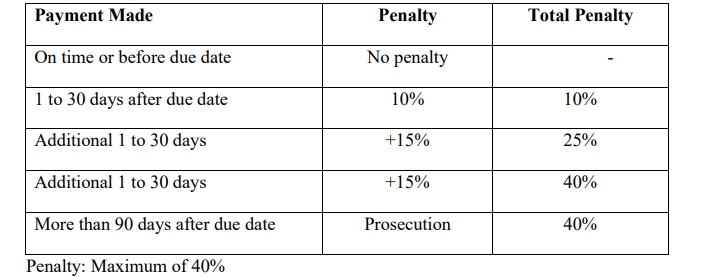
Penalty for late payment of tax
Late payment penalty on the amount of sales tax not paid as shown in the table below.
Other penalty for offences
Evasion of sales tax:
-
1st offence - either or both
-
Fine
-
Minimum 10x Sales Tax Amount
-
Maximum 20x Sales Tax Amount
-
-
Imprisonment not exceeding 5 years
-
-
2nd offence - either or both
-
Fine
-
Minimum 20x Sales Tax Amount
-
Maximum 40x Sales Tax Amount
-
-
Imprisonment not exceeding 7 years
-
Furnishing Sales Tax / Service Tax (SST-02) Return & Payment of Tax
Registered manufacturer / person has to declare SST return every 2 months according to the taxable period.
-
Service Tax return has to be submitted not later than the last day of the following month after the taxable period ended.
-
Service Tax return has to be submitted regardless of whether there is any tax to be paid or not.
-
Service Tax return has to be submitted electronically or by cheque, bank draft and posted to SST Processing Centre.
Payment for tax due and payable declared in SST-02. Failure to submit return is an offence.