Sync Cloud
-
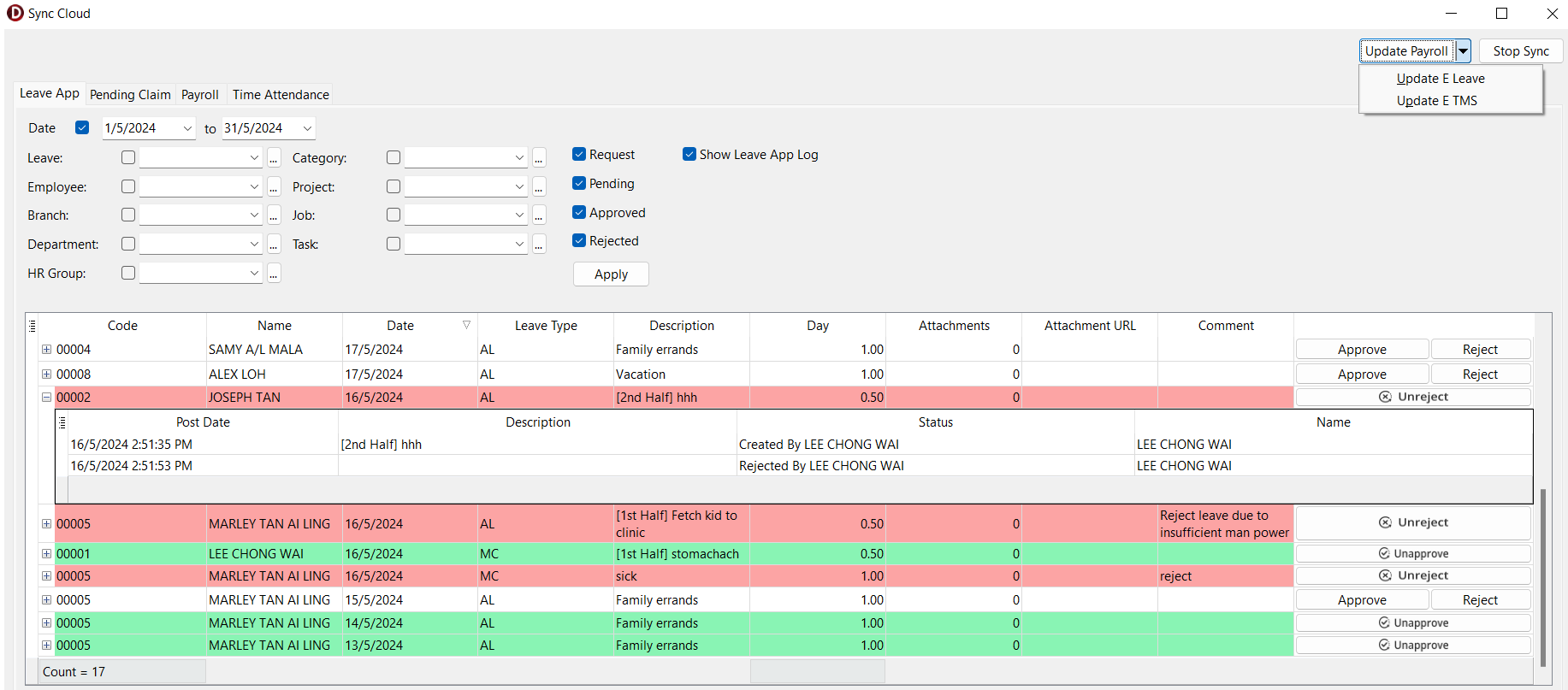
Navigate to ☁️ > Sync Cloud… > Leave App > Sync All
- Checkbox Hint:
- Request: Show leave applications with Pending Verification status
- Pending: Show leave applications with Pending Approval status
- Approved: Show leave applications with Approved status
- Rejected: Show leave applications with Rejected status
- Show Leave App Log: Show change log for each leave applications
- Green Highlight: Approved leave
- Red Highlight: Rejected leave
- Editable columns:
- Comment
- Action:
- Approved
- Reject
- Unapprove
- Unreject
- Checkbox Hint:
-
Update Payroll/Update E Leave (if only want update leave application to server)