Inventory
Products
Map Products
-
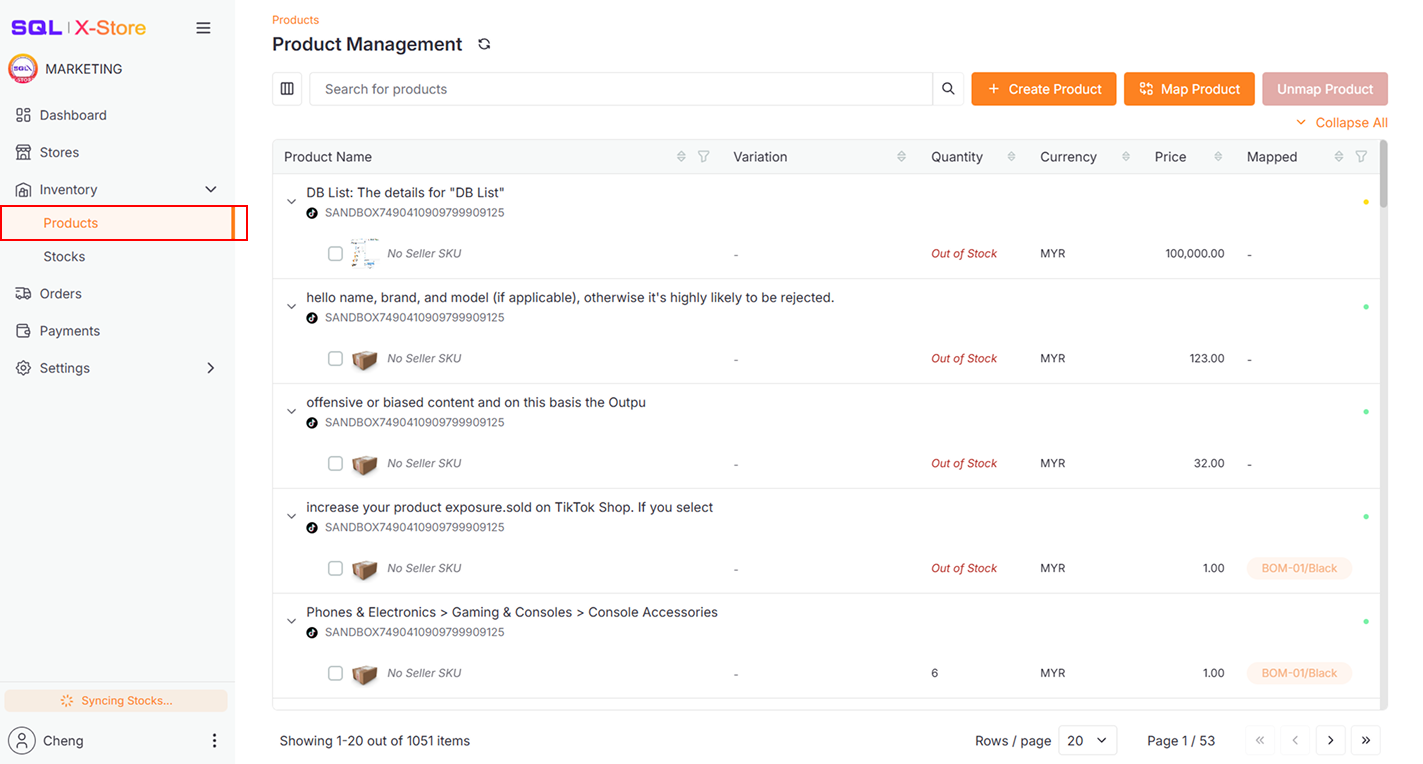
Go to Inventory > Products
-
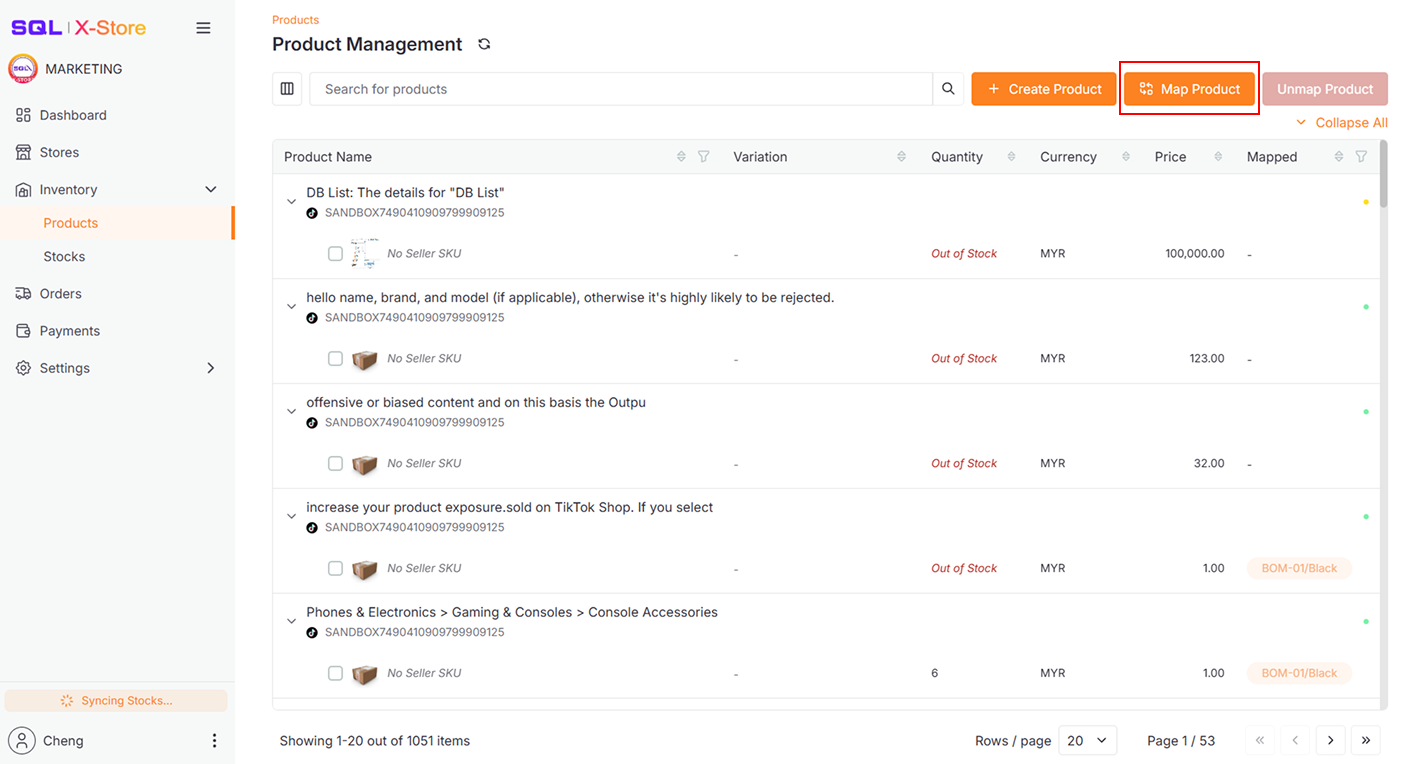
Click the Map Product Button to open the Map Product Dialog
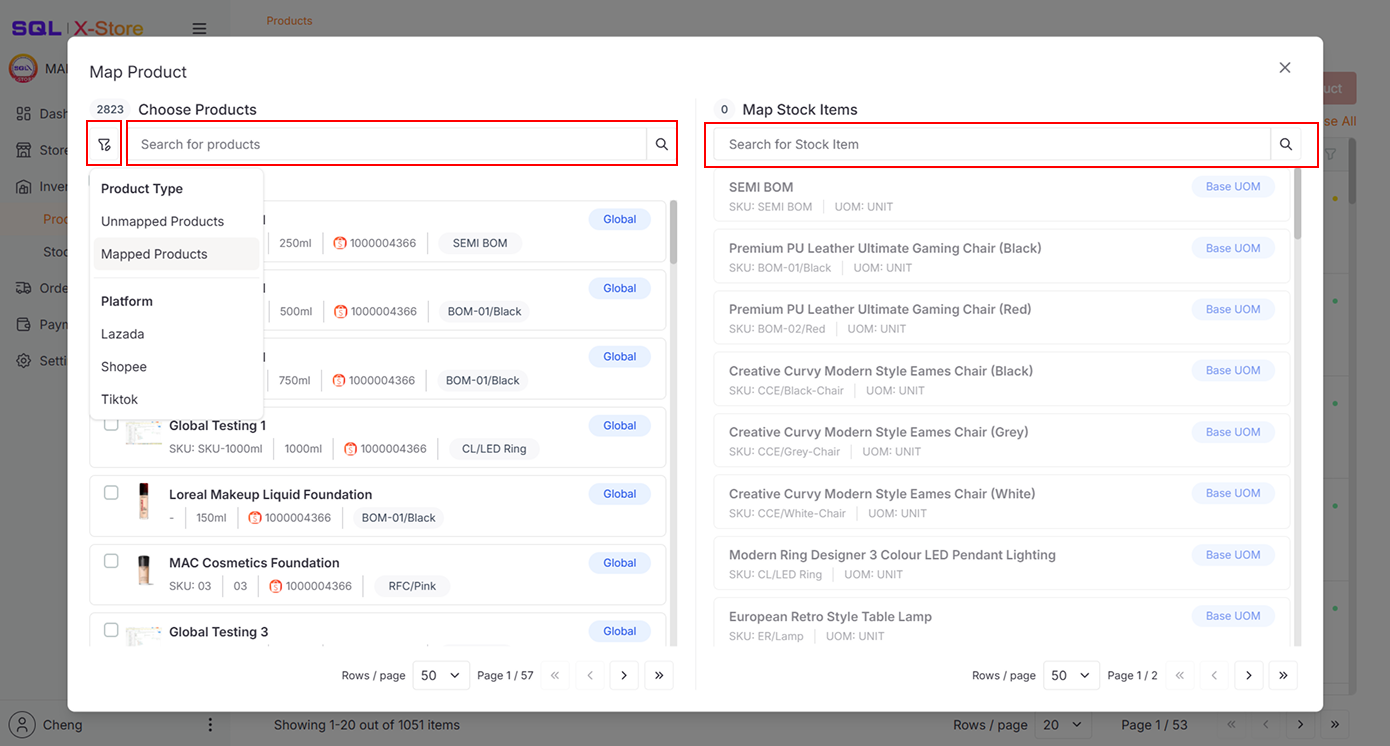 info
infoUse the Filter Button to narrow your Platform Products View, or use the Search Bar to find specific e-commerce products and stock items.
-
Select e-commerce products synced from various platforms and then a stock item synced from SQL Account to map them together
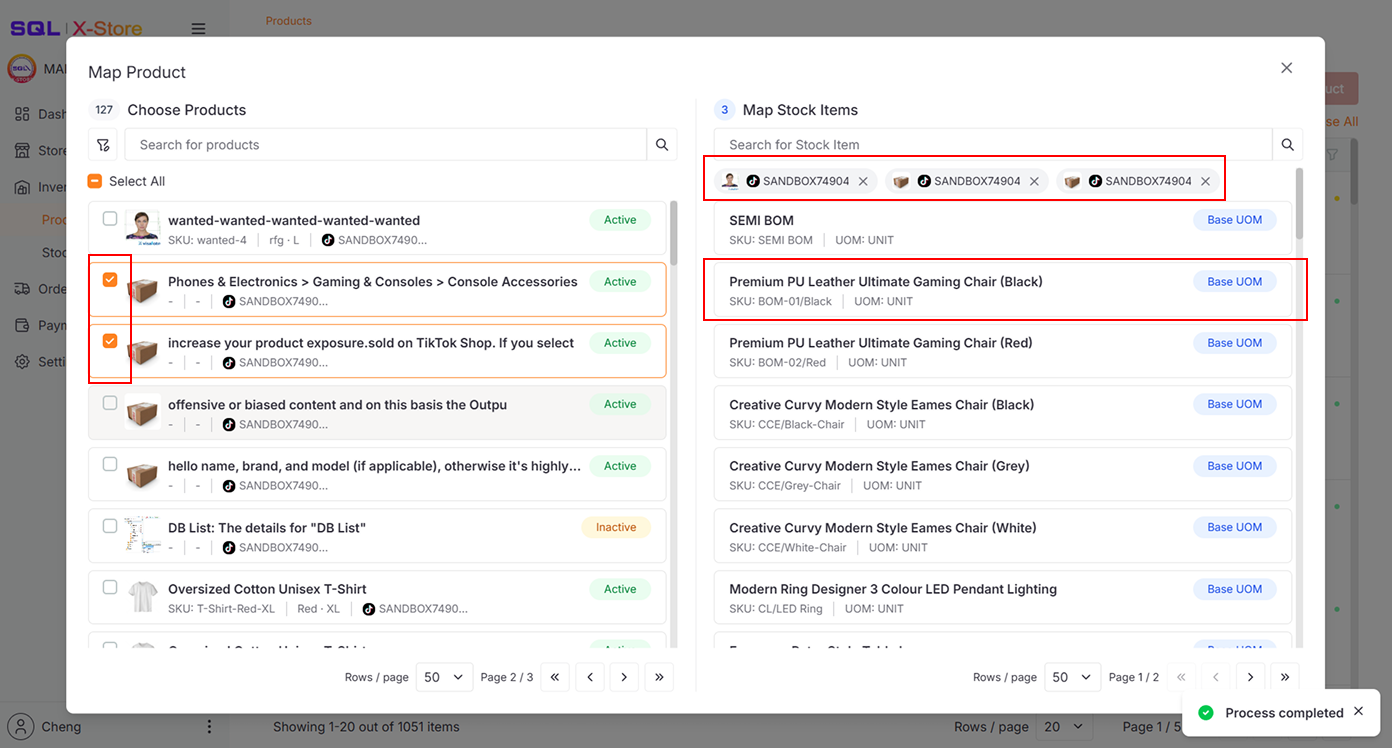 info
infoe-commerce Products are mapped to Stock Item UOM.
-
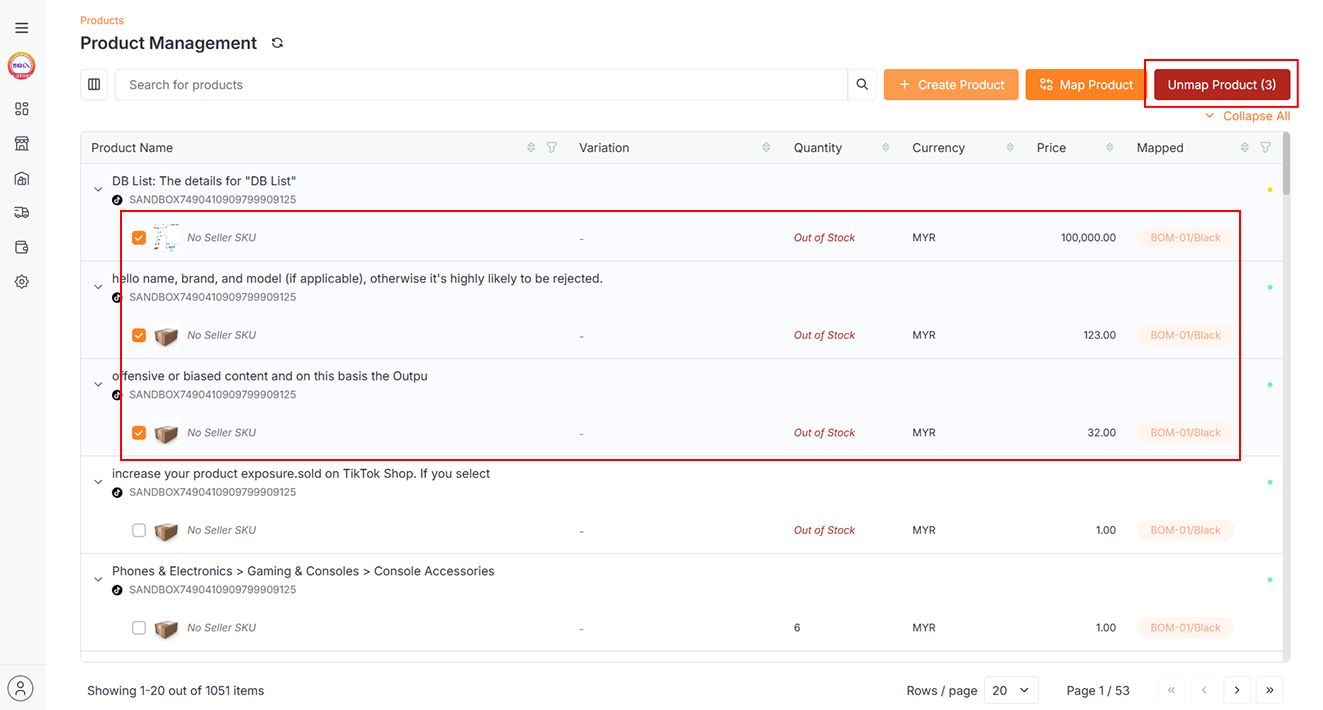
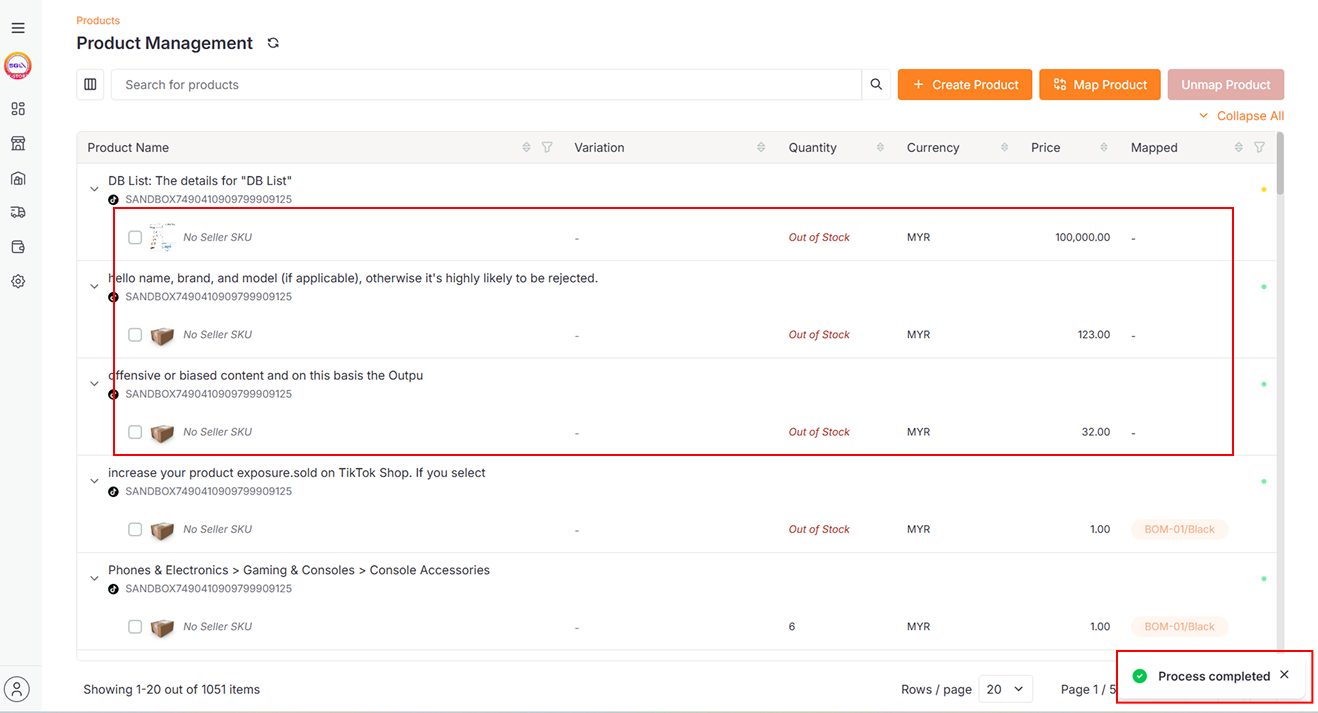
To unmap products, select them and click Unmap
Stocks
Map Products to Specific Stock Items
-
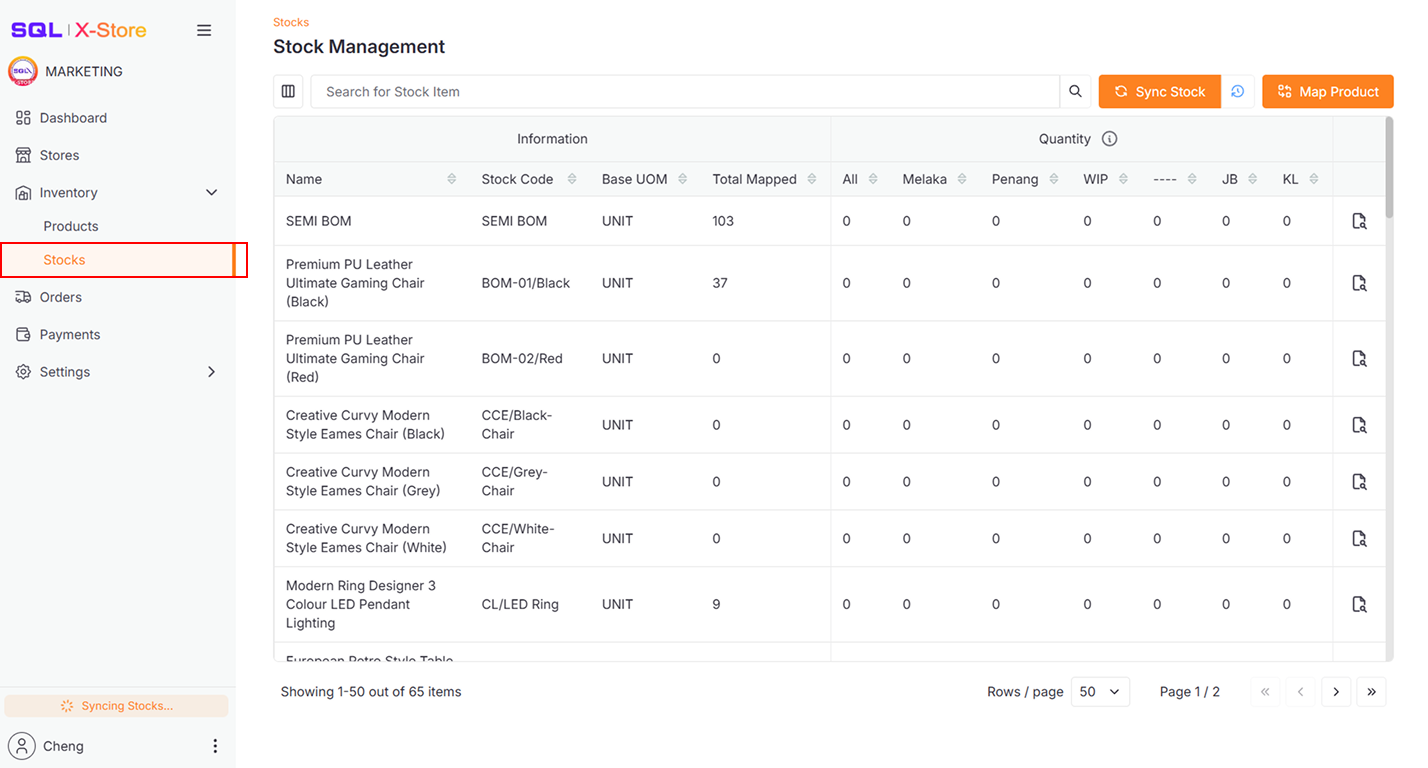
Go to Inventory > Stocks
-
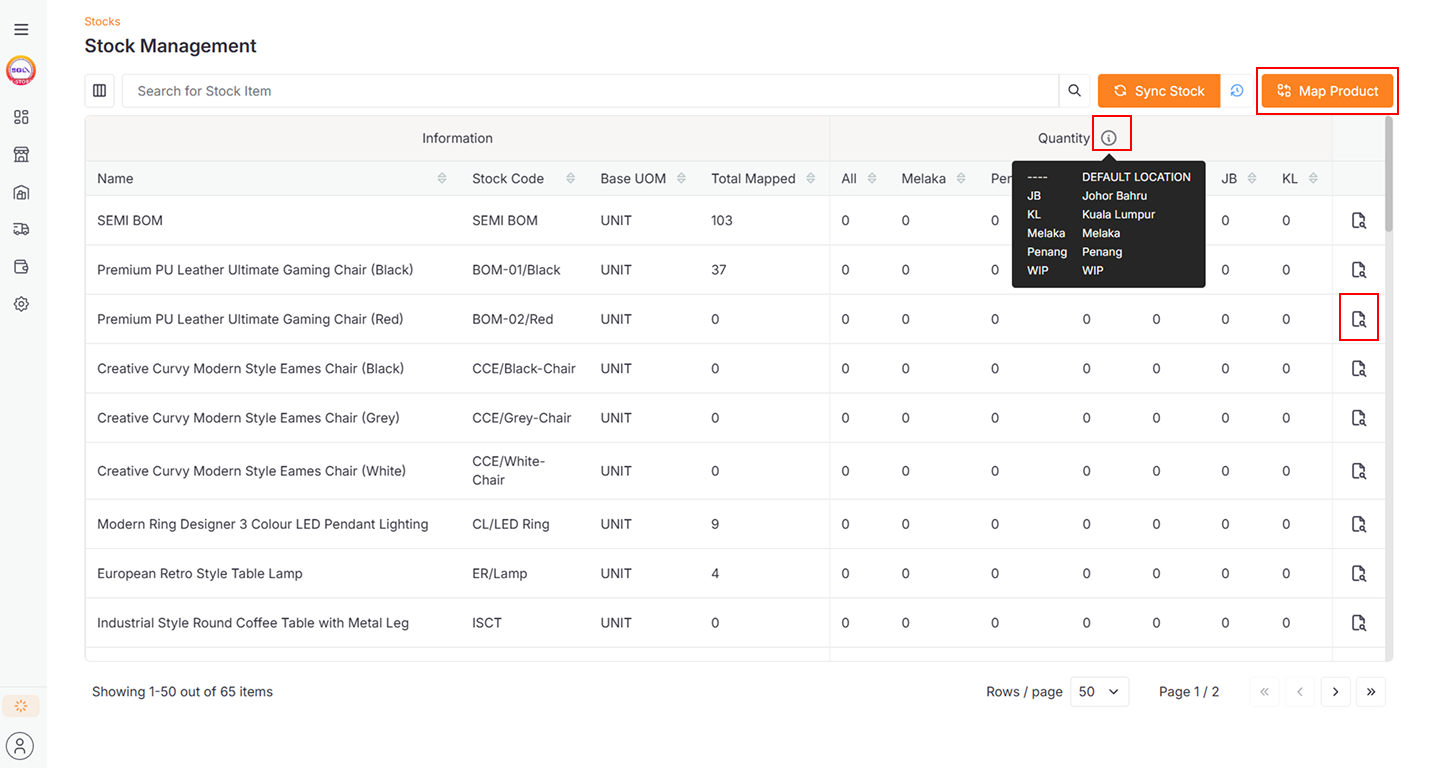
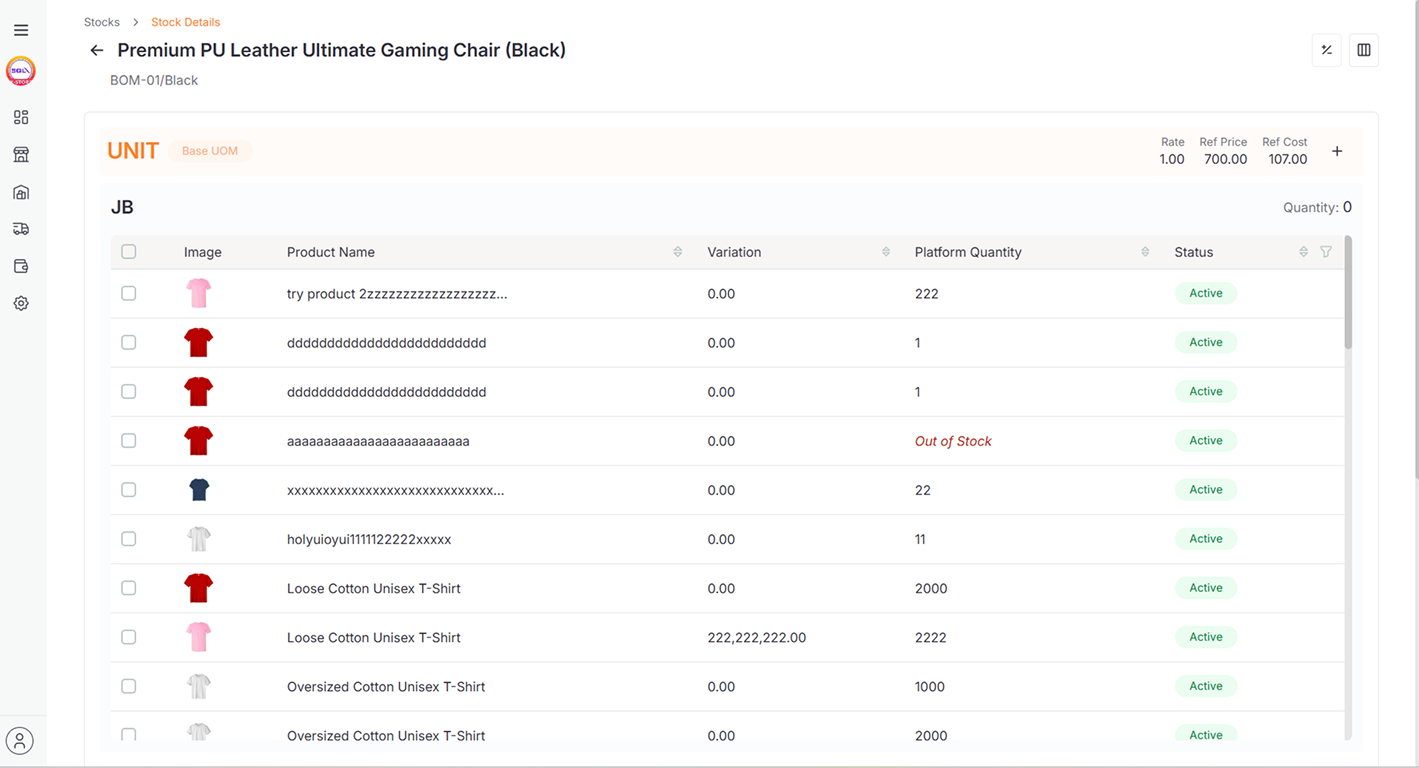
Click the icon to view stock details
 info
info- Map Product can be performed here as well
- Location Description and Code are fetched from SQL Account
-
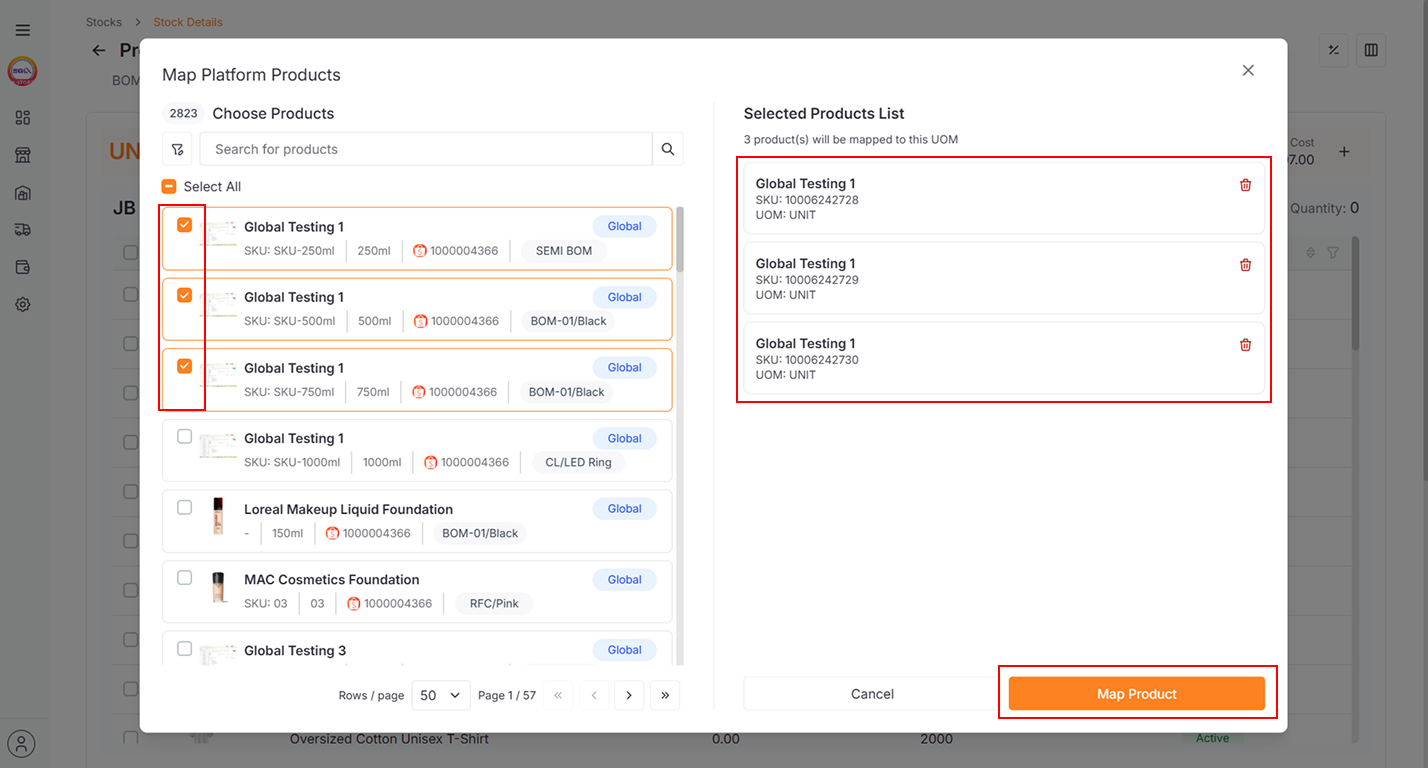
Click the + icon to open the Map Product Dialog
-
Select the Platform Product and click Map Product to map it directly to this Stock Item UOM
 info
infoEnsure your store is mapped to the correct stock item location, or mapped items won't appear.