Payments
The Manage Payments page allows you to view and manage all payment details. The number below the table shows the total number of transactions or orders in the data table based on the view options.
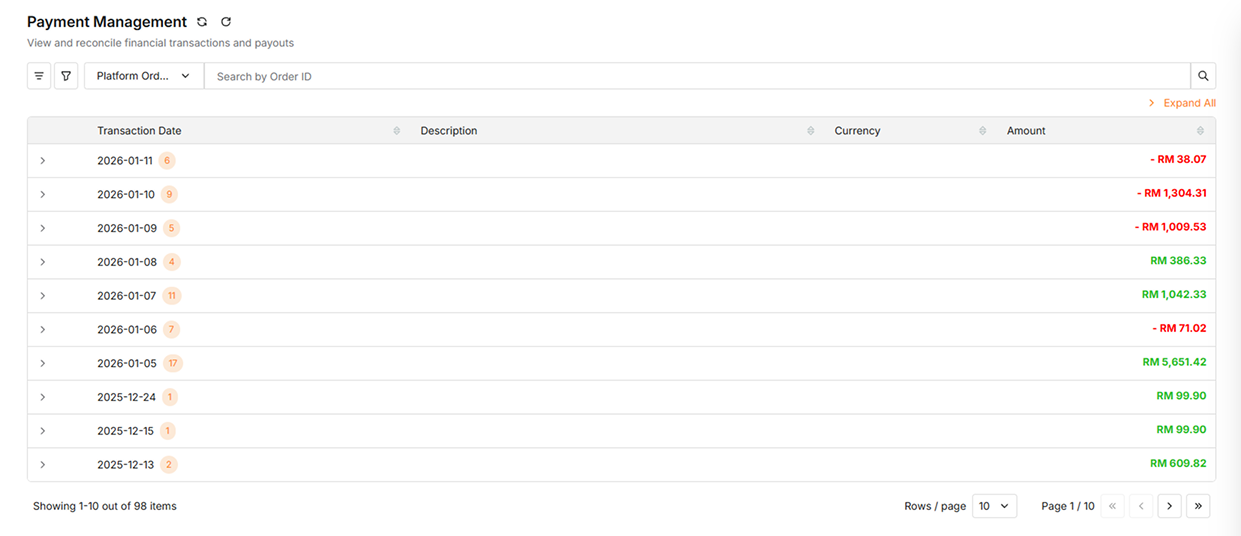
Data Table Features
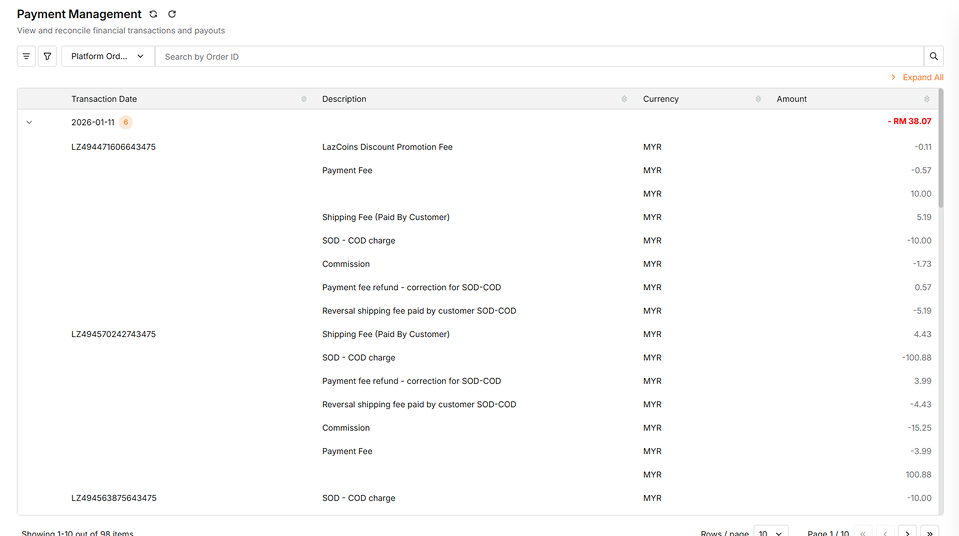
| Column | Description |
|---|---|
| Transaction Date (Payment view) / Platform Order ID (Order view) | The grouping field - by transaction date or order ID |
| Description | Details of each transaction line item |
| Currency | The currency used (e.g., MYR) |
| Amount | Total amount for the grouped row, or individual line item amounts when expanded |
General Features

| Actions | Description |
|---|---|
| Sync Payment | Click the Sync Payment button at the top-left corner beside the title "Payment Management" to synchronize payment data from your e-commerce platform |
| Refresh Payment | Click the Refresh Payment button to refresh payment data |
| Customize Table Columns | Click the column icon on the left side (beside the Start Date field) to show or hide specific columns and customize which information is displayed |
| Advanced Filter | Click the filter options to narrow down payment data by grouping, store, or date range. See Advanced Filter Options below. |
| Search by Order ID | Enter an Order ID in the search field to filter and display matching orders |
| Expand All | Click Expand All in the top-right to expand all transaction rows and reveal detailed breakdowns |
Advanced Filter Options
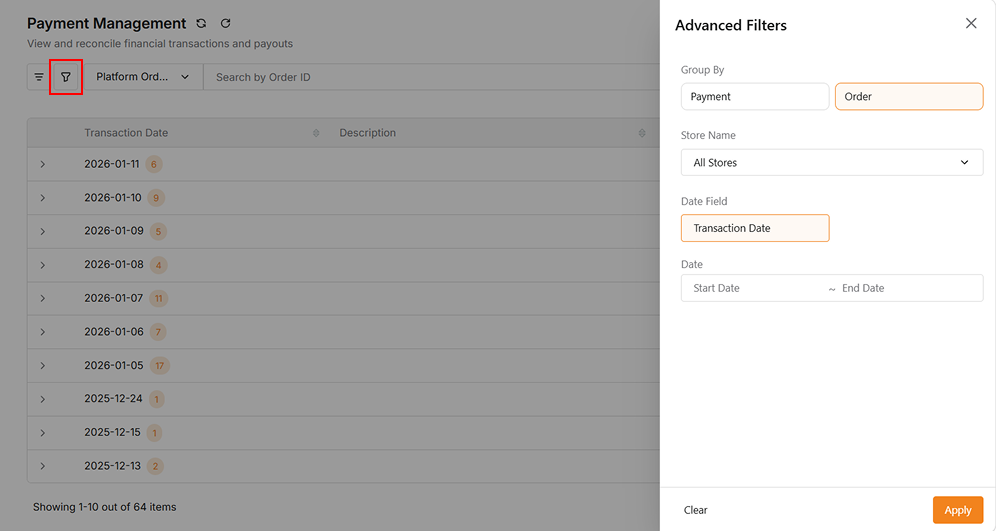
| Filter | Description |
|---|---|
| Group by Payment | Displays transactions grouped by transaction date |
| Group by Order | Displays individual orders grouped by Platform Order ID |
| Store Name | Click the All Stores dropdown to choose a specific store, or leave as default to show all stores |
| Date Range | Select a Start Date and End Date (up to today) of transaction date to filter transactions within a date range |