Order Detail
Overview
Order Detail allows you to view individual order information and perform actions such as cancellations, returns, and refunds. To access this page, click the Document icon on any order row.

The Order Details interface allows you to:
- View order information
- Perform order actions (cancel, return, refund)
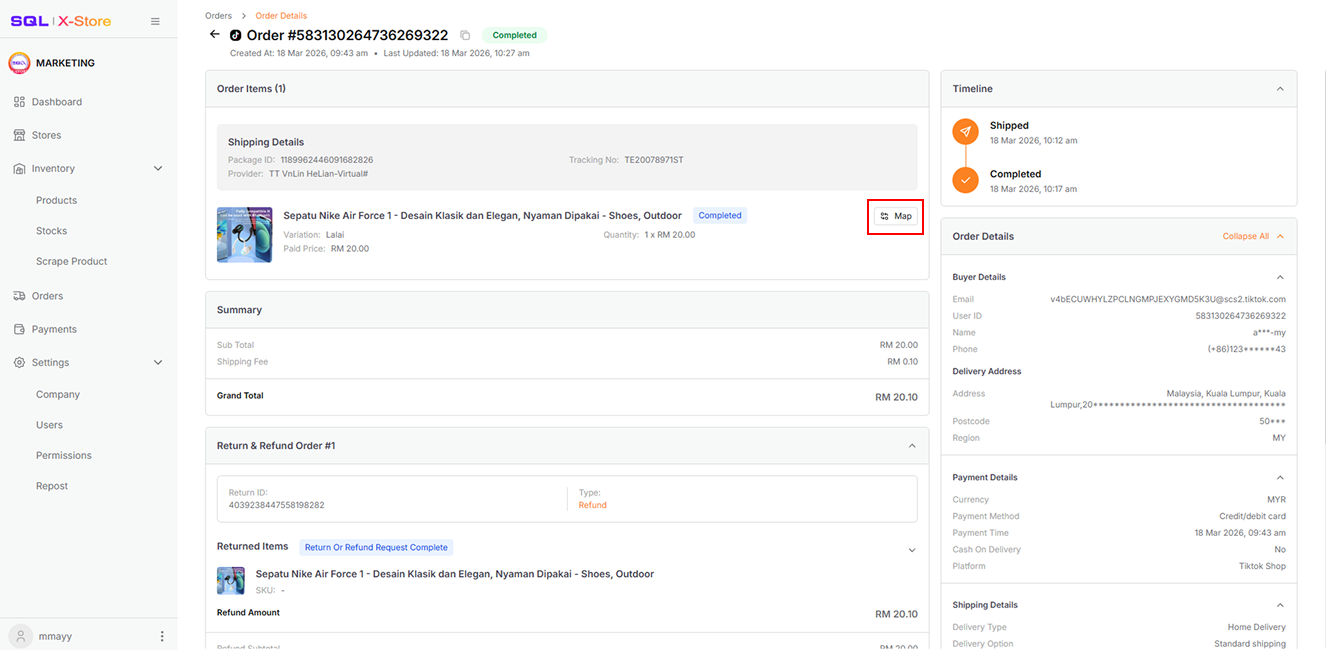
- Map order items to stock items
Quick Feature: Use the mapping button to quickly link order items to your stock items directly from this page.
Lazada
Order Detail Page
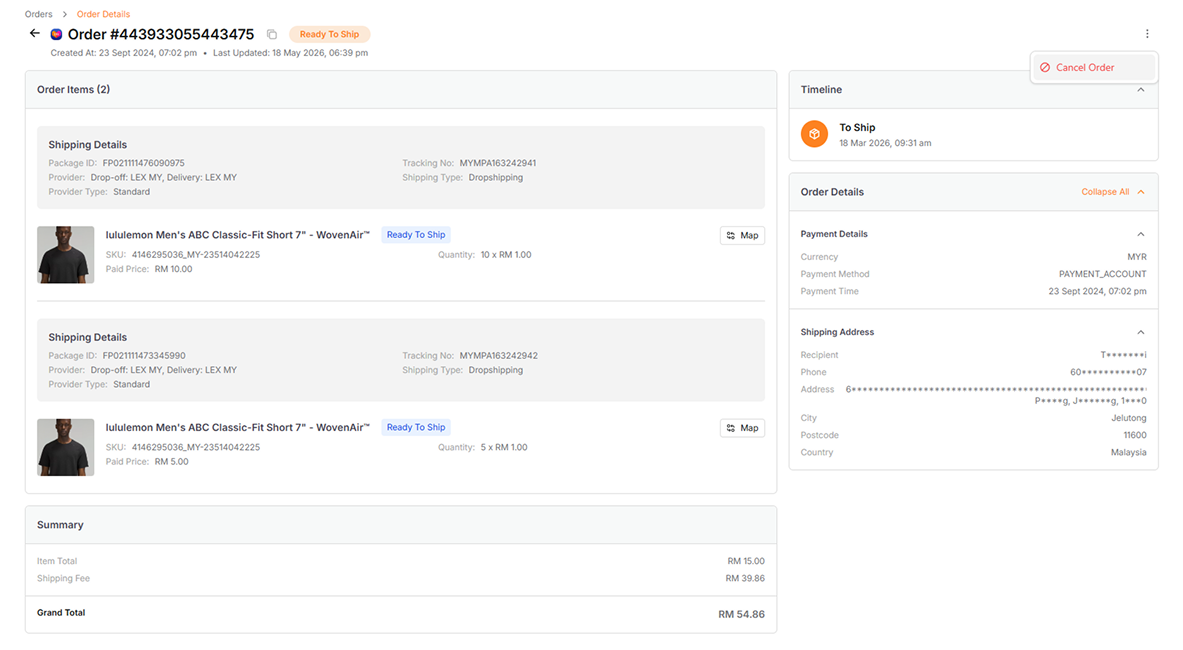
| Section | Details |
|---|---|
| Order Items | The item details in the order, including the status and shipping details |
| Order Details | Other order information, including payment details, shipping details, etc. |
| Summary | The summary payment information |
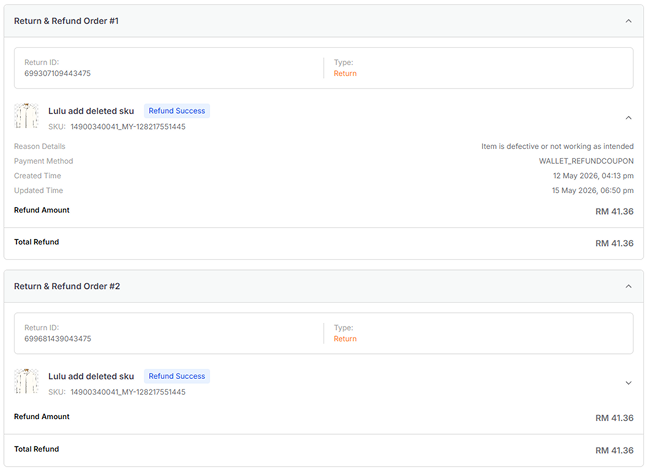
Return Order Info
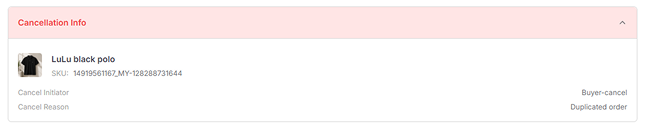
Cancel Order Info
Repack Order
Available for orders in the To Process tab
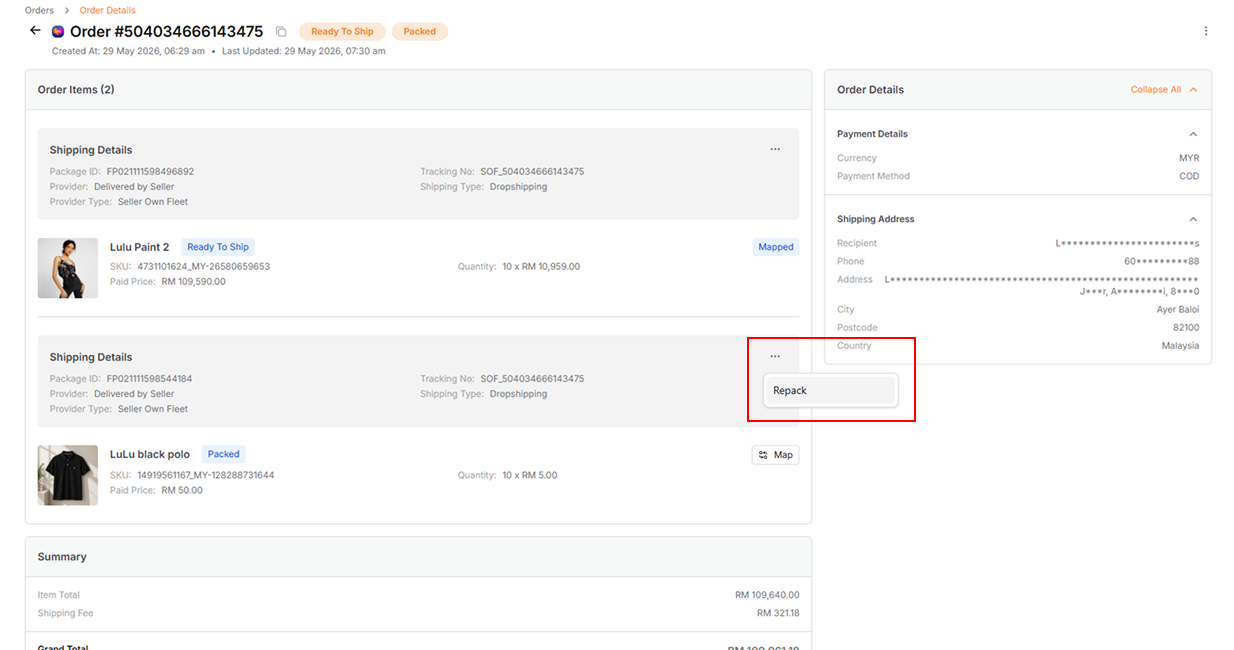
Use the Repack action to repack specific items in the order after cancellation of specific items.
Cancel Order (Seller-Initiated)
Available for orders in the New Order, To Process, and To Ship tabs
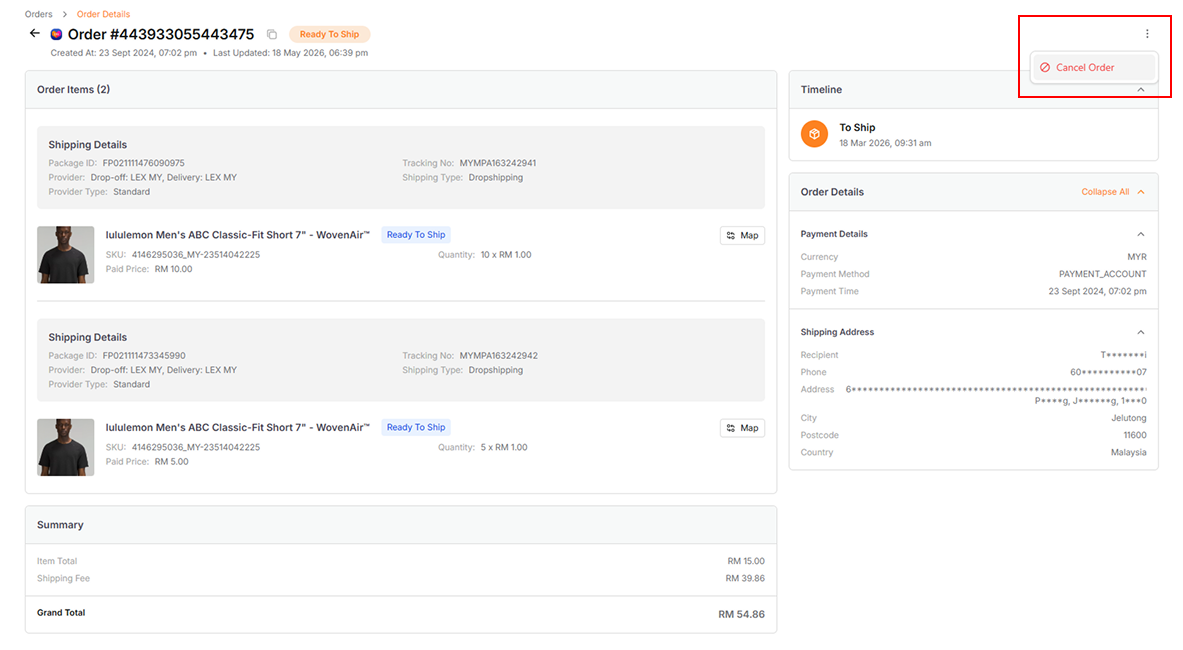
-
Click the Cancel Order button at the top right corner
-
Select the cancellation reason and choose the items to cancel
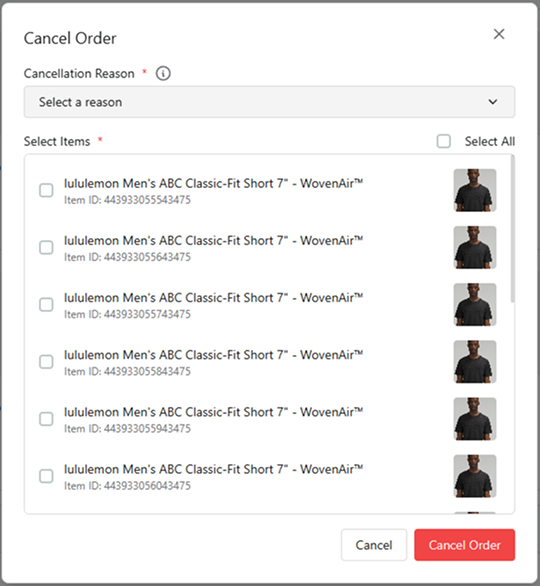
-
Submit the cancellation request
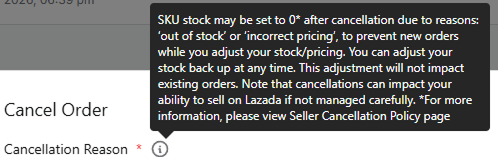
Hover over the warning icon to see Lazada's cancellation policies and potential consequences on this order.
Return Order (Buyer-Initiated)
When a buyer initiates a return, the order moves to the To Return tab for seller approval.
Return and Refund process may vary based on the reason selected by buyers.
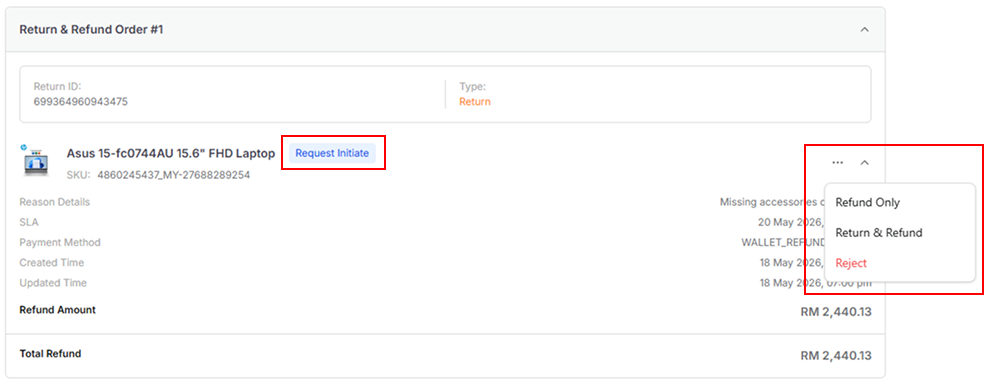
1. Refund Only
During "Request Initiate" status, process the refund directly to the buyer.
2. Return and Refund
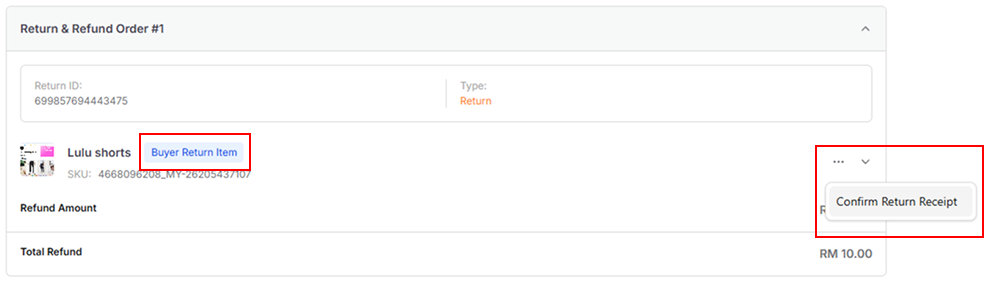
During "Buyer Return Item" status:
- Wait for the item to be returned
- Click Confirm Return Receipt when received
- Refresh or resync the order to go to the next step
- Process or Reject the refund request
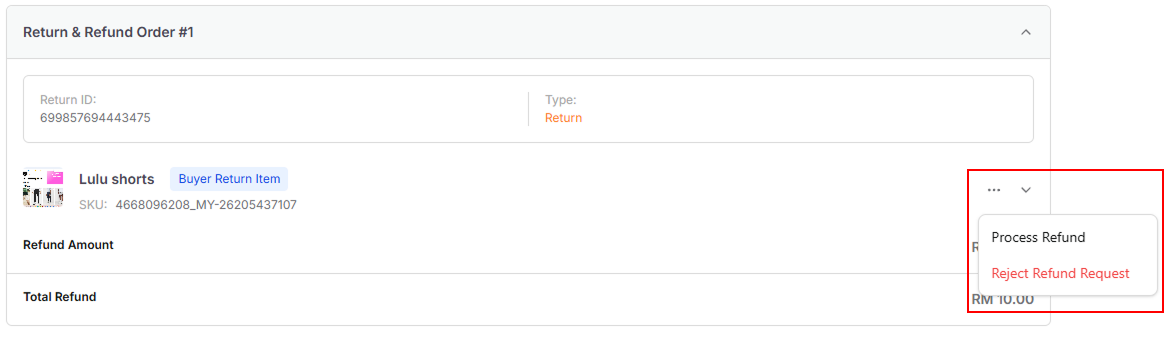
3. Reject Refund
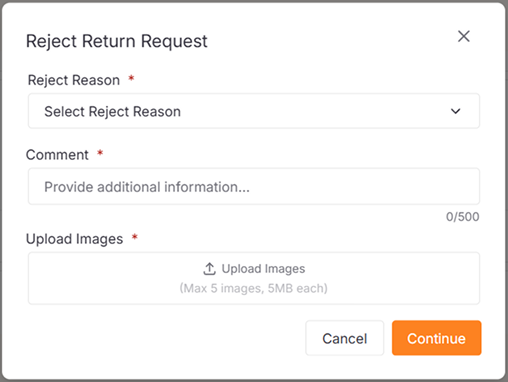
To reject a refund request:
- Provide a reason for rejection
- Upload supporting evidence
- Submit for platform review
4. Refund Pending
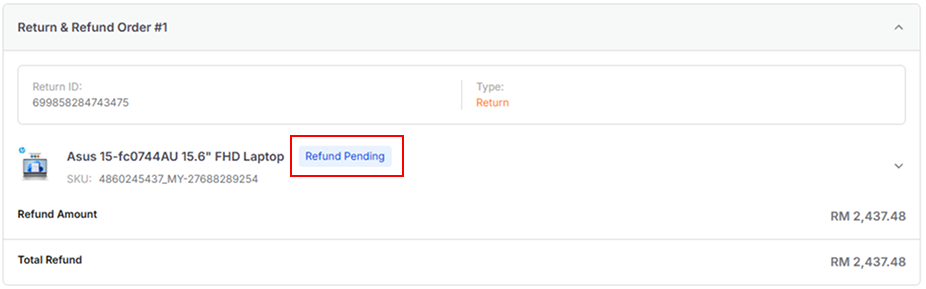
After processing, the status changes to Refund Pending while Lazada processes and reviews the refund.
Shopee
Order Detail Page
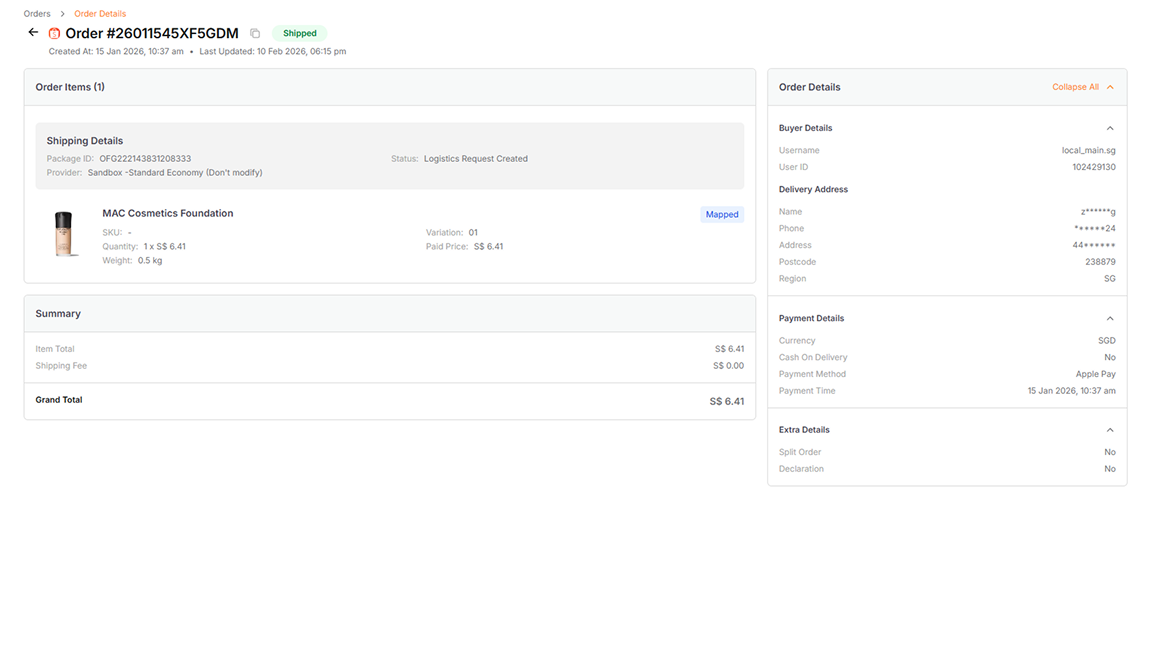
| Section | Details |
|---|---|
| Order Items | The item details in the order, including the status and shipping details |
| Order Details | The other information of the order, including buyer details. payment details, and etc. |
| Summary | The summary payment information |
Return Order Info
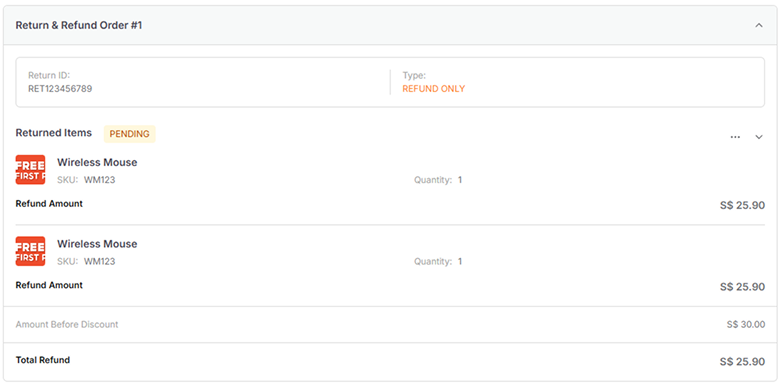
Cancel Order Info

Cancel Order (Seller-Initiated)
Available for orders in the New Order and To Process tabs
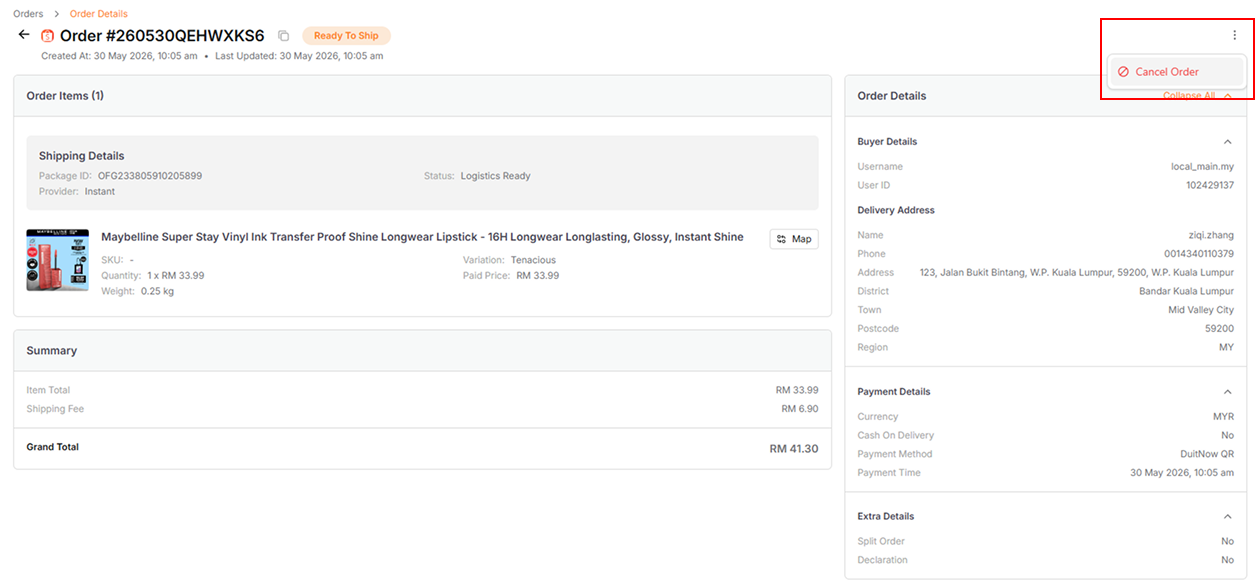
-
Click the Cancel Order button at the top right corner
-
Select the cancellation reason
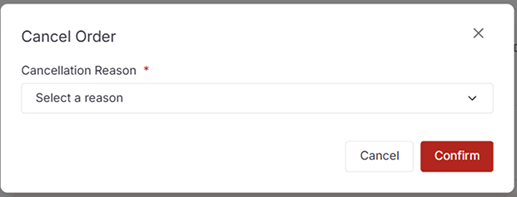
- For Out of Stock cancellation, select the out-of-stock items
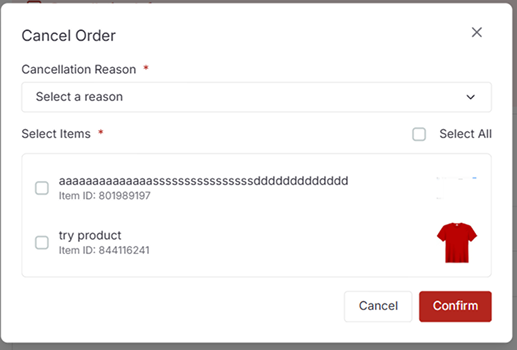
- Submit the cancellation request
Cancelling with "Out of Stock" may reset the item quantity to 0 on the platform
Cancel Order (Buyer-Initiated)

Sellers can accept or reject the buyer's cancellation request.
Return Order (Buyer-Initiated)
1. Refund Only
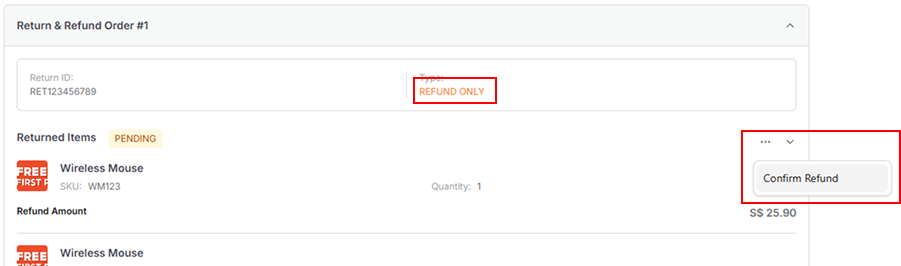
When a buyer requests Refund Only, review the request and confirm refund.
2. Return and Refund (Buyer's Offer)
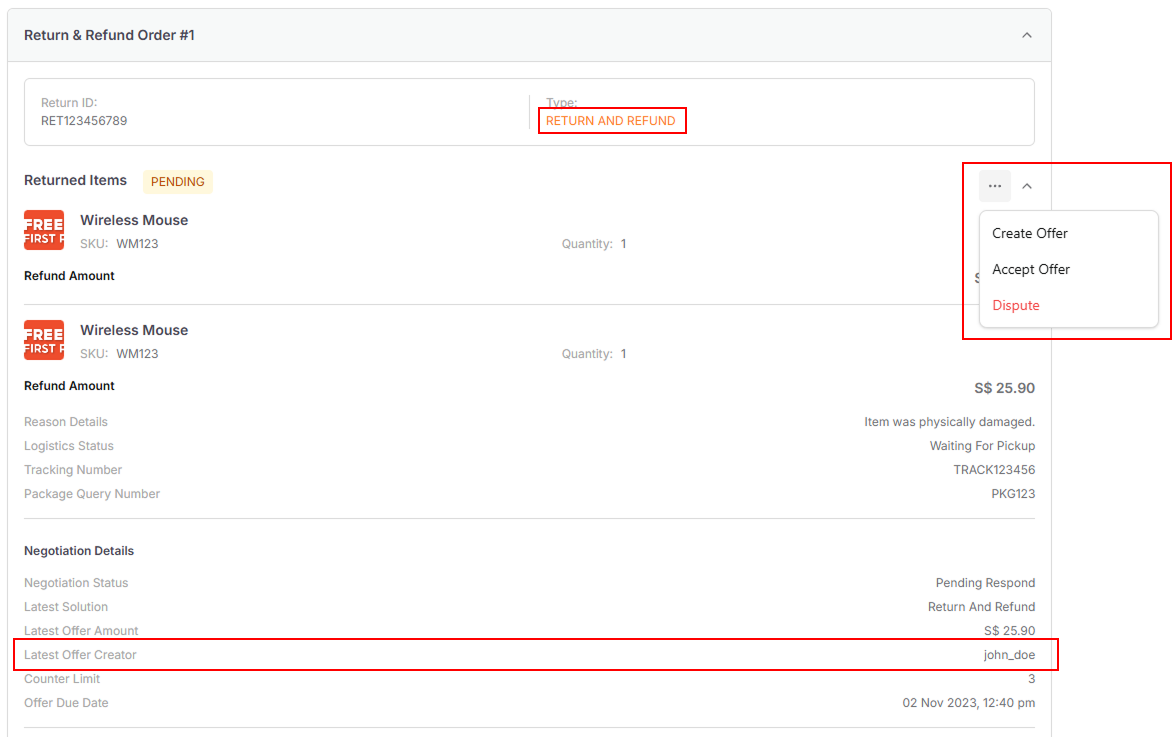
When the latest offer is from the buyer, you can:
| Action | Description |
|---|---|
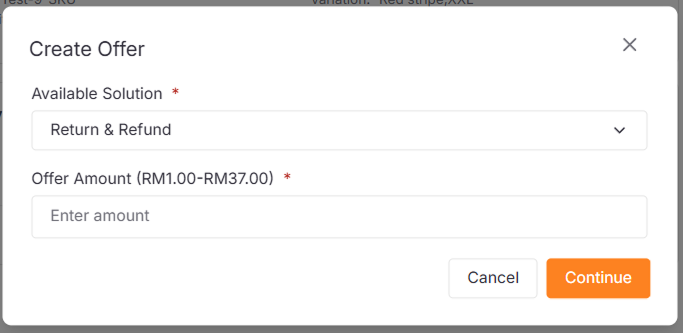
| Create Offer | Counter with a new offer amount |
| Accept Offer | Accept the buyer's proposed terms |
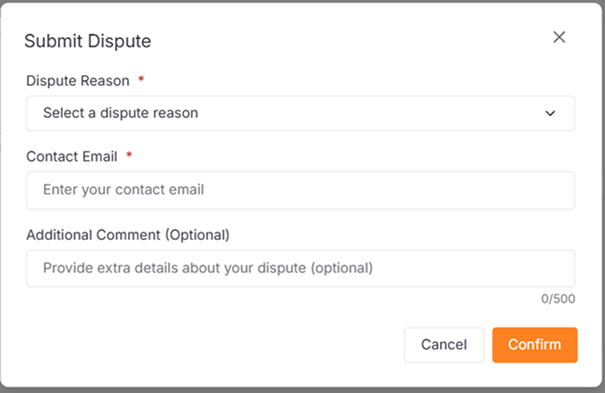
| Dispute | Escalate to Shopee for resolution |
3. Return and Refund (Seller's Offer)
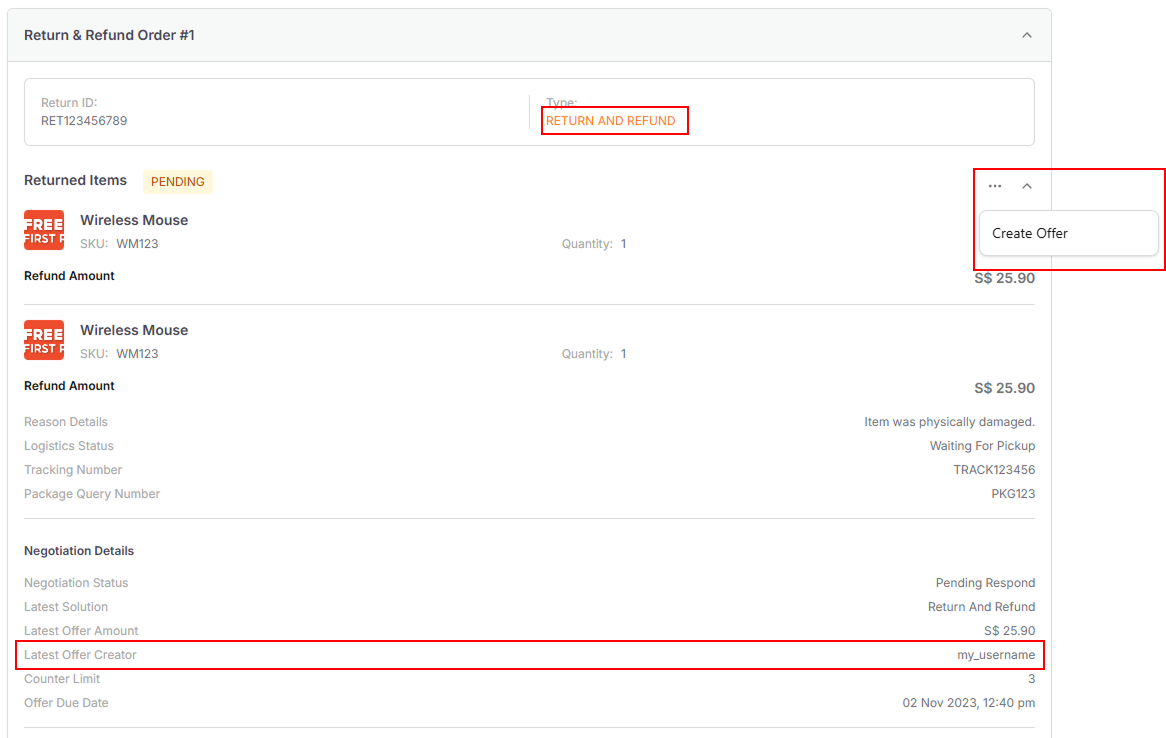
When you've made an offer and are awaiting buyer response, you can still modify your offer.
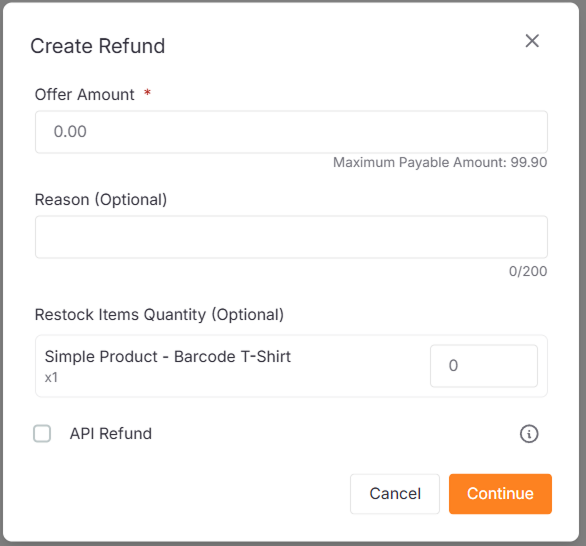
Create Offer Form:
Dispute Form:
TikTok
Order Detail Page
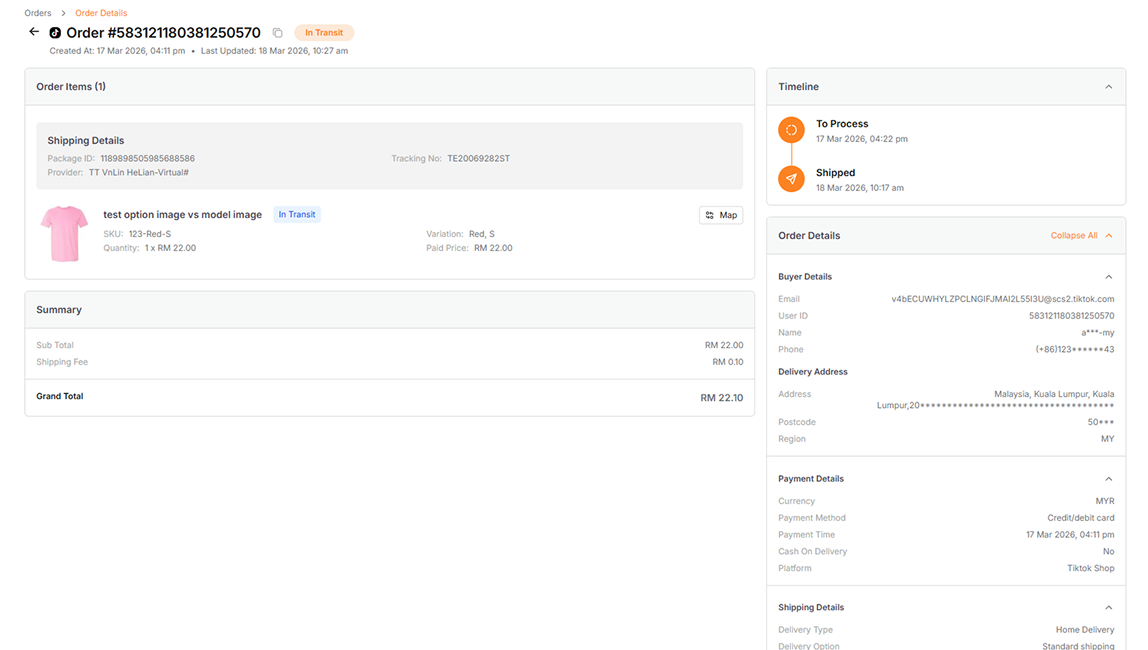
| Section | Details |
|---|---|
| Order Items | The item details in the order, including the status and shipping details |
| Order Details | Other order information, including buyer details, payment details, etc. |
| Summary | The summary payment information |
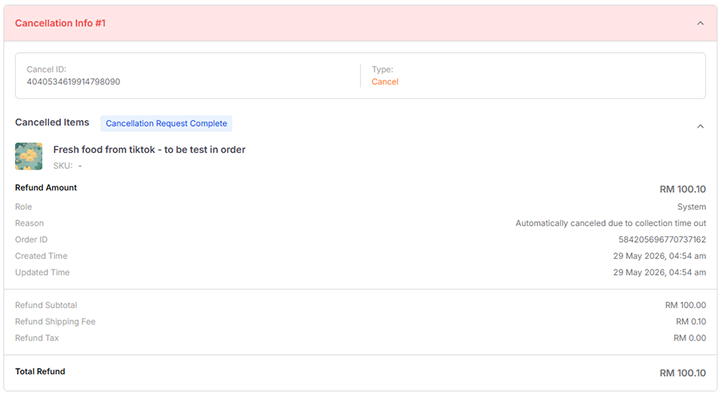
Cancel Order Info
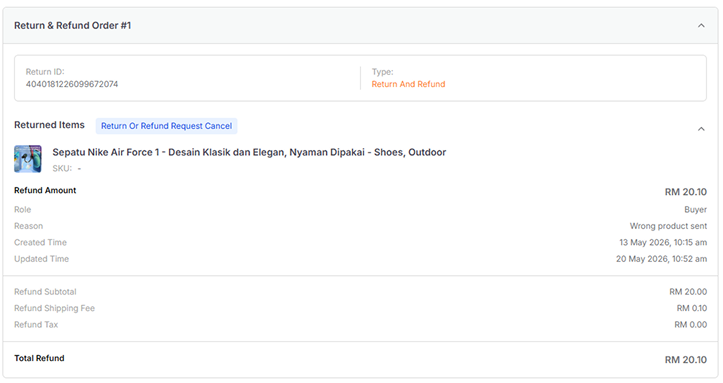
Return Order Info
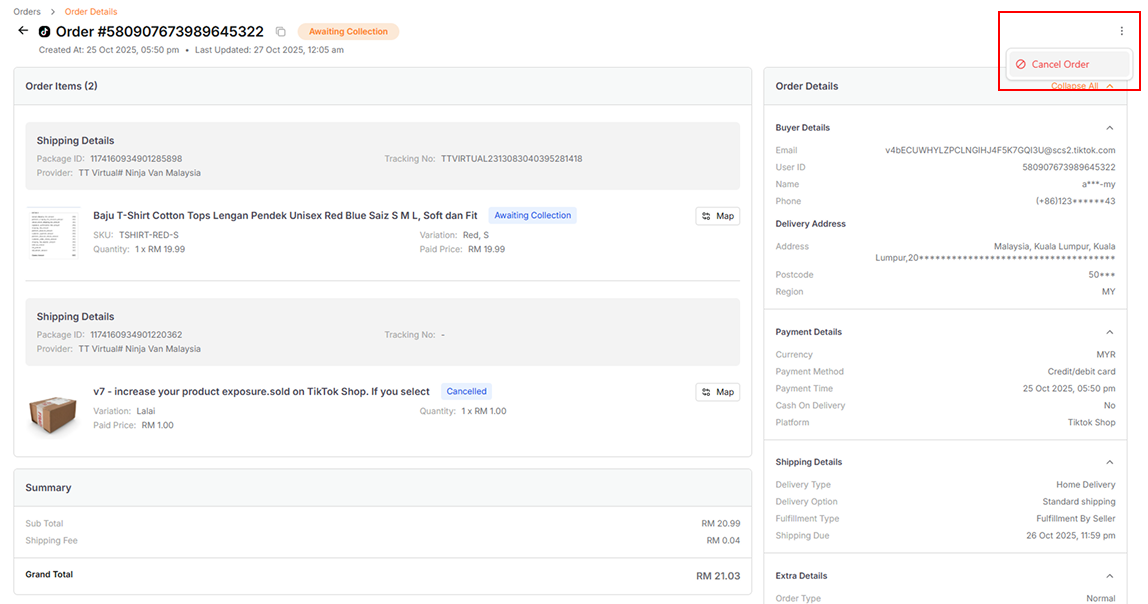
Cancel Order (Seller-Initiated)
Available for orders in the New Order and To Process tabs
-
Click the Cancel Order button at the top right corner
-
Select the cancellation reason
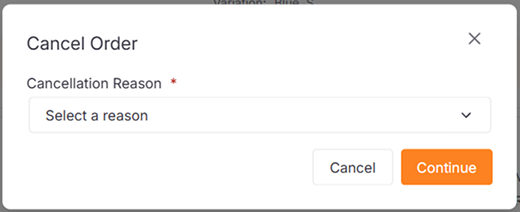
- Submit the cancellation request
Cancel Order (Buyer-Initiated)
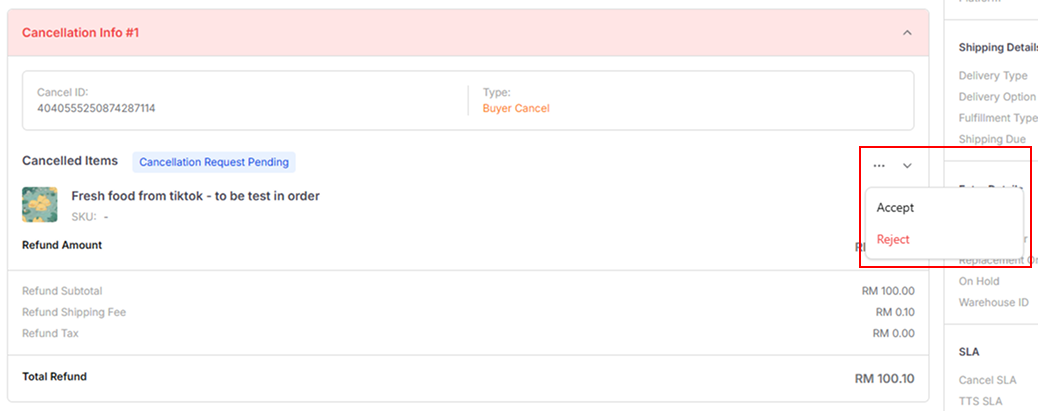
When a buyer requests cancellation, choose your response:
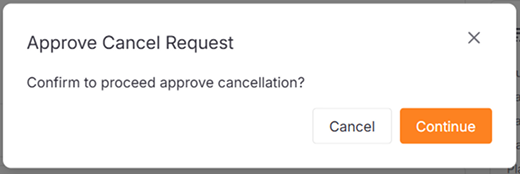
- Approve Cancellation:
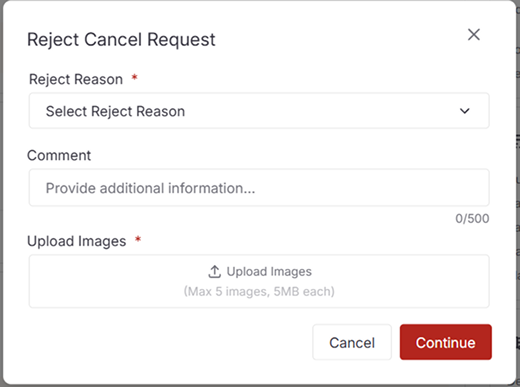
- Reject Cancellation:
Return or Refund Order (Buyer-Initiated)
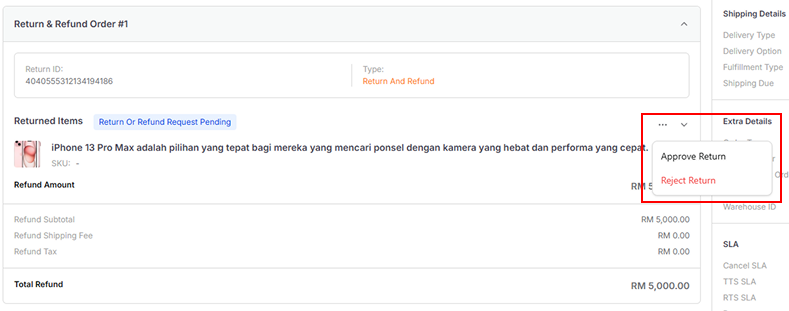
The buttons will be shown according to the Return Type and Return Status
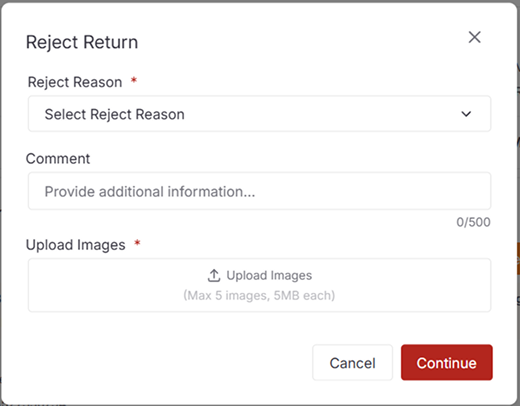
- Reject Return or Refund:
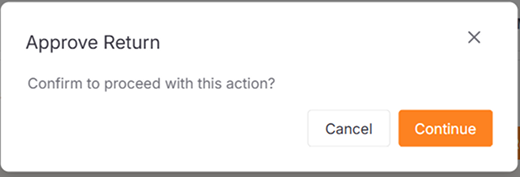
- Approve Return:
Shopify
Order Detail Page
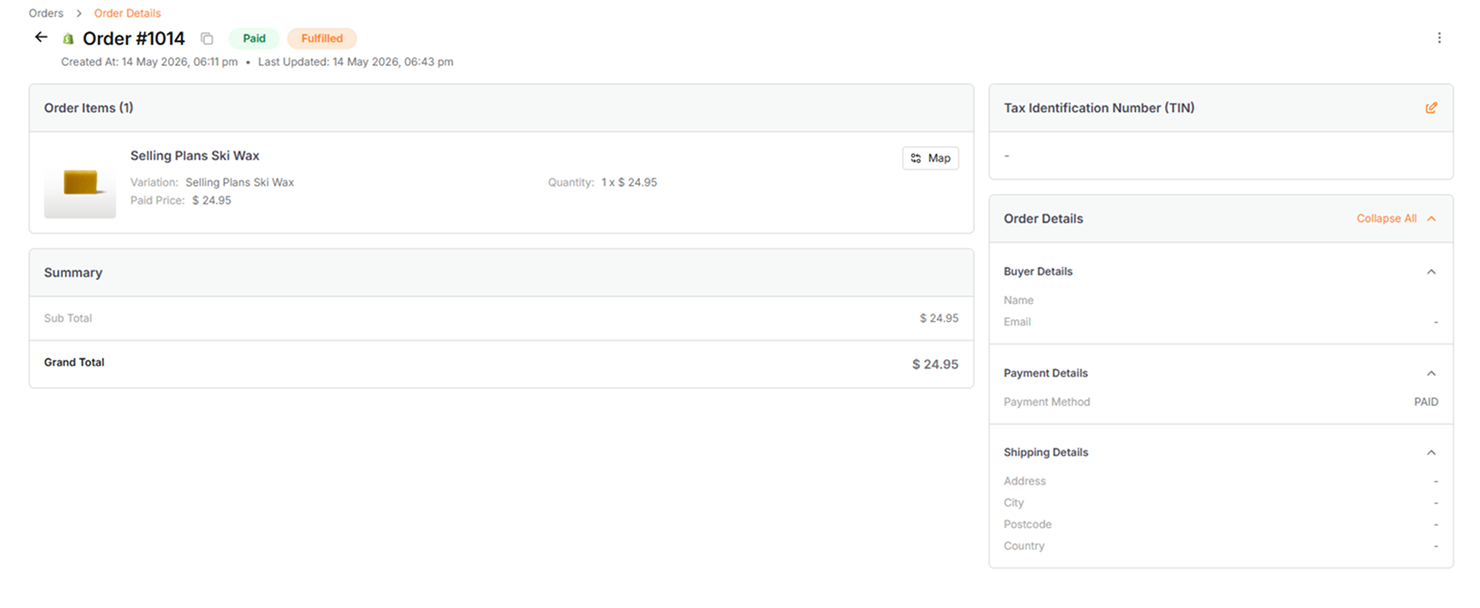
| Section | Details |
|---|---|
| Order Items | The item details in the order, including the status and shipping details |
| Order Details | Other order information, including payment details, shipping details, etc. |
| Summary | The summary payment information |
Order Actions
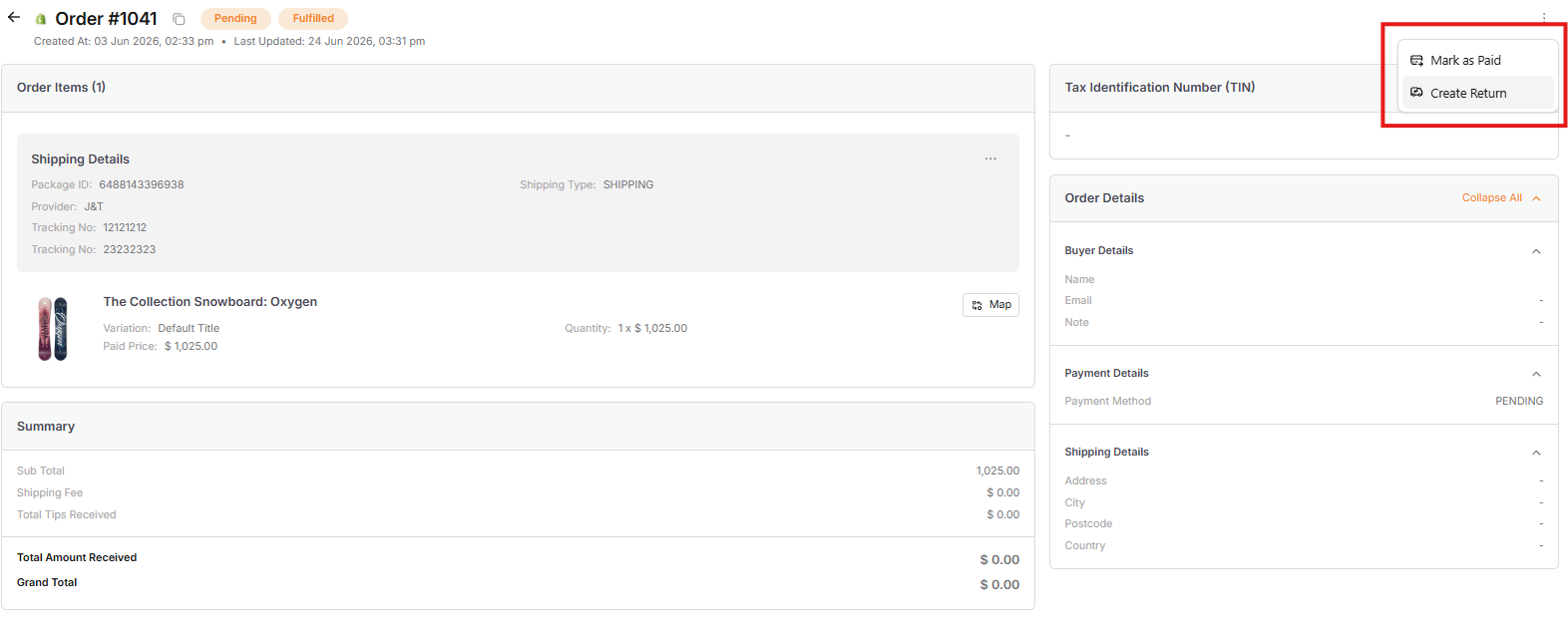
| Action | Description |
|---|---|
| Mark As Paid | Manually record an order as paid. |
| Create Return | Initiate a return and refund for the buyer. |
| Cancel Order | Cancel the order. |
Update Tracking
Available for fulfilled orders only
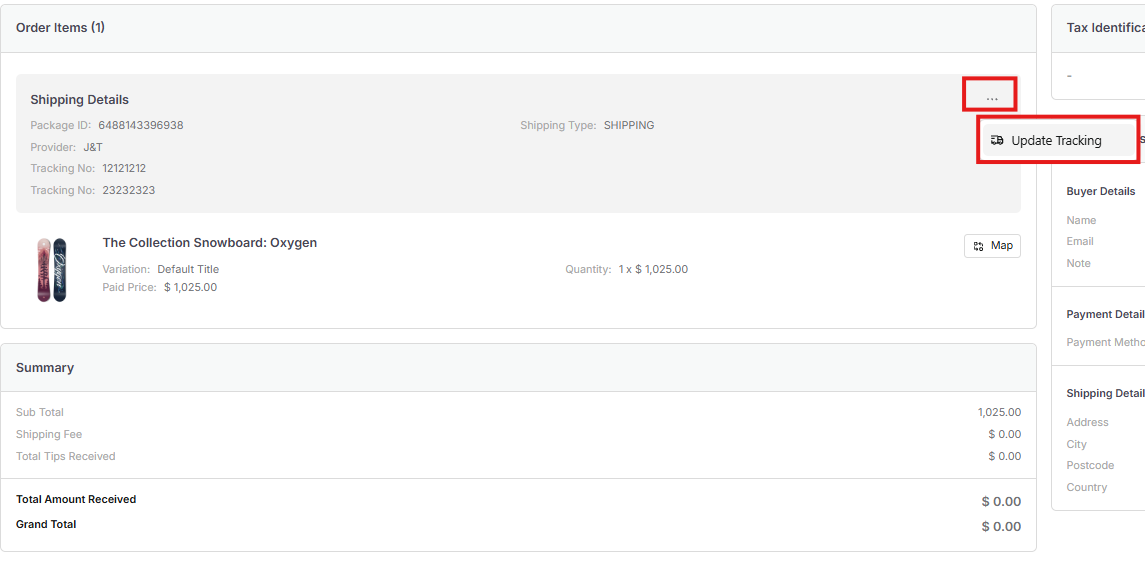
Update the carrier name, tracking number, and shipment URL to keep the buyer informed.
Create Return
Available for fulfilled orders only
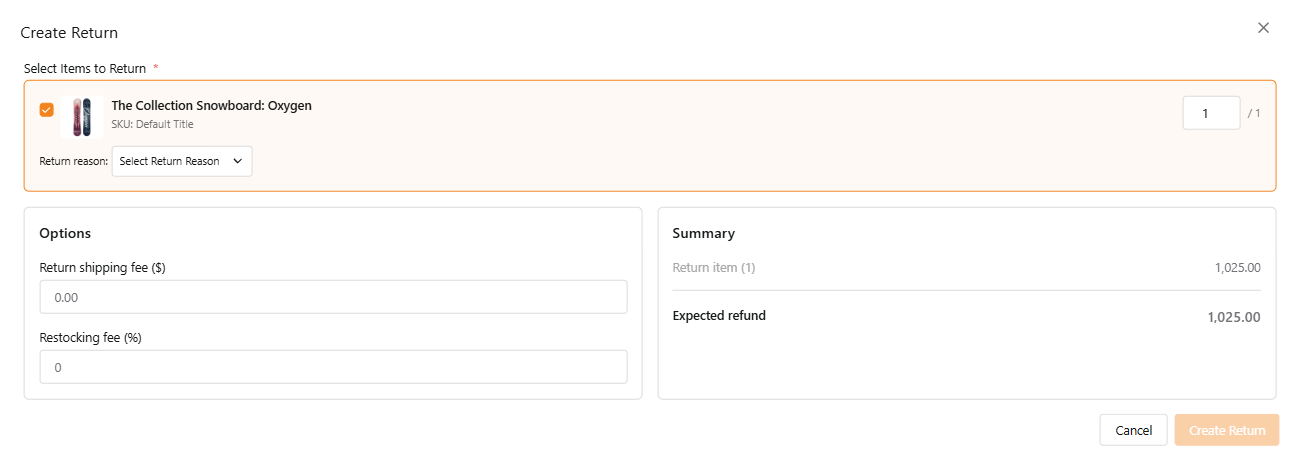
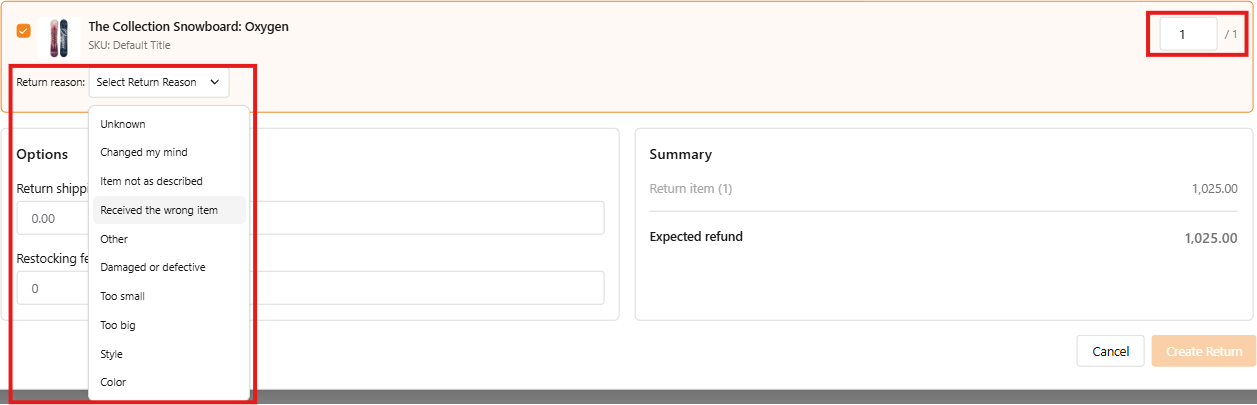
Sellers can create a return and refund for specific items in an order.
- Reason: A return reason is required and can be selected from the dropdown menu.
- Quantity: Adjust the number of items being returned.
- Return Shipping Fee: The shipping fee that charge for returning the order.
- Restocking Fee: The fee percentage that charge for restocking the items.
Process Return
| Type | Description |
|---|---|
| Open | The return is still open and can be processed. |
| Closed | The return is closed and cannot be processed. |
| Requested | The return is requested by buyer and can be processed. |
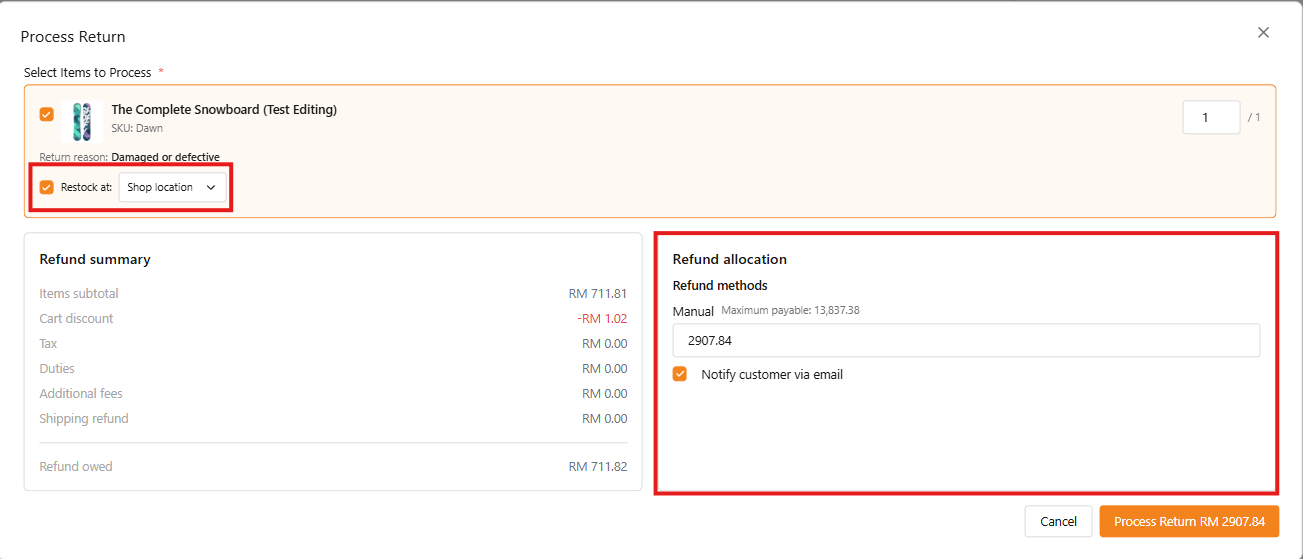
Available for open type only for return orders
User can enable the restock tickbox if the item is being returned and select the respective location
- Refund Allocation: Within the Refund Allocation, User can type in the refund amount manually or let the system auto-allocate the amount based on the item details
- Notify Customer: User can choose to email the customer about the return and refund
Cancel Order
Available for orders that have not been fulfilled
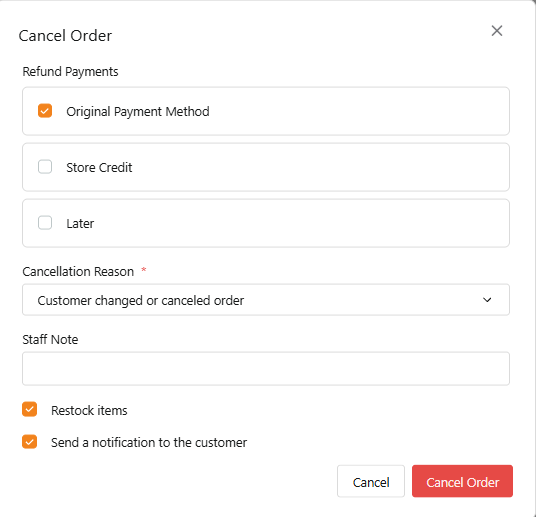
- Select the refund payment via which channel
- Select the cancellation reason
- Staff may leave a notes about the cancellation
- Tick restock items if the item is returned and in good condition
- Choose to notify the customer about the cancellation or process refund
- Submit the cancellation request
Return or Refund Order (Buyer-Initiated)
This section is available when a buyer requests a return or refund.
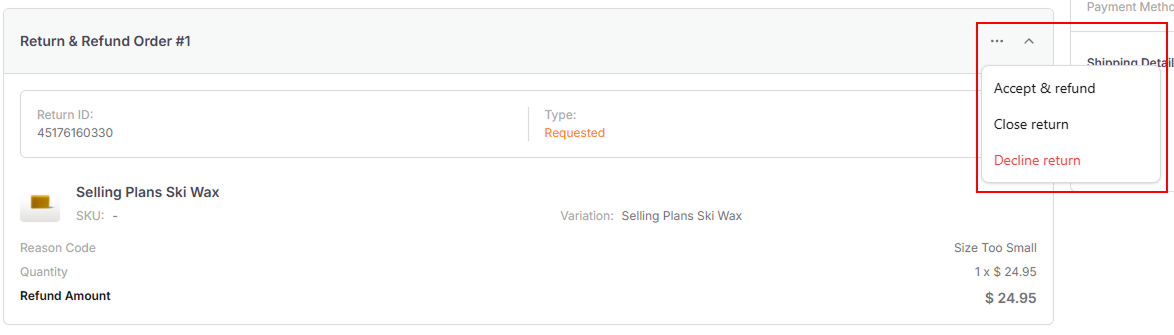
Sellers can choose from the following actions:
- Accept and Refund: Approve the request and issue a full refund to the buyer
- Decline Return: Reject the request. This does not close the case, and the request may be resubmitted
- Close Return: Stop the return and refund process. No further action will be taken
For buyer-initiated requests, the refund amount cannot be manually adjusted
WooCommerce
Order Detail Page
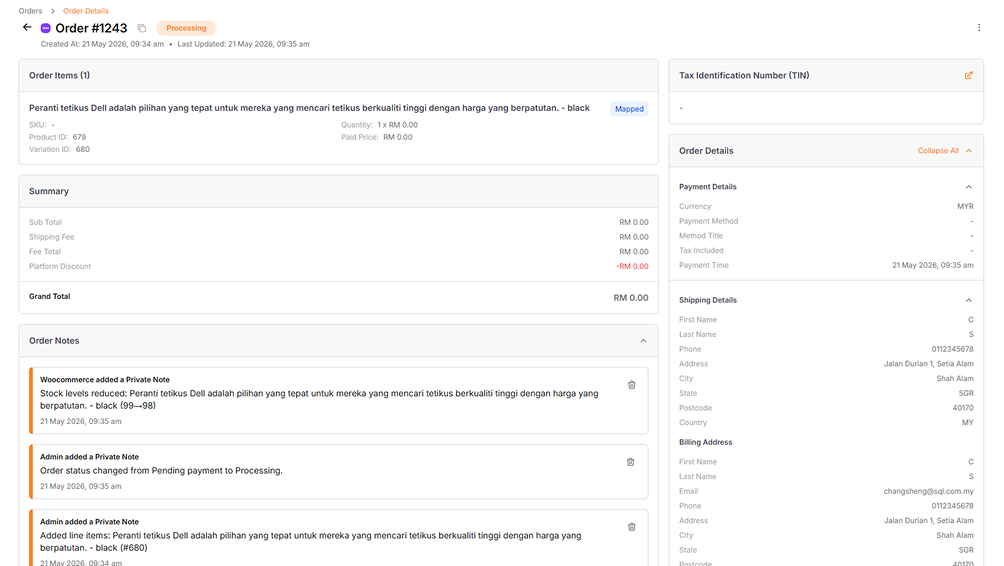
| Section | Details |
|---|---|
| Order Items | The item details in the order, including the status and shipping details |
| Order Details | Other order information, including payment details, shipping details, etc. |
| Summary | The summary payment information |
Order Notes
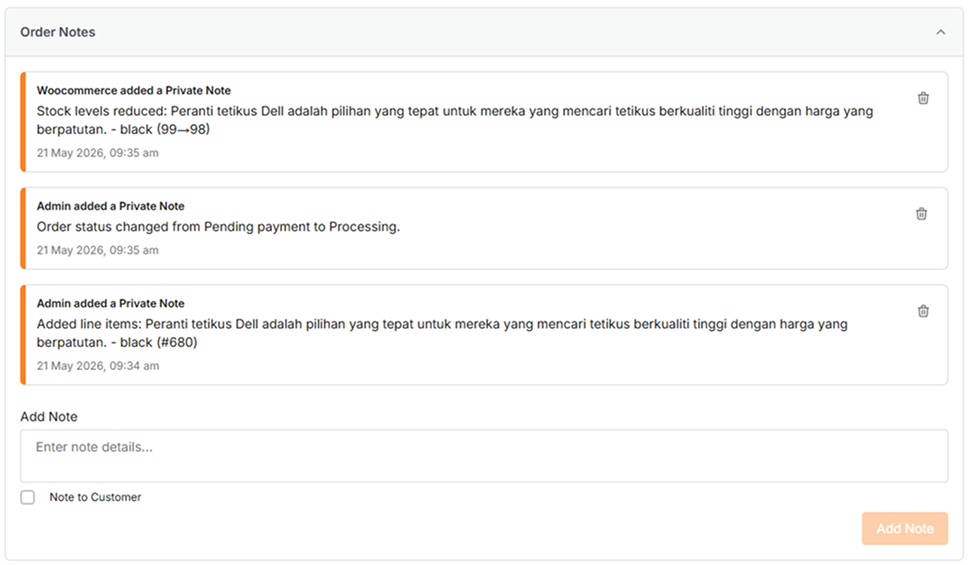
This section allows the seller to add Private or Customer notes.
Order Actions
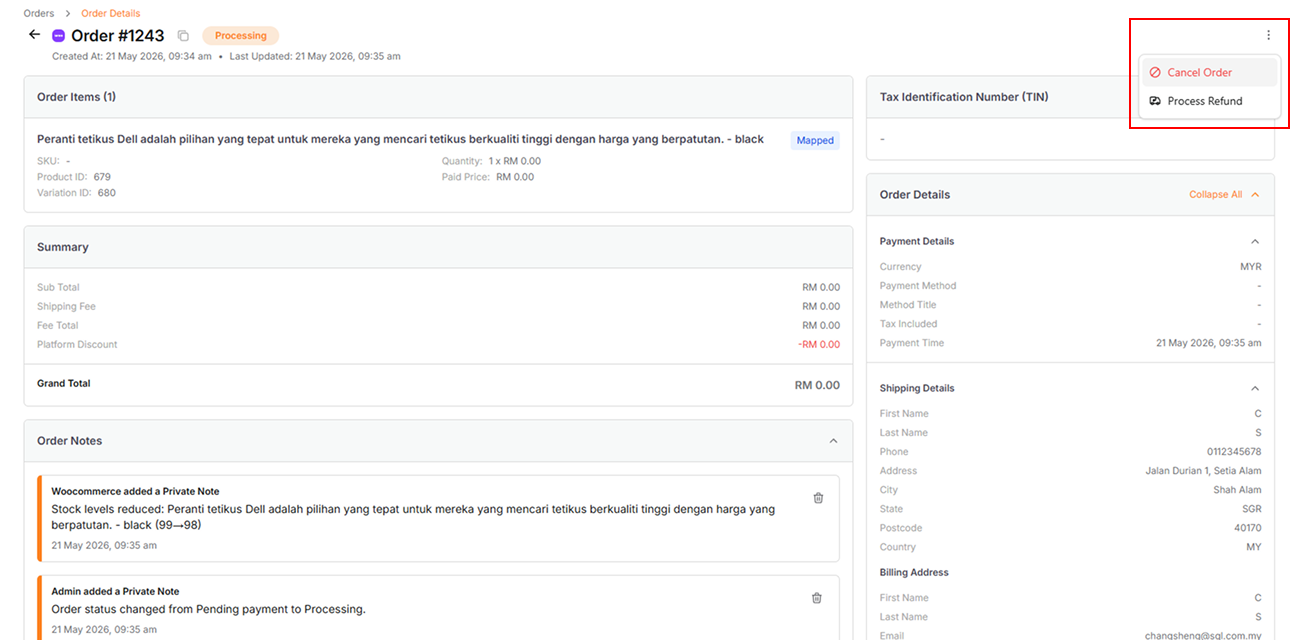
| Actions | Details |
|---|---|
| Cancel Order | Cancel a created order |
| Process Refund | Refund an order |
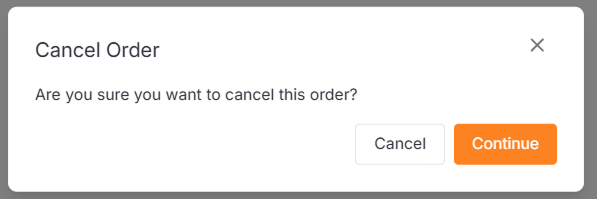
Cancel Order:
Available for Pending, On Hold and Processing orders
Process Refund: